PDFs sit at the end of almost every workflow. Contracts, invoices, research papers, scanned intake forms, manuals, and compliance filings all arrive as PDFs. The format is very good at freezing a layout. It is much worse at letting you change one number inside that layout.
That gap has become more visible as language models have gotten better at reading documents. A model can summarize a 90-page master services agreement in seconds. It will not reliably rewrite the source file. It will not hold the table alignment. It will not hand back a clean, signable copy.
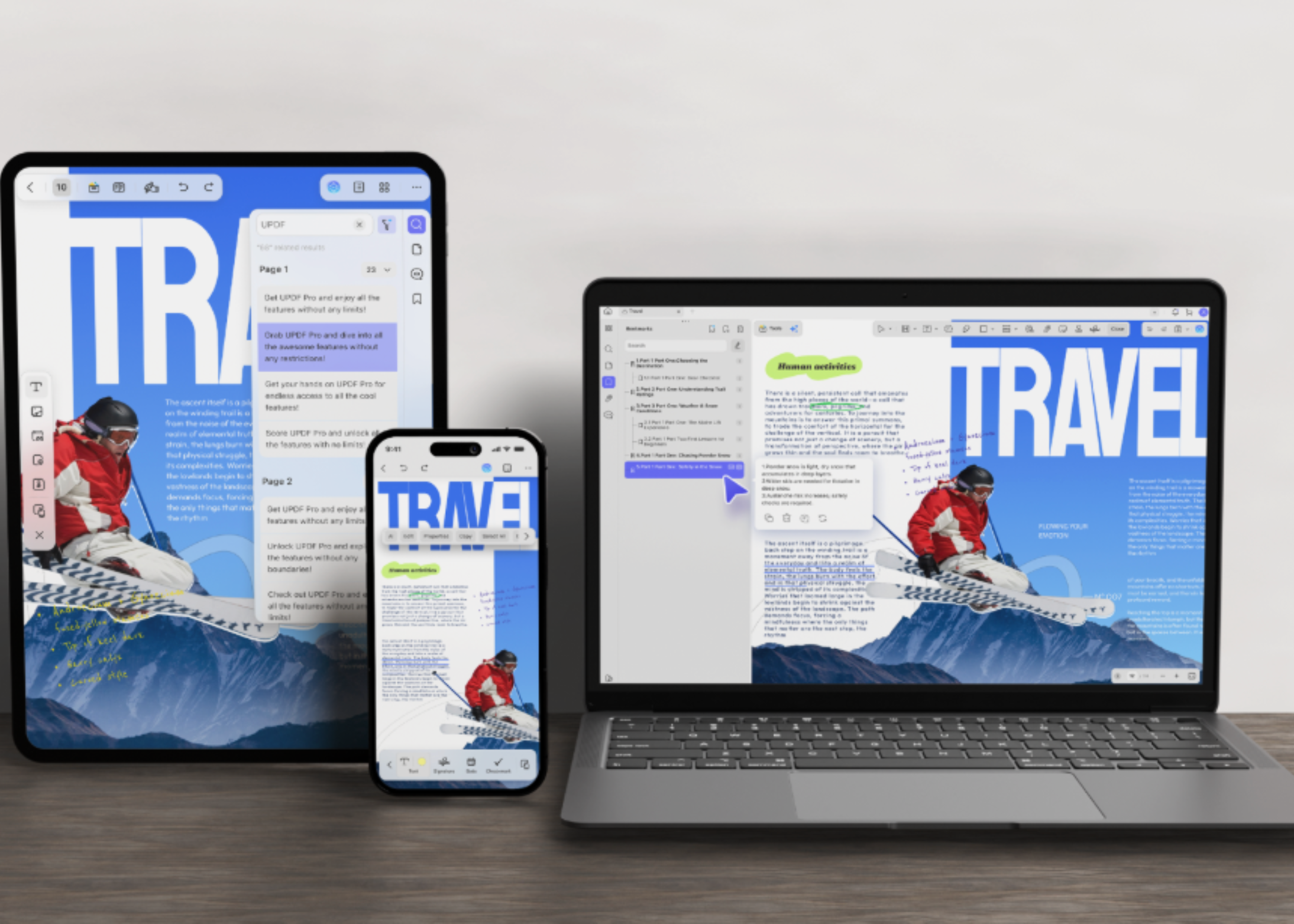
UPDF is built for the second half of that problem. It is an all-in-one PDF editor for Windows, macOS, iOS, and Android, developed by Superace Software Technologies. It combines editing, annotation, conversion, compression, OCR, page organization, and an integrated AI assistant in one application.
Two Different Problems Living in the Same Document
It helps to separate document work into two categories:
- The first is interpretation. What does this clause mean? What is the argument in section four? Which of these three quotes is cheapest? Language models are now genuinely good at this class of work.
- The second is execution. Change this price from $4,200 to $3,850. Pull pages 7 through 12 out of a 300-page report. Convert this scanned invoice into a spreadsheet with the columns intact. Flatten the file and apply a certificate. These operations are deterministic. There is exactly one correct output, and a plausible-looking approximation is a failure.
Most teams solve this by running two tools in parallel. A chatbot handles interpretation. A separate editor handles execution. UPDF’s premise is that both belong in the same window.
Edit PDFs Like a Word Document
With UPDF you can Edit an existing PDF directly, rather than rebuilding it from the original source file. Editable objects include text and font styling, images, links, and tables. Watermarks, backgrounds, headers and footers, form fields, and pages are also editable in place.
The practical constraint is layout preservation. A brochure with an outdated price should not turn into a redesign project. Neither should a contract with one wrong date. UPDF keeps the original layout, fonts, tables, and formatting intact while the edit lands.
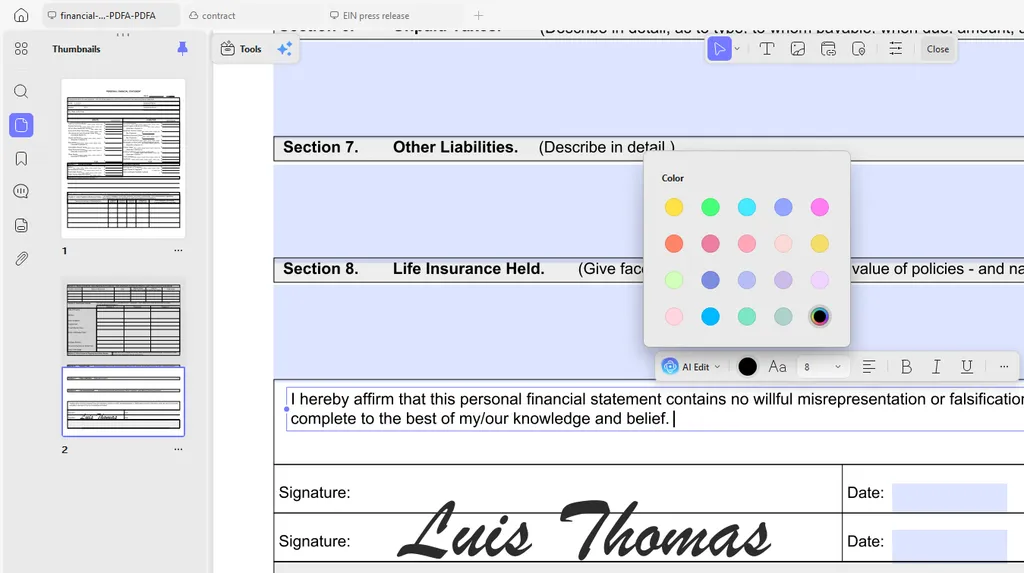
Form work sits in the same place. You can fill fields and build interactive forms. Handwritten and image-based signatures are supported, and saved signatures sync across devices.
Convert Without Losing the Layout
Sometimes the PDF is only a starting point. A financial statement needs to become a spreadsheet. A deck needs to go back into PowerPoint. A supplier contract needs to reach a team that works in Word.
UPDF can convert PDFs into 14 formats, including Word, Excel, PowerPoint, PNG, JPEG, HTML, and PDF/A. Conversion runs the other direction too. UPDF lists up to ten methods for creating a PDF. Sources include Word, Excel, PowerPoint, images, a blank page, and the clipboard.
Two details matter for anyone doing this at volume. Page-range selection means you can export only the section you need. Batch conversion has no stated file-count ceiling. A folder of scanned statements can go through in one run.
Check the Numbers Yourself
Feature lists are easy to write and hard to verify. The console below carries the specifications UPDF publishes on its own product pages. Every answer links back to its source. Click a command, or type one.
Turn Scans Into Text You Can Actually Use
Scanned PDFs are the most common failure point in document automation. They look readable, so people assume they are searchable. They are not. Every downstream step — search, extraction, retrieval, diffing — silently breaks.
UPDF’s OCR converts scanned documents and image-based PDFs into searchable, editable text. It recognizes 38 languages and handles pages that mix more than one language. UPDF states accuracy of up to 99%.

The output layout options are the part worth knowing about. UPDF offers three: text and pictures only, text over the page image, and text under the page image. The third option matters most for audit work. The page still looks like the original scan, but the text underneath is searchable.
There is also a reverse path. A searchable PDF can be flattened back into an image-only PDF. MRC-based compression keeps the file small and the page legible. That helps when a document goes out for distribution and should not be edited further.
Recognized output exports straight to Word, Excel, PowerPoint, or TXT. On iPhone and iPad, live camera capture turns the device into a scanner.
The AI Layer: Reading, Research, and Ten Agents
UPDF’s AI feature sits inside the same window as the file. UPDF states that UPDF AI now runs on GPT-5.6.

The assistant handles several jobs against an open file:
- Chat with a single PDF, or across multiple files in one project
- Summarize a whole document, a selected page range, or highlighted text
- Translate the full document with the original layout preserved
- Explain unfamiliar terms, and discuss embedded images and charts
- Convert the PDF into a mind map
Mind maps can be shared by link, downloaded, or inserted back into the document.
Two features are more specific. Paper Search finds academic papers by topic and saves them to a personal library. Scholar Research breaks a broad question into sub-questions. It then gathers papers and produces a literature review you can export as a PDF.
Version 2.5 shipped on March 31, 2026 and added ten AI agents:
- Bookmark generation and summary — builds a multi-level bookmark tree, then digests each chapter
- Semantic search — resolves synonyms, hyponyms, and related concepts instead of matching strings
- Watermark, stamp, sticker, and background generation — produced from a prompt
- AI editing suite — proofreads, expands, condenses, and changes tone
- Page management — flags blank and invalid pages, standardizes orientation and size
- UPDF Copilot — maps a natural-language request to the right tool
Copilot is deliberately scoped. It identifies the tool; the user still authorizes and performs the action. For anyone handling contracts or regulated records, that boundary is the right one.
On data handling, UPDF states that documents are not shared with third parties. It also states that document content is not used to train the models.
The free AI tier allows five uploads, 10 MB per file, 100 pages per file, and 100 questions. That allowance is shared across the app and the web version, on one account.
Organize Messy Files in Minutes
Document cleanup is the tax nobody budgets for. UPDF’s Organize tools cover adding, deleting, rotating, replacing, extracting, splitting, cropping, and reordering pages, plus merging separate files into one.
These are small operations individually. Together they stand between a folder of scans and a document you can send to a client.
Platform Support, Licensing, and Cost
UPDF runs on Windows, macOS, iOS, and Android, with the AI assistant also available in a browser. One account covers four devices, and the interface is localized in 12 languages. Support runs six days a week, and the product ships regular updates.
The feature set extends past the basics. It covers digital signatures and certificate validation, PDF/A compliance, and redaction and sanitization. Password protection, compression, batch processing, and enterprise auditing and account management are also included.
Pricing is where the Adobe Acrobat Alternative framing does most of its work. UPDF is priced at one-fifth the cost of Adobe. The AI assistant is a separate line item. Current figures are on the pricing page, and the refund policy covers a 30-day money-back guarantee.
The free tier is usable but constrained. Saved files carry a watermark, and conversions are capped at two per day. OCR runs, but it cannot save or copy its output. Batch jobs are limited to two files.
Try UPDF for Free
For teams that handle PDFs every day, the useful question is not whether an AI assistant can explain a document. It increasingly can. The question is what happens next. Does the edit land in the right place? Does the table survive the export? Does the scan become searchable text, rather than a picture of text?
UPDF aims at that second question. The AI layer sits inside the editor, rather than in a separate app.
You can try it for free or claim an Exclusive discount today. UPDF offers a 30-day money-back guarantee.
Thanks to the UPDF team for the details, data and resources for this article. UPDF team has sponsored this article.

Michal Sutter
Michal Sutter is a data science professional with a Master of Science in Data Science from the University of Padova. With a solid foundation in statistical analysis, machine learning, and data engineering, Michal excels at transforming complex datasets into actionable insights.