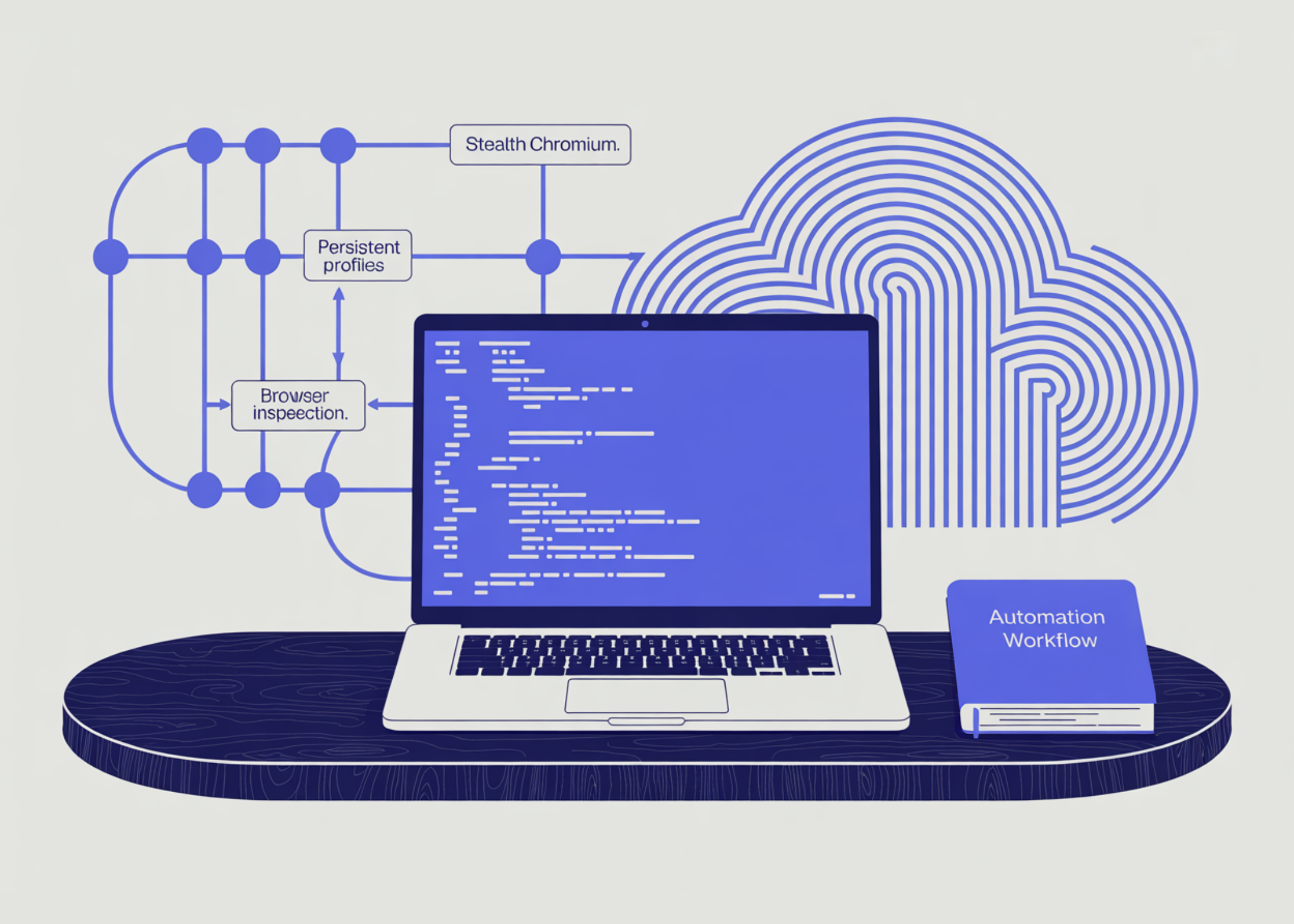
In this tutorial, we explore CloakBrowser, a Python-friendly browser automation tool that uses Playwright-style APIs within a stealth Chromium environment. We begin by setting up CloakBrowser, preparing the required browser binary, and resolving the common Colab asyncio loop issue by running the sync browser workflow in a separate worker thread. We then move through practical automation steps, including launching a browser, creating customized browser contexts, inspecting browser-visible signals, interacting with a local test page, saving session state, restoring localStorage, using persistent browser profiles, capturing screenshots, and extracting rendered page content for parsing.
import os import sys import json import time import shutil import base64 import subprocess import concurrent.futures from pathlib import Path from datetime import datetime from textwrap import dedent def run_cmd(cmd, check=True, capture=False): print(f"n$ {' '.join(cmd)}") result = subprocess.run( cmd, check=check, text=True, stdout=subprocess.PIPE if capture else None, stderr=subprocess.STDOUT if capture else None, ) if capture and result.stdout: print(result.stdout[:4000]) return result print("Installing CloakBrowser and helper packages...") run_cmd([ sys.executable, "-m", "pip", "install", "-q", "-U", "cloakbrowser", "playwright", "pandas", "beautifulsoup4" ]) print("nInstalling Chromium runtime dependencies for Colab...") try: run_cmd([sys.executable, "-m", "playwright", "install-deps", "chromium"], check=False) except Exception as e: print("Dependency installer warning:", repr(e)) from cloakbrowser import ( launch, launch_context, launch_persistent_context, ensure_binary, binary_info, ) import pandas as pd from bs4 import BeautifulSoup from IPython.display import display, Image WORKDIR = Path("https://www.marktechpost.com/content/cloakbrowser_advanced_tutorial") WORKDIR.mkdir(parents=True, exist_ok=True) SCREENSHOT_PATH = WORKDIR / "cloakbrowser_result.png" STORAGE_STATE_PATH = WORKDIR / "storage_state.json" PROFILE_DIR = WORKDIR / "persistent_profile" print("nPreparing CloakBrowser binary...") try: ensure_binary() except Exception as e: print("Binary setup warning:", repr(e)) print("nCloakBrowser binary info:") try: info = binary_info() print(json.dumps(info, indent=2, default=str)) except Exception as e: print("Could not read binary info:", repr(e))We start by installing CloakBrowser, Playwright, pandas, and BeautifulSoup so the Colab environment has everything needed for browser automation and result analysis. We also install Chromium runtime dependencies, import the main CloakBrowser launch utilities, and define the working paths for screenshots, storage state, and persistent profiles. We then prepare the CloakBrowser binary and print its details to confirm the browser engine is installed correctly before running automation.
def make_data_url(html: str) -> str: encoded = base64.b64encode(html.encode("utf-8")).decode("ascii") return f"data:text/html;base64,{encoded}" def print_section(title): print("n" + "=" * 80) print(title) print("=" * 80) def safe_close(obj, label="object"): try: if obj: obj.close() except Exception as e: print(f"Warning while closing {label}: {e}") def run_sync_browser_job_in_thread(fn, *args, **kwargs): """ Google Colab and Jupyter already run an asyncio event loop. CloakBrowser currently exposes Playwright-style sync helpers such as: - launch() - launch_context() - launch_persistent_context() Playwright's sync API cannot run inside an already-running event loop. Therefore, we run the entire browser automation job inside a separate thread. """ with concurrent.futures.ThreadPoolExecutor(max_workers=1) as executor: future = executor.submit(fn, *args, **kwargs) return future.result() test_page_html = dedent(""" CloakBrowser Local Automation Lab CloakBrowser Local Automation Lab
This page runs locally from a data URL. We use it to inspect browser-visible properties and demonstrate Playwright-style interaction safely.
Interaction Form
Waiting for interaction...
Browser Signals
""").strip() TEST_PAGE_URL = make_data_url(test_page_html)
We define helper functions for creating data URLs, printing section headers, safely closing browser objects, and running synchronous browser jobs inside a separate thread. We use the thread wrapper because Google Colab already runs an asyncio loop, and this prevents Playwright’s sync API from failing. We also create a safe local HTML test page that collects browser-visible signals, supports form interaction, and stores test values in localStorage.
def cloakbrowser_tutorial_job(): results = { "basic_launch": None, "advanced_context": None, "storage_restore": None, "persistent_profile": None, "rendered_extraction": None, "static_parsing": None, "errors": [], } print_section("1. Basic CloakBrowser launch") browser = None try: browser = launch( headless=True, humanize=True, args=[ "--no-sandbox", "--disable-dev-shm-usage", ], ) page = browser.new_page() page.goto("https://example.com", wait_until="domcontentloaded", timeout=60000) results["basic_launch"] = { "title": page.title(), "body_preview": page.locator("body").inner_text(timeout=15000)[:300], "url": page.url, } print(json.dumps(results["basic_launch"], indent=2)) except Exception as e: error = { "section": "basic_launch", "error": repr(e), } results["errors"].append(error) print(error) finally: safe_close(browser, "basic browser") print_section("2. Advanced context launch with custom browser context") context = None try: context = launch_context( headless=True, humanize=True, viewport={"width": 1365, "height": 768}, locale="en-US", timezone_id="America/New_York", color_scheme="light", extra_http_headers={ "Accept-Language": "en-US,en;q=0.9", "X-Tutorial-Run": "cloakbrowser-colab", }, args=[ "--no-sandbox", "--disable-dev-shm-usage", ], ) page = context.new_page() page.goto(TEST_PAGE_URL, wait_until="domcontentloaded", timeout=60000) page.locator("#name").fill("CloakBrowser Colab User") page.locator("#message").fill( "We are testing safe local browser automation in Google Colab." ) page.locator("#submit").click() page.wait_for_timeout(1000) signals = page.evaluate("() => collectSignals()") status_text = page.locator("#status").inner_text() page.screenshot(path=str(SCREENSHOT_PATH), full_page=True) context.storage_state(path=str(STORAGE_STATE_PATH)) results["advanced_context"] = { "status_text": status_text, "signals": signals, "screenshot_path": str(SCREENSHOT_PATH), "storage_state_path": str(STORAGE_STATE_PATH), } print(json.dumps(results["advanced_context"], indent=2, default=str)) except Exception as e: error = { "section": "advanced_context", "error": repr(e), } results["errors"].append(error) print(error) finally: safe_close(context, "advanced context") print_section("3. Restore localStorage using storage_state") restored_context = None try: restored_context = launch_context( headless=True, humanize=True, storage_state=str(STORAGE_STATE_PATH), viewport={"width": 1365, "height": 768}, locale="en-US", timezone_id="America/New_York", args=[ "--no-sandbox", "--disable-dev-shm-usage", ], ) restored_page = restored_context.new_page() restored_page.goto(TEST_PAGE_URL, wait_until="domcontentloaded", timeout=60000) restored_values = restored_page.evaluate(""" () => ({ tutorial_name: localStorage.getItem("tutorial_name"), tutorial_message: localStorage.getItem("tutorial_message"), cloakbrowser_test: localStorage.getItem("cloakbrowser_test") }) """) results["storage_restore"] = restored_values print(json.dumps(restored_values, indent=2)) except Exception as e: error = { "section": "storage_restore", "error": repr(e), } results["errors"].append(error) print(error) finally: safe_close(restored_context, "restored context")We define the main tutorial job and begin by launching CloakBrowser in headless mode to open a simple public page and extract its title, body preview, and URL. We then create a customized browser context with viewport, locale, timezone, color scheme, and custom headers to simulate a more controlled browser session. We interact with the local test form, collect browser signals, save a screenshot, store session state, and then test whether localStorage can be restored in a fresh context.
print_section("4. Persistent profile demonstration") if PROFILE_DIR.exists(): shutil.rmtree(PROFILE_DIR) try: ctx1 = launch_persistent_context( str(PROFILE_DIR), headless=True, humanize=True, viewport={"width": 1280, "height": 720}, locale="en-US", timezone_id="America/New_York", args=[ "--no-sandbox", "--disable-dev-shm-usage", ], ) p1 = ctx1.new_page() p1.goto(TEST_PAGE_URL, wait_until="domcontentloaded", timeout=60000) p1.evaluate(""" () => { localStorage.setItem("persistent_profile_demo", "saved_across_browser_restarts"); localStorage.setItem("persistent_profile_timestamp", new Date().toISOString()); } """) first_value = p1.evaluate("() => localStorage.getItem('persistent_profile_demo')") ctx1.close() ctx2 = launch_persistent_context( str(PROFILE_DIR), headless=True, humanize=True, viewport={"width": 1280, "height": 720}, locale="en-US", timezone_id="America/New_York", args=[ "--no-sandbox", "--disable-dev-shm-usage", ], ) p2 = ctx2.new_page() p2.goto(TEST_PAGE_URL, wait_until="domcontentloaded", timeout=60000) second_value = p2.evaluate( "() => localStorage.getItem('persistent_profile_demo')" ) second_timestamp = p2.evaluate( "() => localStorage.getItem('persistent_profile_timestamp')" ) ctx2.close() persistent_results = { "first_run_value": first_value, "second_run_value": second_value, "second_run_timestamp": second_timestamp, "profile_dir": str(PROFILE_DIR), "persisted_successfully": first_value == second_value and second_value is not None, } results["persistent_profile"] = persistent_results print(json.dumps(persistent_results, indent=2)) except Exception as e: error = { "section": "persistent_profile", "error": repr(e), } results["errors"].append(error) print(error) print_section("5. Browser-rendered extraction plus static parsing") browser = None try: browser = launch( headless=True, humanize=True, args=[ "--no-sandbox", "--disable-dev-shm-usage", ], ) page = browser.new_page() page.goto("https://example.com", wait_until="domcontentloaded", timeout=60000) rendered = { "title": page.title(), "h1": page.locator("h1").inner_text(timeout=15000), "paragraph": page.locator("p").first.inner_text(timeout=15000), "url": page.url, "captured_at": datetime.utcnow().isoformat() + "Z", } html = page.content() soup = BeautifulSoup(html, "html.parser") parsed = { "static_title": soup.title.get_text(strip=True) if soup.title else None, "static_h1": soup.find("h1").get_text(strip=True) if soup.find("h1") else None, "links": [ { "text": a.get_text(strip=True), "href": a.get("href"), } for a in soup.find_all("a") ], } results["rendered_extraction"] = rendered results["static_parsing"] = parsed print("Rendered extraction:") print(json.dumps(rendered, indent=2)) print("nStatic parsing:") print(json.dumps(parsed, indent=2)) except Exception as e: error = { "section": "rendered_extraction", "error": repr(e), } results["errors"].append(error) print(error) finally: safe_close(browser, "extraction browser") return resultsWe continue the same tutorial job by creating a persistent browser profile directory and using it to save localStorage across browser restarts. We launch the persistent profile twice: first to write a stored value, and then to confirm that the value persists in the second launch. We also demonstrated rendering a live page and extracting the rendered page, then parsing the browser-returned HTML with BeautifulSoup for static content analysis.
tutorial_results = run_sync_browser_job_in_thread(cloakbrowser_tutorial_job) print_section("6. Final tutorial summary") if SCREENSHOT_PATH.exists(): display(Image(filename=str(SCREENSHOT_PATH))) rows = [] advanced = tutorial_results.get("advanced_context") if advanced and advanced.get("signals"): signals = advanced["signals"] rows.extend([ { "category": "Browser signal", "metric": "navigator.webdriver", "value": signals.get("webdriver"), }, { "category": "Browser signal", "metric": "navigator.plugins.length", "value": signals.get("pluginsLength"), }, { "category": "Browser signal", "metric": "window.chrome present", "value": signals.get("chromeObjectPresent"), }, { "category": "Browser signal", "metric": "timezone", "value": signals.get("timezone"), }, { "category": "Browser signal", "metric": "platform", "value": signals.get("platform"), }, { "category": "Browser signal", "metric": "viewport", "value": json.dumps(signals.get("viewport")), }, { "category": "Browser signal", "metric": "webglRenderer", "value": signals.get("webglRenderer"), }, ]) persistent = tutorial_results.get("persistent_profile") if persistent: rows.append({ "category": "Persistence", "metric": "persistent profile restored localStorage", "value": persistent.get("persisted_successfully"), }) basic = tutorial_results.get("basic_launch") if basic: rows.append({ "category": "Navigation", "metric": "basic launch title", "value": basic.get("title"), }) rendered = tutorial_results.get("rendered_extraction") if rendered: rows.append({ "category": "Extraction", "metric": "rendered h1", "value": rendered.get("h1"), }) rows.extend([ { "category": "Output", "metric": "screenshot_path", "value": str(SCREENSHOT_PATH) if SCREENSHOT_PATH.exists() else None, }, { "category": "Output", "metric": "storage_state_path", "value": str(STORAGE_STATE_PATH) if STORAGE_STATE_PATH.exists() else None, }, { "category": "Output", "metric": "working_directory", "value": str(WORKDIR), }, ]) if tutorial_results.get("errors"): for err in tutorial_results["errors"]: rows.append({ "category": "Error", "metric": err.get("section"), "value": err.get("error"), }) summary_df = pd.DataFrame(rows) display(summary_df) print("nTutorial complete.") print("Files created:") for path in sorted(WORKDIR.glob("*")): print(" -", path)We run the complete CloakBrowser tutorial job inside the safe thread wrapper. We display the captured screenshot and build a structured pandas summary table containing browser signals, persistence results, navigation output, extraction output, generated file paths, and any errors. We finish by printing the tutorial completion message and listing all files created in the working directory.
In conclusion, we built a complete Colab-ready CloakBrowser workflow that demonstrates both basic and advanced browser-automation patterns in a safe, controlled environment. We used local test pages and simple public pages to understand how CloakBrowser handles browser contexts, storage, persistence, screenshots, and the extraction of rendered HTML. We also made the tutorial reliable for notebook environments by isolating the sync browser execution from Colab’s active event loop. This provides a strong foundation for building more advanced, responsible browser-automation pipelines with CloakBrowser and Python.
Check out the Full Codes here. Also, feel free to follow us on Twitter and don’t forget to join our 150k+ ML SubReddit and Subscribe to our Newsletter. Wait! are you on telegram? now you can join us on telegram as well.
Need to partner with us for promoting your GitHub Repo OR Hugging Face Page OR Product Release OR Webinar etc.? Connect with us
Sana Hassan
Sana Hassan, a consulting intern at Marktechpost and dual-degree student at IIT Madras, is passionate about applying technology and AI to address real-world challenges. With a keen interest in solving practical problems, he brings a fresh perspective to the intersection of AI and real-life solutions.