M5 Pro Max’s “performance” CPU cores definitely aren’t just rebranded E-cores.
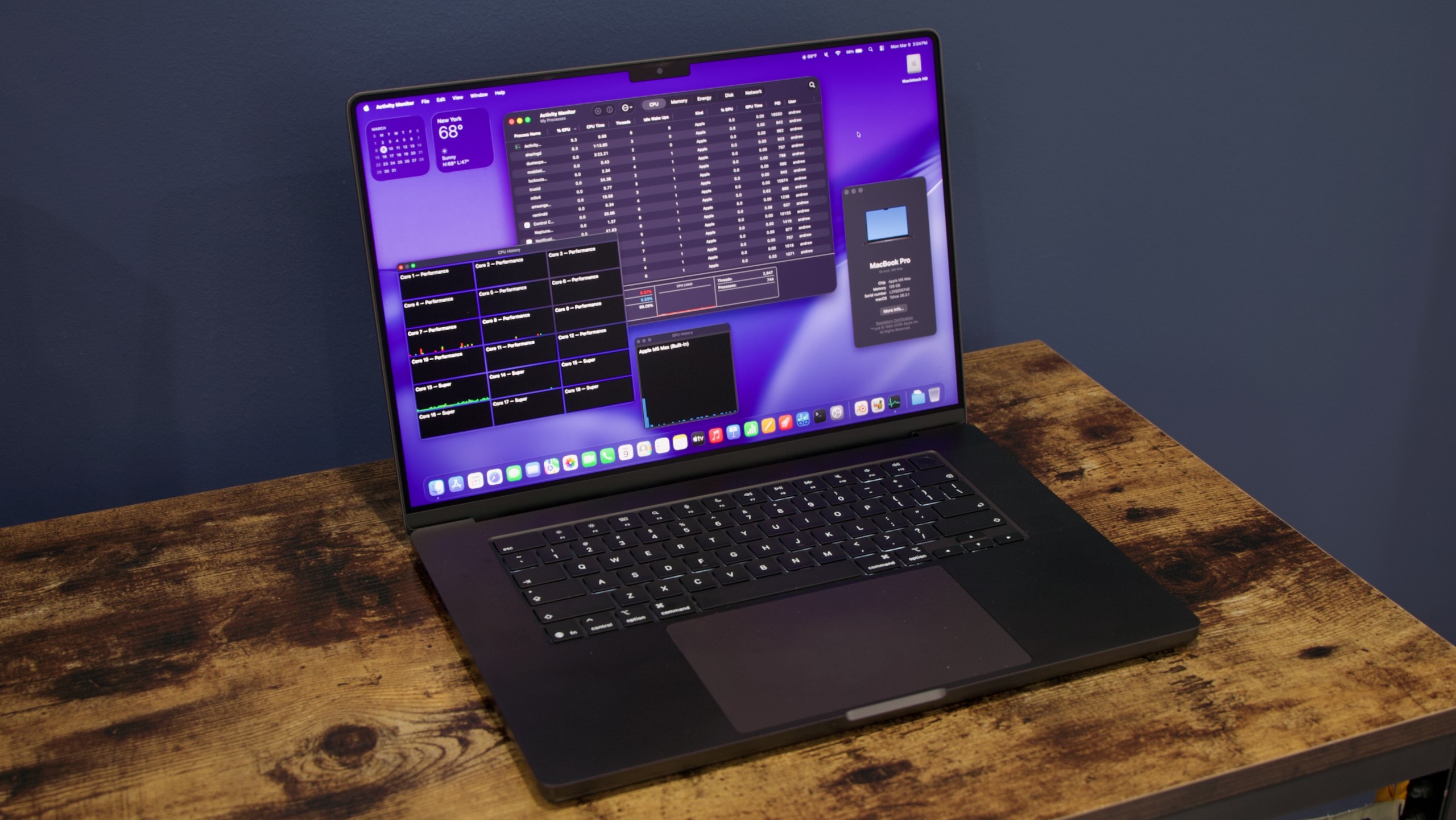
The 16-inch MacBook Pro with the Apple M5 Max chip inside. Credit: Andrew Cunningham
The 16-inch MacBook Pro with the Apple M5 Max chip inside. Credit: Andrew Cunningham
Apple’s M5 Pro and M5 Max make deceptively large changes to how Apple’s high-end laptop and desktop chips are built.
We’ve already covered those changes in some depth, but in essence: The M5 Pro and M5 Max are no longer monolithic chips with all the CPU and GPU cores and everything else packed into a single silicon die. Using an “all-new Fusion Architecture” like the one used to combine two Max chips into a single Ultra chip, Apple now splits the CPU cores (and other things) into one piece of silicon, and the GPU cores (and other things) into another piece of silicon. These two dies are then packaged together into one chip.
M5 Pro and M5 Max both use the same 18-core CPU die, but Pro uses a 20-core GPU die, and Max gets a 40-core GPU die. (Because the memory controller is also part of the GPU die, the Max chip still offers more memory bandwidth and supports higher memory configurations than the Pro one does.)
The other big change is that neither of these chips uses Apple’s “efficiency” CPU cores anymore. All of the M5 family’s large high-performance cores are now called “super” cores as of macOS 26.3.1, including the ones that originally launched as “performance” cores in the regular M5 last fall. The standard M5 still has smaller, slower efficiency cores, but M5 Pro and M5 Max use a third kind of CPU core instead, confusingly also called “performance” cores.
| Fastest cores | “Medium” cores | Efficiency cores | GPU cores | Memory bandwidth | |
|---|---|---|---|---|---|
| M5 Max | Up to 6 (“super”) | Up to 12 (“performance”) | 0 | Up to 40 | Up to 614 GB/s |
| M5 Pro | Up to 6 (“super”) | Up to 12 (“performance”) | 0 | Up to 20 | 307 GB/s MHz |
| M5 | 4 (“super”) | 0 | 6 | Up to 10 | 153 GB/s |
| M4 Max | Up to 12 (“performance”) | 0 | 4 | Up to 40 | Up to 546 GB/s |
| M5 | Up to 10 (“performance”) | 0 | 4 | Up to 20 | 273 GB/s |
| M4 | 4 (“performance”) | 0 | 6 | Up to 10 | 120 GB/s |
Users will experience the M5 Pro and M5 Max mostly as the expected iterative upgrades over last-generation chips, the same thing delivered by most new Apple Silicon processor generations. But for the technically inclined, it’s worth digging a little deeper into the M5 Max, both to learn why it performs the way it does and to dispel confusion about what’s being rebranded (the new “super” cores), and what’s actually different (the new “performance” cores in M5 Pro and M5 Max, which definitely aren’t just rebranded efficiency cores).
If you’re interested in a slightly wider-ranging review of the new MacBook Pros, I’ll point you toward reviews of the M1, M3, and M4 generation models, as well as the one for the low-end 14-inch MacBook Pro with the standard M5 (now $100 more expensive than it was before, but with 1TB of base storage instead of 512GB).
Apple is using the same external design for these laptops that it has been using since 2021—it’s aging pretty well, and we still mostly like it, especially compared to late-Intel-era MacBook Pros. There’s just not much else to say about the design that hasn’t been said.
M5 Max benchmarks
In our testing, the fully enabled M5 Max’s single-core performance is about 10 percent higher than the fully enabled version of the M4 Max in last year’s 16-inch MacBook Pro. The multi-core performance improvements are more variable (Cinebench R23, which shows a 30 percent improvement, seems to be an outlier), but most tests also show a modest 10 or 12 percent improvement.
Graphics performance improvements are slightly more robust, measuring between 20 and 35 percent depending on the test. Apple suggests you may see more uplift on GPU compute workloads that can leverage the neural accelerator Apple has built into each M5-family GPU core.
The jump from the M4 Max to the M5 Max isn’t quite as large, expressed as a percentage, as it has been for the last couple generations; both M3 Max and M4 Max were big leaps from what had come before. But assuming you’re upgrading from an M1 or M2-based Pro, you’ll still be taking a big leap. Fears that stepping down from 12 of Apple’s best-performing CPU cores (in M4 Max) to just six of the best-performing cores are also a bit overblown, based on these results.
Compared to the basic M5 in the 14-inch MacBook Pro, the M5 Max’s single-core performance is roughly the same, which is in keeping with how Apple usually does things—stepping up to higher-end chips gets you better multi-core and graphics performance, but Apple doesn’t push the clock speeds upward on the individual cores the way that Intel or AMD do with their higher-end processors.
Multi-core performance increases between 66 percent (Geekbench) and 120 percent (Cinebench R23)—for sustained heavy workloads, an 18-core M5 Pro or M5 Max ought to be just about twice as fast as the M5, give or take. And jumping from the M5’s 10 GPU cores to the M5 Max’s 40 cores typically gets you between three and four times the graphics performance.
Measuring the M5 Max’s CPU power consumption with the powermetrics command-line tool, average power consumption during our Handbrake video encoding test is about 23 percent higher than M4 Max, and because of that increase, the chip uses just a bit more energy overall to do the same work. We observed a similar increase when comparing the M4 to the M5. But overall, power efficiency is roughly in line with past Apple Silicon generations.
While Apple only sent us an M5 Max-equipped MacBook Pro to test, for most CPU-based tasks, the M5 Pro should perform similarly. That’s because both chips are using the exact same silicon die for the CPU cores, Neural Engine, Thunderbolt and display controllers, and SSD controller. It’s the GPU die that separates the Pro from the Max; the Pro has up to 20 GPU cores and 307 GB/s of memory bandwidth, and the Max has up to 40 GPU cores and up to 614 GB/s of memory bandwidth (these are two totally different GPUs—the Max GPU isn’t just two Pro GPUs joined together with the Fusion Architecture).
M5 Max under the hood: Definitely not efficiency cores
The whole “performance cores are now super cores in all M5 chips” thing has created a lot of confusion around the non-Super cores. The M5 Pro and M5 Max come with six super cores and 12 of what Apple is now calling “performance” cores, but are those just efficiency cores that have been rebranded to create the impression of higher speeds?
Apple has said publicly that these new performance cores are “all-new” and “optimized for power-efficient, multithreaded workloads,” and we’re told that the performance cores are new designs that are derived from the super core. There’s precedent for this; AMD ships functionally identical but physically smaller, lower-clocked Zen 4c and Zen 5c cores in many of its laptop CPUs, rather than using different core designs for the big and little cores (as Intel still does, and as Apple has likely been doing up till now).
I can’t speak to the actual low-level architecture of each type of CPU core, but using both powermetrics and the sysctl command, we can confirm that these aren’t just rebranded efficiency cores. The new performance cores have more L2 cache than the M5’s efficiency cores and run at much higher peak clock speeds.
| L1 instruction cache | L1 data cache | L2 cache | Minimum clock | Maximum clock | |
|---|---|---|---|---|---|
| M5/M5 Pro/M5 Max super core | 192KB | 128KB | 16MB per cluster | 1,308 MHz | 4,608 MHz |
| M5 Pro/M5 Max performance core | 128KB | 64KB | 8MB per cluster | 1,344 MHz | 4,308 MHz |
| M5 efficiency core | 128KB | 64KB | 6MB per cluster | 972 MHz | 3,048 MHz |
The new non-super performance cores have the same L1 cache sizes as Apple’s E-cores, but slightly more L2 cache per 6-core cluster and much higher minimum and maximum clock speeds. At about 4.3 GHz, the M5 Max’s performance cores come in only 300 MHz lower than the super cores’ 4.6 GHz peak.
We can also report that the powermetrics tool uses new under-the-hood nomenclature for reporting data about these performance cores. Powermetrics still refers to the cluster of super cores as the “P-cluster,” and the M5’s E-cores are still referred to as the “E-cluster.” But the new performance core clusters are labeled “M0 cluster” and “M1 cluster.” (M for Middle, maybe? Medium? It’s very likely that Apple started working on these core designs before it decided what their public-facing name should be.)
What I can’t say is whether macOS treats these new performance cores any differently than it would treat the E-cores. From the operating system’s perspective, you still have one group of CPU cores that runs at high speeds and one group that runs at lower speeds, and my guess would be that anything that would be directed at an E-core in the M5 or an older Mac will simply be directed to the performance cores in an M5 Pro or M5 Max system. But it’s totally possible that M5 Pro or M5 Max systems could assign tasks to different CPU cores slightly differently, since the performance gap between the “big” and “little” cores isn’t as large.
Finally, let’s look at how the M5 Max’s CPU cores perform under the sustained heavy load of our Handbrake video encoding test.
Clock speed measurements for the “super” clusters on M5 and M5 Max during our CPU-based Handbrake video encoding test, which uses all CPU cores in a system at once.
Observe the standard Apple M5 in the 14-inch MacBook Pro. The M5’s four super cores maintain a peak multi-core clock speed of 4.24 GHz for a bit less than a minute, then fall slightly to a clock speed closer to 4.1 GHz, and ramp down further to about 4.0 GHz for the last stretch of the test. (Note that the fanless version of the M5 in the MacBook Air starts lower, drops off faster, and settles down to a sustained clock speed somewhere in the neighborhood of 3 GHz.)
The standard M5’s E-cores also run at fairly consistent speeds of around 3 GHz throughout the test, with some peaks and valleys but little sign of any performance throttling.
Now look at the lines for the M5 Max in the 16-inch MacBook Pro. The 6-core supercluster maintains its maximum clock speed for just a few seconds, quickly dropping down to a sustained clock speed of around 3.9 GHz (with periodic dips as low as 3.4 GHz). There are two extra cores in the M5 Max’s super cluster, so slightly lower sustained clock speeds are to be expected.
But those performance cores are where a lot of M5 Max’s multi-core speed is coming from. In terms of clock speed, the two performance core clusters behave more like efficiency cores, insofar as they maintain a fairly stable clock speed without significant performance throttling. But these cores are running between 4.3 and 4.2 GHz rather than 3 GHz; even without other architectural changes, that means that these performance cores are going to run things quite a bit faster than the efficiency cores do.

Andrew is a Senior Technology Reporter at Ars Technica, with a focus on consumer tech including computer hardware and in-depth reviews of operating systems like Windows and macOS. Andrew lives in Philadelphia and co-hosts a weekly book podcast called Overdue.