
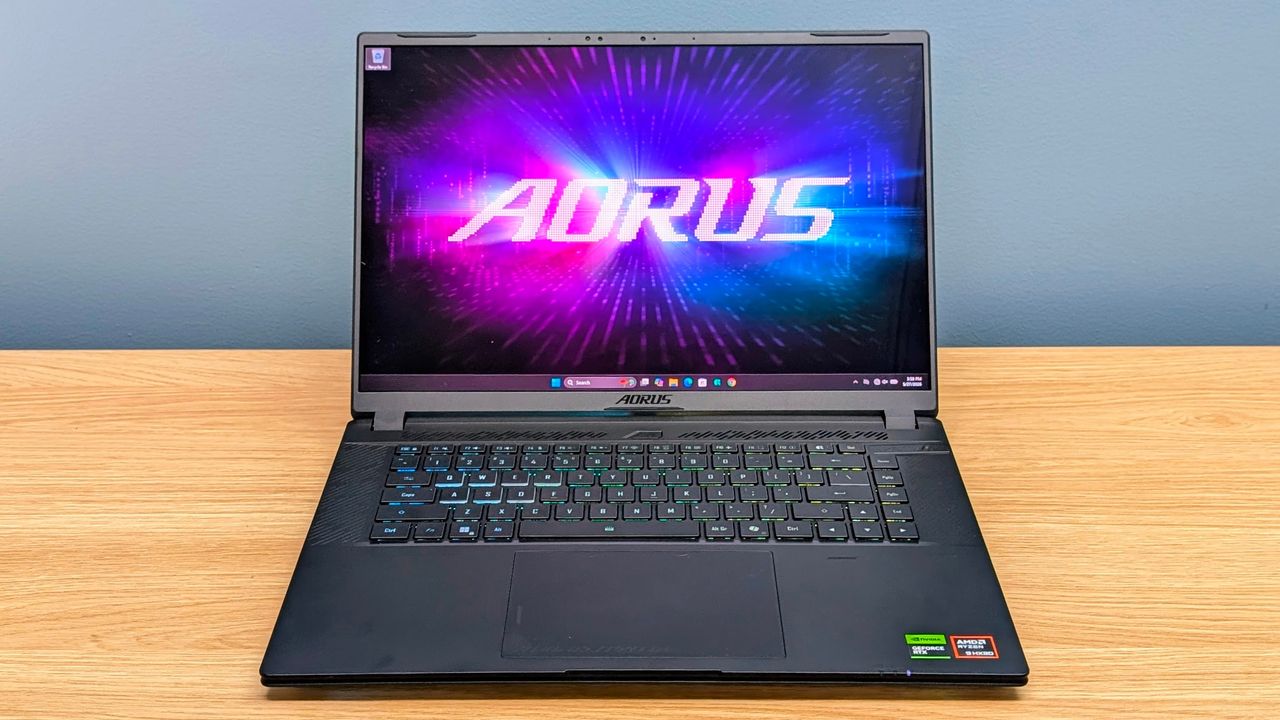
TechRadar Verdict
The Gigabyte Aorus Master 16 (Gen 2) delivers the fast 1600p gaming its RTX 5090 spec promises, and the 240Hz OLED display is excellent for games, video and creative work. It’s also slim for the hardware inside, with useful but somewhat cramped ports and USB-C charging for top-ups away from the power brick. The downsides are real, though: the fans are loud under load and battery life is disappointing even for a gaming laptop.
Pros
- +
High-end 1600p gaming performance
- +
Excellent 240Hz OLED display
- +
Compact for the hardware inside
Cons
- –
Loud fan noise
- –
Poor battery life
- –
Cramped port layout
Why you can trust TechRadar We spend hours testing every product or service we review, so you can be sure you’re buying the best. Find out more about how we test.
Gigabyte Aorus Master 16 Gen 2: Two-minute review
The Gigabyte Aorus Master 16 Gen 2 is built for fast 2560 x 1600 gaming, and it squeezes flagship-class hardware into a slimmer chassis than typical desktop-replacement machines.
The review unit tested here combines AMD’s Ryzen 9 9955HX3D CPU with a 175W Nvidia GeForce RTX 5090 laptop GPU, 32GB of RAM and a 1TB SSD, so it’s aimed at buyers who want top-tier performance without stepping up to a much larger 18-inch machine.
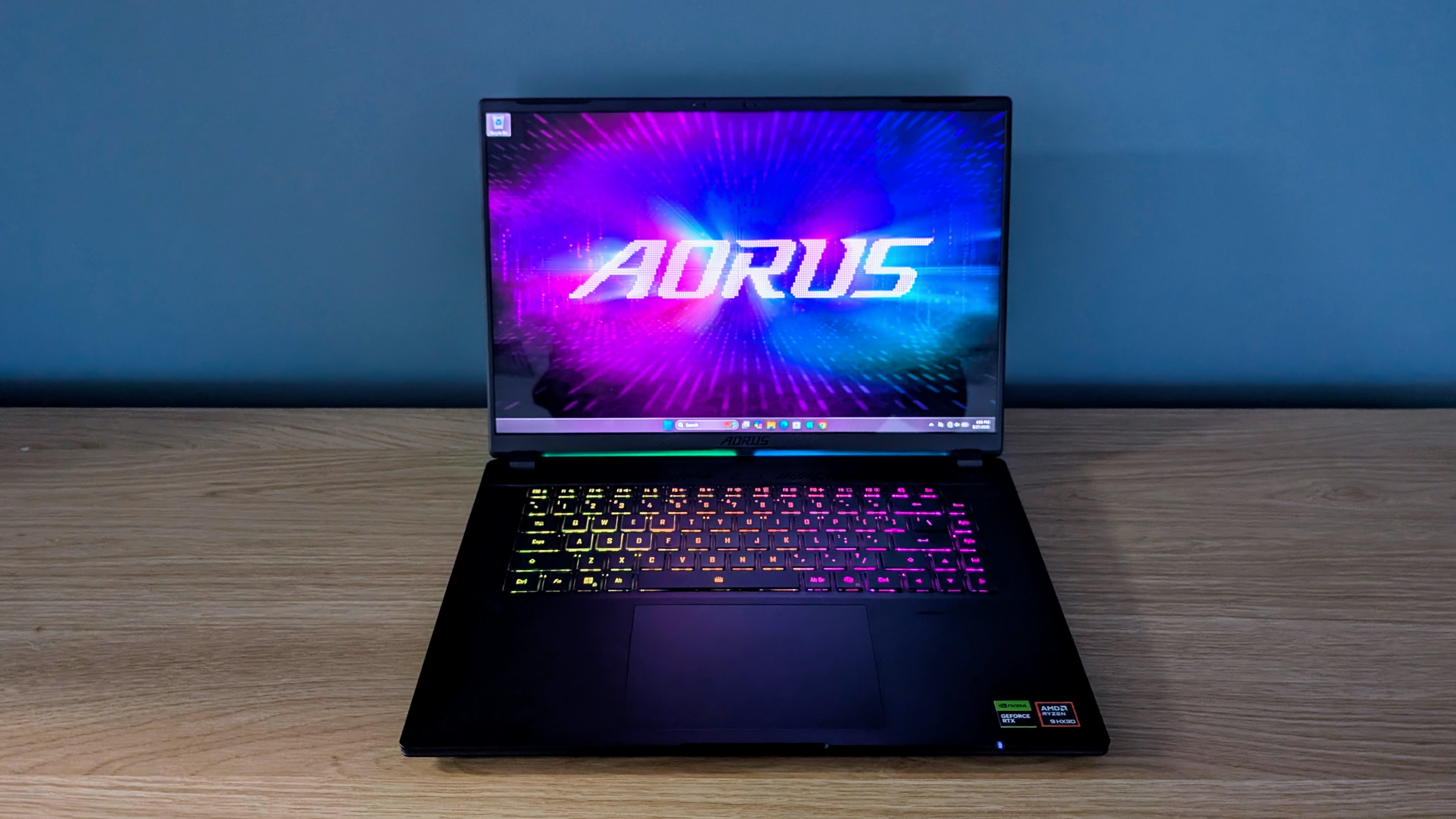
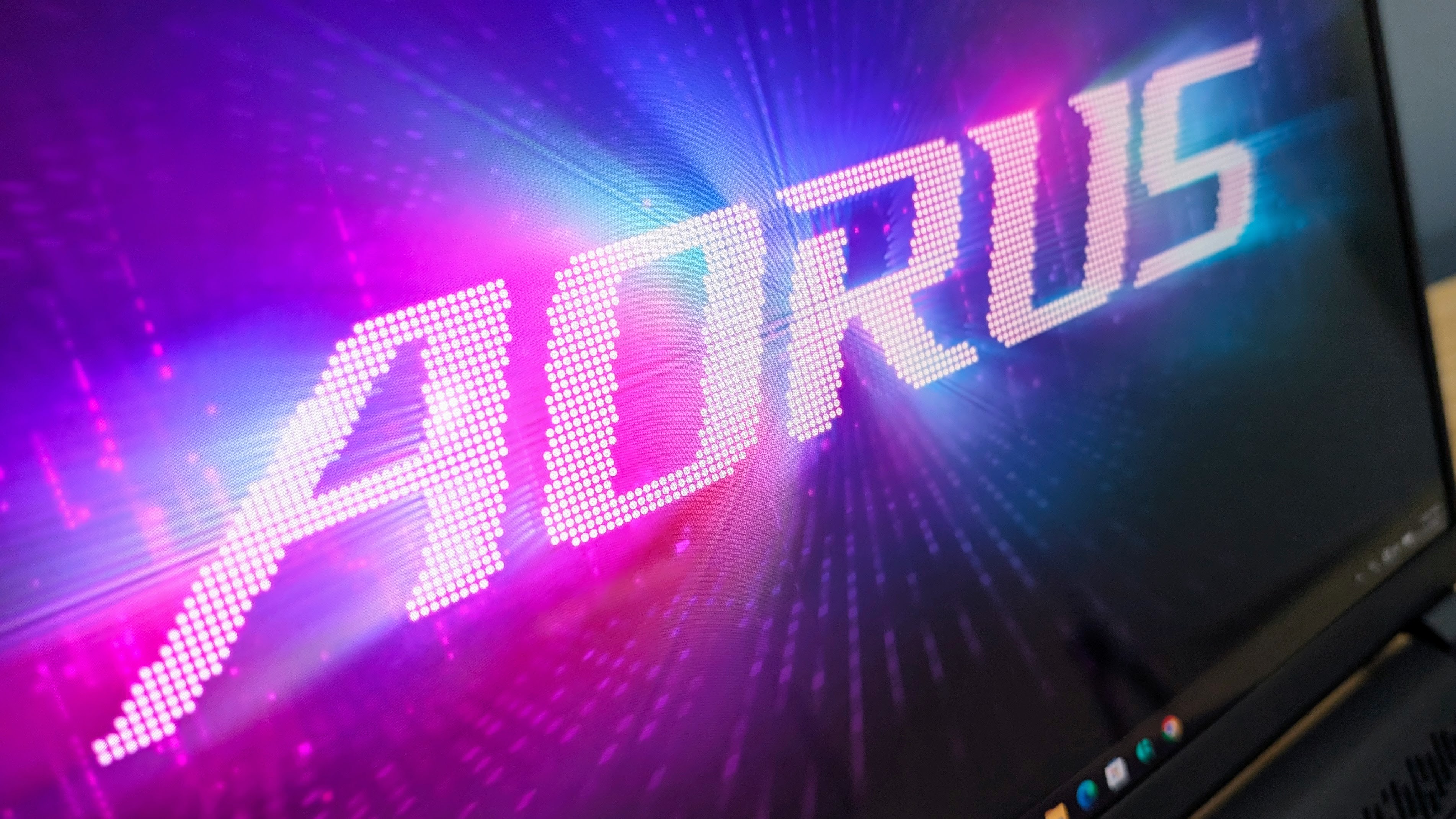
The 16-inch OLED display is one of the main reasons to consider it. It has a 2560 x 1600 resolution, 240Hz refresh rate, 100% DCI-P3 colour coverage, a 1,000,000:1 contrast ratio and HDR 1000 support.
Text looks sharp, colour and contrast are excellent, and the finish isn’t so glossy that reflections become a major issue. It’s a very good fit for fast games, high-quality video and creative work, and the laptop itself is fast enough to make proper use of the panel’s resolution and refresh rate.
The Aorus Master 16 Gen 2 is also more portable than its spec suggests. It measures 35.7 x 25.5 x 1.9 to 2.4cm (14.1 x 10.0 x 0.7 to 0.9in) and weighs 2.39kg (5.27lb), so it’s heavy enough to notice in a bag, but still manageable if you need to carry it between home, work, university or when travelling.
The adapter adds another 750g (1.65lb), which matters if you’re trying to pack light, but the 330W charger is still fairly compact for its output.
Build quality is reasonable, but not as premium as the price suggests. The thin metal-backed screen is rigid, while the plastic shell on the main body has a little flex and feels less expensive.
The keyboard has decent travel and plenty of room, though it’s a little bouncy in vigorous use, while the touchpad is large, responsive and easy to use when you don’t have a mouse connected.
The Full HD infrared camera works well for Windows Hello facial recognition, though image quality is nothing special. The speakers are better than typical laptop audio, with excellent volume and little distortion at higher levels, though bass is still limited.
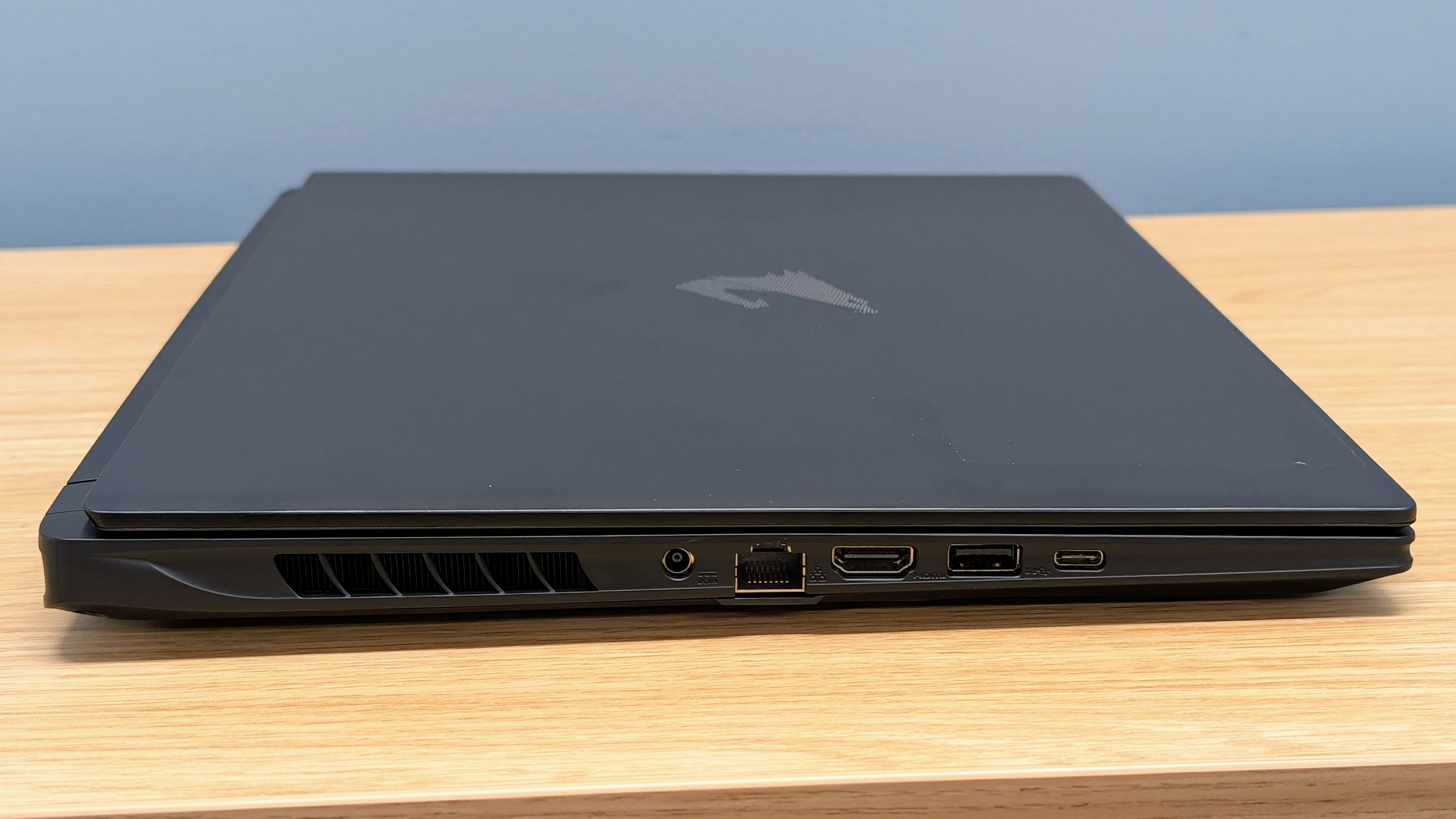
The port selection covers the basics well, with USB-C, USB4, USB-A, HDMI 2.1, Ethernet, microSD and 3.5mm audio. The issue is the layout.
Because the cooling system takes up the rear section of the laptop, most cables need to plug in further forward on the sides, where they can crowd desk space and get in the way of a mouse.
It’s not a deal-breaker, but it makes the Aorus slightly less pleasant to use with a monitor, dock and other desk accessories connected.
Gigabyte’s GiMate software gives useful control over performance modes, fan behaviour and lighting. The laptop also has plenty of lighting to adjust, including the keyboard, rear light bar and desk glow from the underside.
The software itself can be laggy, though, and that makes quick customisation tweaks more frustrating than they should be on an expensive gaming laptop.
Performance is very good, and the Aorus Master 16 Gen 2 has no issue running the RTX 5090 at up to 175W for extended periods. Compared with an RTX 5080 laptop, the Aorus is up to 35% faster for gaming, with the biggest gains in heavier ray-tracing scenarios where the extra GPU headroom and 24GB of VRAM help it sustain higher frame rates.
That makes it a very capable choice for demanding 1600p gaming, especially if you want high texture settings, ray tracing or very fast OLED refresh rates.
Raw CPU performance is also very good. The Ryzen 9 9955HX3D is a powerful processor, and the cooling system lets it work hard in multicore workloads without obvious throttling.
That matters outside games too, as the Aorus Master 16 is well suited to creator work, video editing and heavier productivity tasks.
The laptop can also charge and run from USB-C, and documents, browsing and calls remain snappy, but it’s limited to Balanced mode or lower and gaming performance drops to about 10% of maximum. So the 330W adapter is still needed for proper gaming performance.
The main trade-off is fan noise. While the cooling system works well, it also makes the Aorus Master 16 Gen 2 one of the loudest laptops I’ve tested at full load. The sound also has a high-pitched note that’s somewhat unpleasant at both low and high speeds, and the fans ramp up quickly even with lighter workloads.
Even the power-saving quiet mode isn’t as quiet as I’d like, so this is not the right laptop if you need near-silent performance when not gaming.
Battery life is the other downside. Despite the large 99Wh battery, web browsing lasted under 2.5 hours, and video playback ran for 3 hours and 46 minutes using power-saving settings. That’s with the RTX 5090 completely off and only using the Radeon iGPU too, and it’s much more power hungry than comparable Intel based gaming laptops.
Gaming on battery is much shorter again, but that is normal and expected. Still, overall the Aorus Master 16 Gen 2 is better treated as a desktop replacement you can move around than a laptop that you can use on the couch without a charger nearby. Hopefully a future driver update can reduce the idle and low load power use, but as tested, battery life is disappointing.
Overall the Gigabyte Aorus Master 16 Gen 2 delivers the speed its high-end hardware promises, and the OLED display is more than capable of showing off the higher frame rates that performance enables.
It’s a good fit if you want a powerful 16-inch gaming laptop that can also handle demanding creative work, and you don’t want to deal with a bulkier machine.
But that does come at a price, so while performance is excellent, the fan noise and battery life stop the Master 16 from feeling as premium as the price tag.
Gigabyte Aorus Master 16: Price & availability
- How much does it cost? The tested RTX 5090 model is priced at $4,299 / AU$6,599
- When is it available? It’s available now
- Where can you get it? You can get it in the US and Australia
While it is just hitting shelves in the US and Australia, at the time of writing, we haven’t yet seen the Gen 2 Aorus Master 16 Gen 2 for sale in the UK.
Now, the Master 16 Gen 2 is an expensive gaming laptop, and the tested RTX 5090 model sits near the top of the price range. Still, it needs to be judged against other slim but high-power RTX 50 series laptops, rather than chunkier desktop-replacement options.
The price is easier to justify if you want the specific mix of a 175W RTX 5090, Ryzen 9 9955HX3D CPU, 240Hz OLED display and a chassis that is still portable enough to carry around easily.
There are cheaper Aorus Master 16 Gen 2 configurations available, including RTX 5080 and RTX 5070 Ti variants, but the exact CPU and GPU power limits vary by model.
- Value score: 3.5 / 5
Gigabyte Aorus Master 16: Specs
The Aorus Master 16 Gen 2 range is available in a few configurations, so it’s worth double checking the exact model before buying. The RTX 5090 version tested here sits at the top of the range with 24GB of VRAM and a 175W GPU power limit, while the RTX 5080 version keeps the same 175W limit but drops to 16GB of VRAM.
There’s also an RTX 5070 Ti version, but the CPU and GPU power limits can vary by SKU and region.
The specs are very good overall, with Wi-Fi 7, USB4, a 99Wh battery and upgradeable DDR5 RAM. The main limitation for the models we have seen for sale so far is that they are limited to 32GB of RAM and a 1TB SSD, which is fair enough considering recent memory and storage price rises.
Swipe to scroll horizontally
| Header Cell – Column 0 |
RTX 5070 Ti variant |
RTX 5080 variant |
|---|---|---|
|
US Price |
$1,899 |
$2,199 |
|
UK Price |
£1,799 |
£2,099 |
|
AU Price |
AU$3,299 |
AU$4,299 |
| Row 3 – Cell 0 | Row 3 – Cell 1 | Row 3 – Cell 2 |
|
CPU |
AMD Ryzen 9 8940HX |
AMD Ryzen 9 9955HX3D |
|
GPU |
RTX 5070 Ti |
RTX 5080 |
|
RAM |
32GB LPDDR5x 5600 MHz |
32GB LPDDR5x 5600 MHz |
|
Storage |
1TB |
1TB |
|
Display |
2560 x 1600 IPS, 100% sRGB, 400 nits, 165 Hz |
2560 x 1600 IPS, 100% sRGB, 400 nits, 165 Hz |
|
Ports |
1x USB-C 5 Gbps, DisplayPort 1.4, PD charging, 2x USB-A 5 Gbps, HDMI 2.1, 1 Gb Ethernet, 3.5mm headset jack. |
1x USB-C 5 Gbps, DisplayPort 1.4, PD charging, 2x USB-A 5 Gbps, HDMI 2.1, 1 Gb Ethernet, 3.5mm headset jack. |
|
Connectivity |
Wi-Fi 6E, 802.11ax 2×2 + BT5.2 |
Wi-Fi 6E, 802.11ax 2×2 + BT5.2 |
|
Battery |
76Wh |
76Wh |
|
Dimensions |
358.3 x 262.5 x 19.45 – 22.99 mm (14.11 x 10.33 x 0.77 – 0.91 inches) |
358.3 x 262.5 x 19.45 – 22.99 mm (14.11 x 10.33 x 0.77 – 0.91 inches) |
|
Weight |
2.3 kg (5.1 lbs) |
2.3 kg (5.1 lbs) |
- Specs score: 4.5 / 5
Gigabyte Aorus Master 16: Design
- Slim for a high-power RTX 5090 laptop
- Customizable RGB lighting
- Useful ports but awkward placement
The Aorus Master 16 Gen 2 is slim for a laptop built around a 175W RTX 5090 and high-end AMD CPU, but it’s still a large gaming machine. It measures 35.7 x 25.5 x 1.9 to 2.5cm (14.1 x 10.1 x 0.7 to 1.0in), and the 19mm thinnest point includes the rubber feet.
When picked up, that’s perfectly manageable for a 16-inch gaming laptop, and at 2.39kg (5.27lb), it’s portable enough to carry on the go every day if needed.
Of course, the 330W adapter is also part of the portability equation. It weighs 750g (1.65lb) and measures 16.0 x 7.5 x 2.7cm (6.3 x 3.0 x 1.1in), which is compact for a charger with such a high output, but it still takes the total carry weight over 3kg.
USB-C charging is useful if you only need documents, browsing or calls away from your main desk, but the main adapter is still the practical choice for gaming.
Build quality is functional rather than feeling truly premium. The top of the lid is metal and is thin but rigid, while the main chassis is plastic and has a little flex. The laptop didn’t show wear during my testing, including when carried in a bag, but the dark finish picks up fingerprints, though they also cleans off relatively easily.
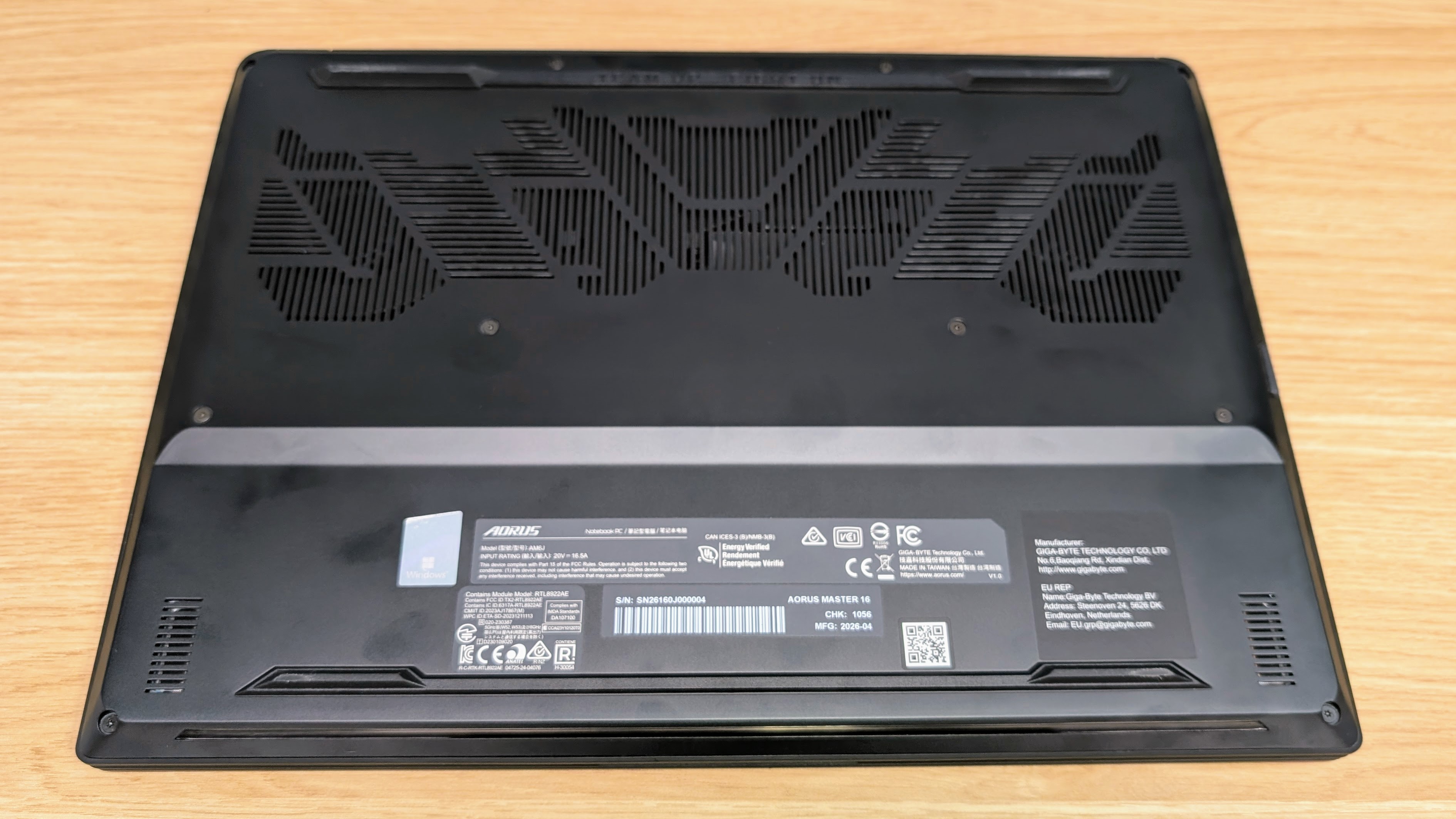
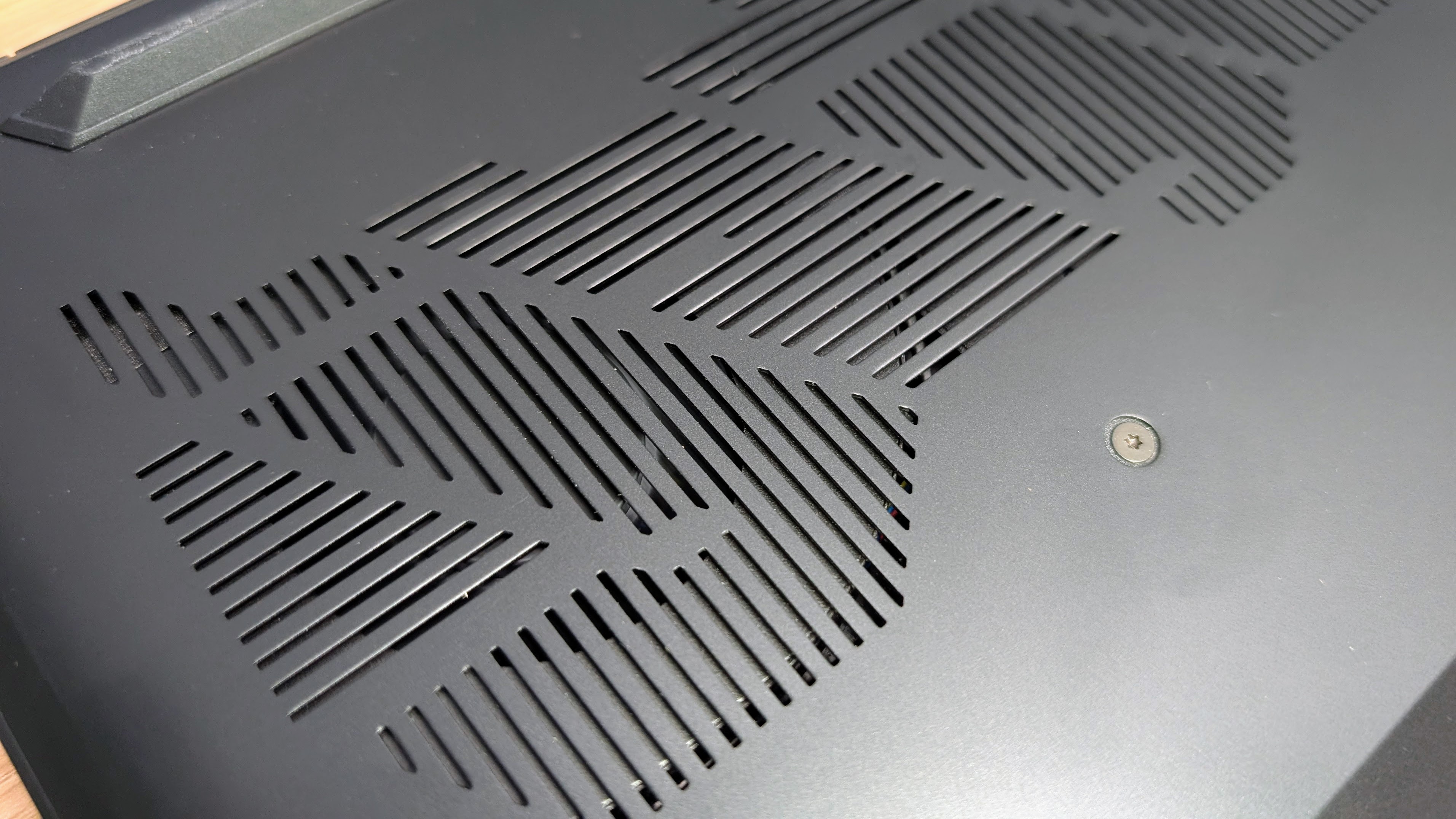
The rear of the chassis is mostly given over to cooling, with large vents across the back edge and exhausts on the sides. That cooling system is a key part of the design, as it helps the Aorus Master 16 run high-power hardware in a slimmer body. It also leads to some of the compromises, such as fan noise and port placement.

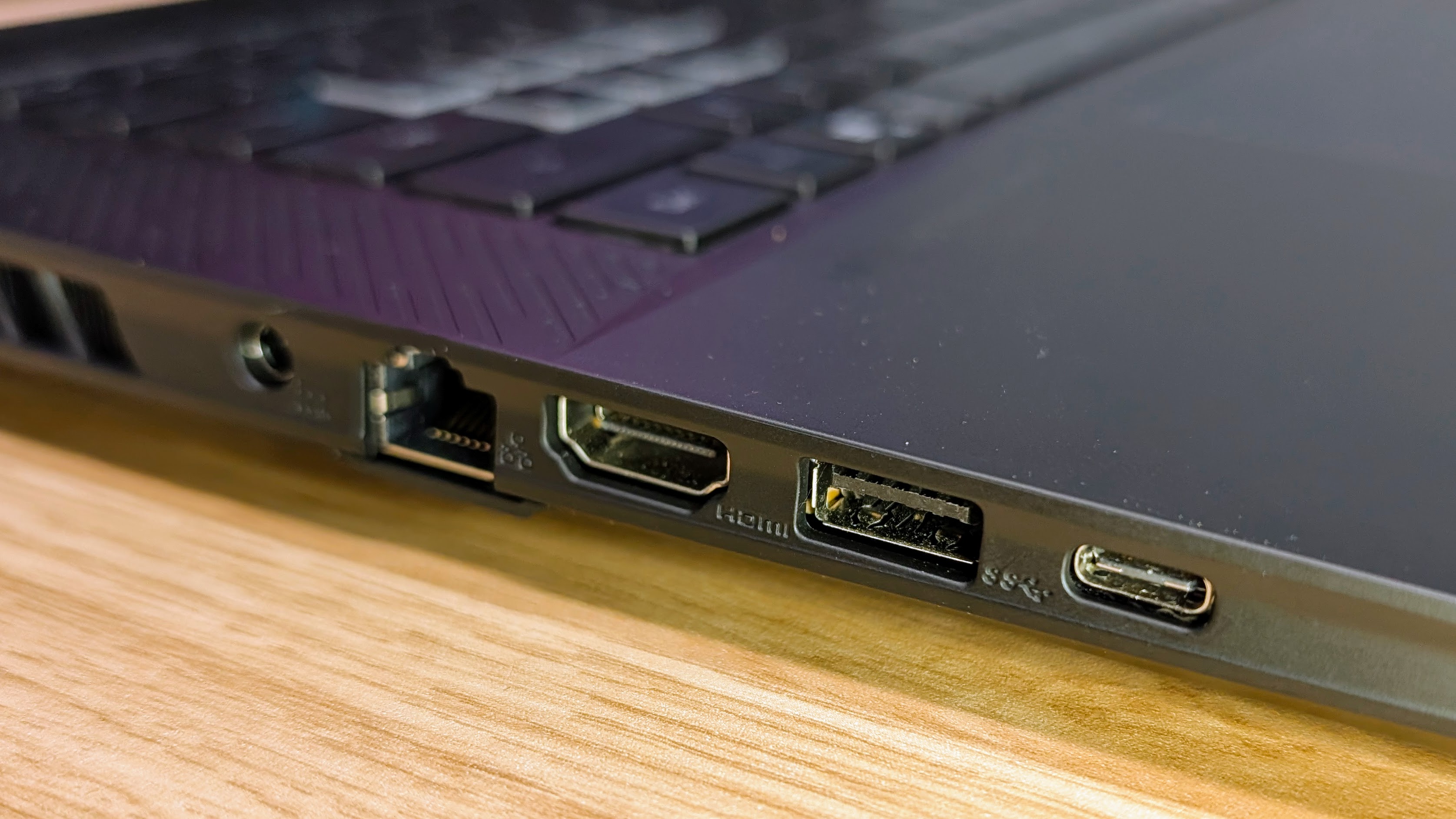
The port selection is useful, with USB4, a second USB-C port, two USB-A ports, HDMI 2.1, 1Gb Ethernet, microSD and 3.5mm audio. The problem is where those ports sit. Because the rear of the laptop is reserved for cooling, cables plug in further forward on the sides, where they can crowd your desk and mouse space.
For those who value their desk space, the chunky side-mounted power connector can be especially bulky and annoying, so I found a powered USB-C dock is a good option if you use the Aorus Master 16 Gen 2 with a monitor, Ethernet and other accessories. That way you can have just one cable plugged in, and only add the bigger power plug when gaming.
The keyboard has a reasonable 1.7mm of travel and plenty of room, so it works well for both typing and normal WASD gaming. It’s a little bouncy in vigorous use, and overall doesn’t feel as firm as I’d like for a flagship laptop, but the layout is pretty good overall.
The touchpad is large, responsive and pleasant enough to use when you don’t have a mouse connected.
The RGB lighting includes the keyboard and is pretty extensive overall. The Aorus logo on the rear of the screen is backlit by colour-changing LEDs, and there is front and rear underside lighting that creates a nice nonglare desk glow effect in a darker room.
There’s also a small light that projects the Aorus symbol onto the desk behind the laptop. It’s a fun idea, but the focus seemed a touch soft.

Gigabyte’s GiMate software controls lighting, performance modes and fan behaviour, but I find it can be slow to load and respond at times. That’s a mild frustration for anyone who may want to change modes often, especially if you are trying to reduce fan noise during lighter work.
There are also automatic ‘AI’ modes, but I found they left the laptop running hotter and noisier than I’d like when not gaming. Like the laptop itself, the software doesn’t feel as slick as you’d hope for the price.
The Full HD infrared webcam works well for Windows Hello facial recognition, though image quality is nothing special and gets softer in darker rooms.
The speakers are better than what I’ve experienced on most other laptops I’ve tested, with great volume and very little distortion at high levels, but as expected, bass is still pretty limited. The speakers can overpower the fan noise when cranked right up, but I’d still recommend a headset for gaming.
- Design score: 4.5 / 5
Gigabyte Aorus Master 16: Performance
- High 1600p gaming frame rates
- Excellent CPU performance
- Loud fans under load
The Aorus Master 16 Gen 2 gives the cooling and power headroom needed to make a high end GPU worth paying extra for. The variant I tested uses a 175W Nvidia GeForce RTX 5090 laptop GPU (and the AMD Ryzen 9 9955HX3D CPU), so it’s not one of those slim gaming laptops with a premium GPU bottlenecked by a low wattage limit.
And just as importantly, the cooling system lets the hardware work hard for sustained loads, and that makes the Aorus a proper match for its 240Hz, 2560 x 1600 OLED display.
Compared with an RTX 5080 laptop, the Aorus Master 16 Gen 2 is up to 35% faster for gaming. The biggest gains are in heavier ray-tracing scenarios, where the extra GPU headroom and 24GB of VRAM help sustain higher frame rates. That extra memory also helps if you want high-resolution textures, or play a lot of newer games that push beyond what lower-tier laptop GPUs can comfortably handle.
If you mostly play lighter esports titles, the hardware is overkill, but the 240Hz OLED display still gives it a clear use case for very fast gaming.
The RTX 5090 is also a powerful accelerator for creator work. GPU-heavy video effects, rendering workloads and AI-assisted tools can all use the extra graphics grunt, so the Aorus Master 16 makes more sense if you want one machine for both gaming and demanding creative work.
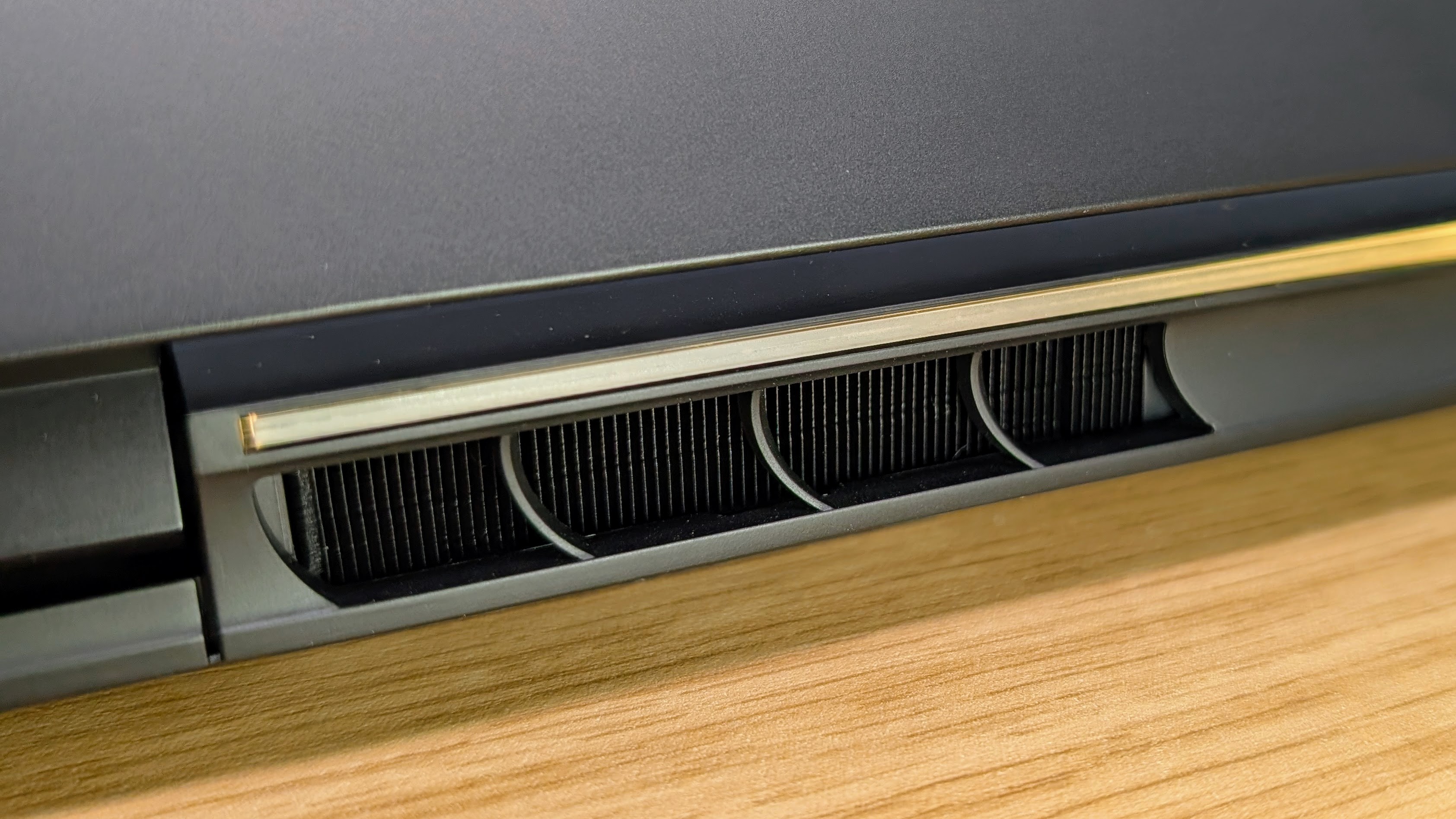
CPU performance is also very good. The Ryzen 9 9955HX3D is a powerful processor, especially in multicore workloads, and the Aorus cooling system lets it run full tilt without obvious throttling. That is important for gaming, but also for video editing, rendering, compiling code and other higher loads.
The cooling system also lets the CPU and GPU run hard at the same time. During demanding gaming sessions, the Aorus Master 16 Gen 2 generates a lot of heat, but it doesn’t make the keyboard or WASD area uncomfortable to use. Hot air exits from the rear and sides, so your exact desk setup will change the impact, but the thermal comfort is better than the fan noise might suggest.
The trade-off is that the cooling system is not subtle. At all. I love that the Aorus Master 16 can give high performance in a relatively slim 16-inch chassis, but it’s important to highlight that it does that by moving a lot of air, loudly.
The benchmark table below compares the Aorus Master 16 with the Alienware 16 Area-51 configuration I tested with an RTX 5080. The Alienware is another premium machine, so it makes a useful comparison for showing what the Aorus gains from the RTX 5090 and 24GB of VRAM.
If you are comparing the Aorus Master 16 Gen 2 with other gaming laptops, pay close attention to GPU wattage as well as the GPU name. A lower-wattage RTX 5090 laptop can perform much closer to an RTX 5080 machine, while the Aorus Master 16 Gen 2 has the cooling and wattage budget needed to make the 5090 worth the extra cost.
Swipe to scroll horizontally
| Header Cell – Column 0 |
Gigabyte Gaming A16 Pro |
Alienware 16X Aurora |
Alienware 16 Area-51 |
|---|---|---|---|
| Row 0 – Cell 0 | Row 0 – Cell 1 | Row 0 – Cell 2 | Row 0 – Cell 3 |
|
CPU |
Intel Core 7 240H |
Intel Ultra 9 275HX |
Intel Ultra 9 275HX |
|
GPU |
RTX 5080 (115W TGP) |
RTX 5070 (115W TGP) |
RTX 5080 (150W TGP) |
|
RAM |
32GB |
32GB |
32GB |
|
Battery |
76 Wh |
96 Wh |
96 Wh |
| Row 5 – Cell 0 | Row 5 – Cell 1 | Row 5 – Cell 2 | Row 5 – Cell 3 |
|
General performance |
Row 6 – Cell 1 | Row 6 – Cell 2 | Row 6 – Cell 3 |
|
PCMark 10 – Overall (score) |
7,523 |
8,437 |
8,639 |
|
Geekbench 6 – Multi-core |
13,503 |
19,615 |
20,244 |
|
Geekbench 6 – Single-core |
2,744 |
3,068 |
3,149 |
|
Geekbench 6 – GPU |
177,521 |
136,686 |
213,178 |
|
Cinebench R24 – CPU Single Core |
117 |
133 |
133 |
|
Cinebench R24 – CPU Multi Core |
832 |
1,964 |
2,106 |
| Row 13 – Cell 0 | Row 13 – Cell 1 | Row 13 – Cell 2 | Row 13 – Cell 3 |
|
Battery |
Row 14 – Cell 1 | Row 14 – Cell 2 | Row 14 – Cell 3 |
|
PCMark 10 – Battery Work (HH:MM) |
3:19 |
6:01 |
3:09 |
|
TechRadar video test (HH:MM) |
10:37 |
6:16 |
4:27 |
| Row 17 – Cell 0 | Row 17 – Cell 1 | Row 17 – Cell 2 | Row 17 – Cell 3 |
|
Graphics performance |
Row 18 – Cell 1 | Row 18 – Cell 2 | Row 18 – Cell 3 |
|
3DMark SpeedWay |
4,247 |
3,664 |
5,610 |
|
3DMark Port Royal |
10,744 |
9,031 |
11,999 |
|
Steel Nomad |
3,967 |
2,846 |
5,109 |
| Row 22 – Cell 0 | Row 22 – Cell 1 | Row 22 – Cell 2 | Row 22 – Cell 3 |
|
Cyberpunk 2077 – 1600p RT Low (DLSS) |
84 |
76 |
114 |
|
Cyberpunk 2077 – 1600p RT Low (DLSS off) |
52 |
50 |
79 |
|
Cyberpunk 2077 – 1600p RT Ultra (DLSS) |
55 |
54 |
72 |
|
Cyberpunk 2077 – 1600p RT Ultra (DLSS off) |
25 |
16 |
37 |
| Row 27 – Cell 0 | Row 27 – Cell 1 | Row 27 – Cell 2 | Row 27 – Cell 3 |
|
Black Myth: Wukong – 1600p Cinematic (DLSS) |
77 |
76 |
104 |
| Row 29 – Cell 0 | Row 29 – Cell 1 | Row 29 – Cell 2 | Row 29 – Cell 3 |
|
Shadow of the Tomb Raider – 1600p (DLSS off) |
137 |
131 |
175 |
| Row 31 – Cell 0 | Row 31 – Cell 1 | Row 31 – Cell 2 | Row 31 – Cell 3 |
|
Storage |
Row 32 – Cell 1 | Row 32 – Cell 2 | Row 32 – Cell 3 |
|
CrystalDiskMark Read/Write (MB/s) |
6,982 / 6,481 |
6,939 / 6,740 |
6,575 / 5,890 |
In real use, the Aorus Master 16 Gen 2 is very capable at its native 2560 x 1600 resolution. Demanding games still need sensible settings if you want to push closer to the OLED screen’s 240Hz limit, but this is a laptop where high detail, ray tracing and upscaling can all be used without dropping frame rates too low.
The 24GB of VRAM is a key long-term advantage over lower-tier GPUs. It gives the laptop more scope in the future for high-resolution textures and demanding ray-traced scenes, and it should also help the Aorus Master 16 age better as game requirements keep rising.
Fan noise is the major performance downside. At full load, the Aorus Master 16 Gen 2 is one of the loudest laptops I’ve tested, and the sound has a high-pitched note that makes it more annoying than a lower rush of air.
A headset is already a typical choice for gaming, but the bigger problem is that even when not gaming, the fans ramp up quickly and can get loud even under light loads.
The quiet and power-saving modes help, but they don’t make the laptop consistently quiet. Even in lighter use, the fans tend to spin up much more than seems necessary given the internal temperatures, and it becomes loud enough to notice.
Arguably this is the real-world cost of getting this much performance from a slimmer 16-inch design, but it still feels much less refined than it could be. Hopefully Gigabyte works on the fan control and smooths it out somewhat in future software updates.
Stability was good during testing. External display use worked well, including through a dock, and both Ethernet and Wi-Fi behaved reliably. I also didn’t run into sleep, wake or lid-behaviour glitches that often plague Windows based machines. I did find Gigabyte’s GiMate software slow at times, but on the plus side it gives good access to performance modes, fan settings and lighting controls.
USB-C charging on the Aorus Master 16 Gen 2 is useful, but only if you understand and respect a few limits. The laptop does charge and run happily from USB-C, and in fact tends to be much quieter, which makes it a good option for a docked desk setup, travel or basic work without the big 330W adapter. Light single-core tasks were only 2% slower than full-adapter use in my testing, so web browsing and typical office tasks still feel snappy.
CPU-heavy loads show the limits, though, and were about 60% slower on USB-C than with the power brick, and gaming performance was about 92% lower. That doesn’t make USB-C useless, but it does mean you should treat it as a convenience for productivity and top-ups rather than factor it in for gaming.
Still, overall the Aorus Master 16 Gen 2 delivers the high-end performance its hardware promises. It’s fast enough for demanding 1600p gaming and creative work, for those who don’t mind the fan noise.
If you want a powerful laptop that stays quiet when not gaming, it’s a harder machine to recommend.
- Performance score: 4.5 / 5
Gigabyte Aorus Master 16 Gen 2: Battery life and Charging
- Under 2.5 hours of web browsing
- 3 hours and 46 minutes of video playback
- USB-C charging suits light work, not gaming
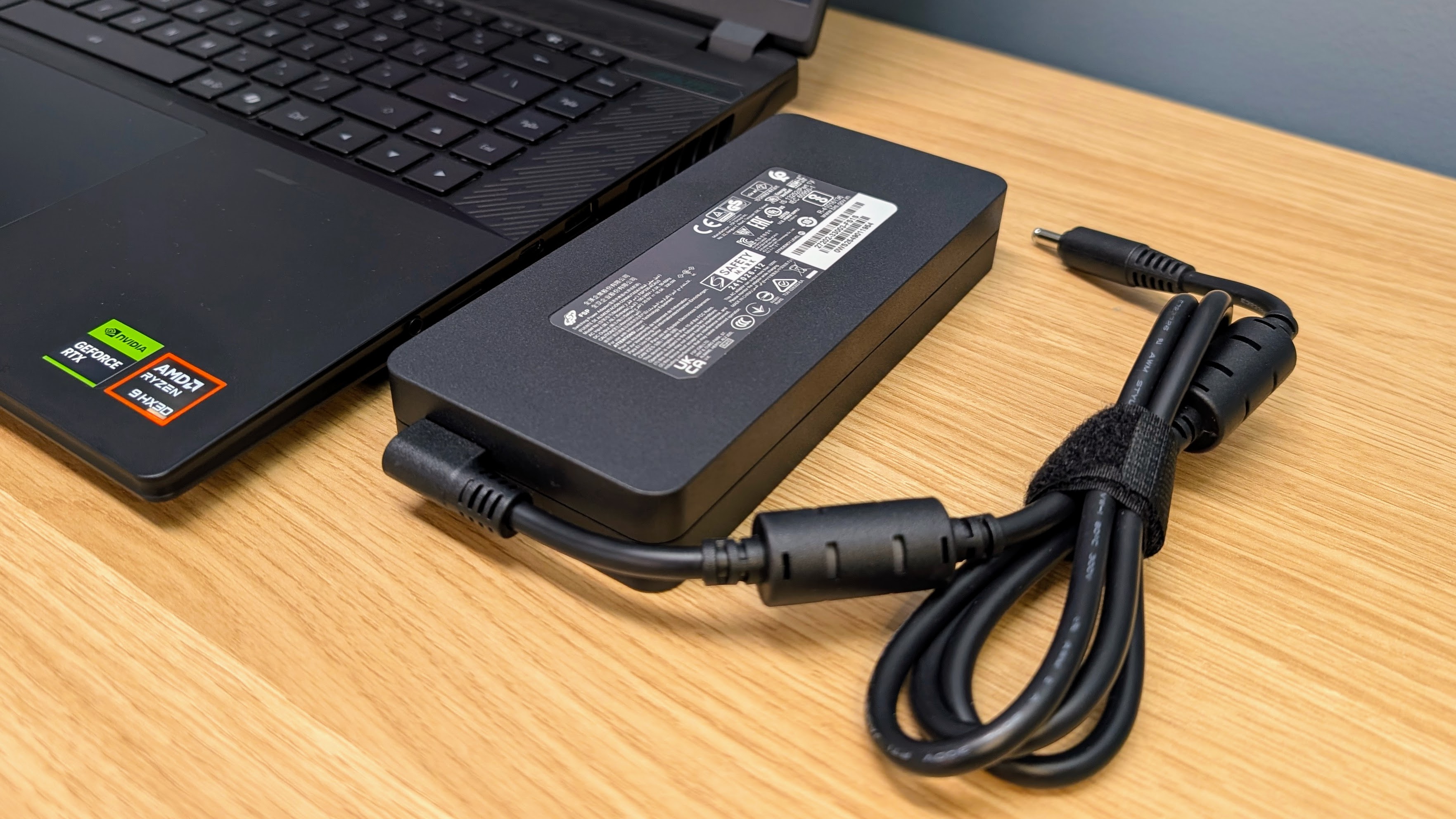
Battery life is not great, especially considering the Aorus Master 16 Gen 2 has a larger 99Wh battery. The slim 16-inch chassis makes it easier to carry than a typical desktop-replacement laptop, but the short runtime unplugged means you’ll still want the charger nearby for anything more than brief use.
In my web-browsing battery test, the Aorus Master 16 Gen 2 lasted under 2.5 hours. Video playback ran for 3 hours and 46 minutes using power-saving settings.
Those results are disappointing and they do limit the usefulness of the Aorus when you want to work away from a desk for more than a short session.
The 330W adapter is needed for full gaming performance, and it’s compact for a charger with that output. It still weighs 750g (1.65lb), though, so carrying the Aorus Master 16 with its charger pushes the total travel weight well over 3kg.
That’s manageable for a high-performance gaming laptop, but it’s enough extra weight that I’d only pack the charger when I expected to game or run heavier workloads.
USB-C charging is useful when you want to work on documents, browse or take calls without carrying the 330W adapter. It also works well for a docked desk setup, and the laptop is much quieter when running from a smaller USB-C charger. The limit is performance: the Aorus Master 16 Gen 2 drops to Balanced mode or lower on USB-C, and gaming performance falls far enough that the 330W adapter is still required for serious play.
That means USB-C is useful for light productivity and top-ups, not as a proper replacement for the main charger. A future driver update may improve battery life, but as tested, the Aorus Master 16 Gen 2 may be easy enough to transport, but it’s not a laptop that can be relied on away from a charger.
- Battery life and charging score: 2.5 / 5
Should you buy the Gigabyte Aorus Master 16 Gen 2?
Swipe to scroll horizontally
|
Attributes |
Notes |
Rating |
|---|---|---|
|
Value |
Expensive, and the fan noise and low battery life make the price harder to justify |
3.5 / 5 |
|
Specs |
High-end CPU and GPU, excellent OLED display, useful ports and a 99Wh battery |
4.5 / 5 |
|
Design |
Slim for the hardware inside, but little details like the port layout feel unpolished |
4 / 5 |
|
Performance |
High end 1600p gaming and creator performance |
4.5 / 5 |
|
Battery |
Poor runtime despite the 99Wh battery, though USB-C charging helps for documents, browsing and calls |
2.5 / 5 |
|
Overall |
A powerful 16-inch OLED gaming laptop, but fan noise and battery life limit its appeal |
4 / 5 |
Buy it if…
If my Gigabyte Aorus Master 16 Gen 2 review has you considering other high-end gaming laptops, these are some other options that are worth a look:
” data-widget-type=”deal”>
Alienware 16 Area-51
A larger and more polished 16-inch gaming laptop with high end performance, a premium-feeling design and better port placement. It’s worth considering if you like the Aorus Master 16 Gen 2’s gaming grunt but don’t need the slimmer chassis.
Take a look at the full Alienware 16 Area-51 review
” data-widget-type=”deal”>
Razer Blade 16 (2025)
A premium RTX 5090 gaming laptop with a 16-inch OLED display, a thin aluminium chassis and decent battery life. It’s a good choice if build quality and portability matter more than raw performance for the money.
Check out the full Razer Blade 16 (2025) review
How I tested
- I tested the Gigabyte Aorus Master 16 Gen 2 for two weeks
- I used it on a desk, with an external display and while travelling
- I used it for 2560 x 1600 gaming, productivity work, video editing and battery testing
I ran the Gigabyte Aorus Master 16 Gen 2 through the usual TechRadar benchmark suite, as well as using it for day-to-day work at a desk and on the go.
I tested gaming performance at the native 2560 x 1600 resolution, checked performance across the laptop’s main power profiles and used it for office work, video editing, external display use and general media playback.
I used the TechRadar movie test for assessing battery life during video playback, plus web-browsing and productivity battery tests to see how long the Aorus lasted away from the charger.
I also tested USB-C charging with a dock and USB-C chargers, and checked how performance changed compared with the 330W adapter. Fan noise, thermal comfort, Wi-Fi, Ethernet, sleep behaviour and Gigabyte’s GiMate software were also assessed during normal use.
Read more about how we test.
- First reviewed in July 2026

Senior Writer – TechRadar Australia
Lindsay is an Australian tech journalist who loves nothing more than rigorous product testing and benchmarking. He is especially passionate about portable computing, doing deep dives into the USB-C specification or getting hands on with energy storage, from power banks to off grid systems. In his spare time Lindsay is usually found tinkering with an endless array of projects or exploring the many waterways around Sydney.
” data-join-the-conversation-text=”Join the Conversation”>
You must confirm your public display name before commenting
Please logout and then login again, you will then be prompted to enter your display name.
Related Posts

NYT Strands hints and answers for Thursday, February 5 (game #704)
(Image credit: New York Times) Looking for a different day? A new NYT Strands puzzle appears at midnight each day […]

Meta cloud computing business ‘definitely on the table’, Mark Zuckerberg says – excess data center capacity could be used to enter the market
A Meta-owned cloud business would be “definitely on the table” Continued data center expansion will fuel the firm’s ongoing AI […]
I can save you from the RAMpocalypse, but you’ll need to act fast and trust AliExpress
(Image credit: Shutterstock / Stenko Vlad) Chinese RAM is available on AliExpress and other third-party sellers at slightly cheaper prices […]