
Skip to content
Wednesday, March 4, 2026
The TechBriefs
  • Home
  • Technology
  • AI
  • Computers
  • Security
  • Internet
  • Press Releases
    • GlobeNewswire
    • PRNewswire
  • Contact

There is still a way to use Windows 11 without a Microsoft Account

there-is-still-a-way-to-use-windows-11-without-a-microsoft-account
There is still a way to use Windows 11 without a Microsoft Account
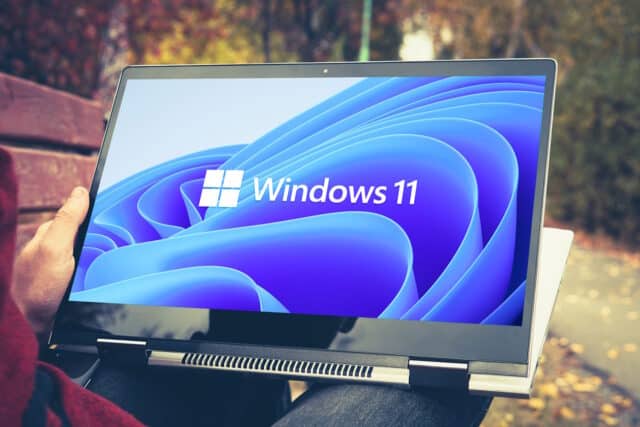
Windows 11 on convertible laptop

Microsoft has been gradually shutting down the various ways people found to install and use Windows 11 without a Microsoft Account. The company has made it all but impossible to install the operating system without creating or signing into an account.

With the most recent preview build of Windows 11, Microsoft nixed a script that could be used to sidestep the requirement — although it can still be manually applied via the registry. But there is still an easy way to avoid having to use a Microsoft Account.

See also:

  • Microsoft launches new Windows 11 roadmap page so you can see what it has planned for the operating system
  • PowerToys v0.90.0 is here… and it’s a big release with a great new launcher module
  • Microsoft launches Quick Machine Recovery to automatically fix your Windows 11 problems

The technique for getting around the Microsoft Account requirement is not exactly obvious — far from it, in fact — but it is pretty easy. Details of the approach was posted on X over the weekend, and on Bleeping Computer.

Working on both Home and Pro versions of Windows 11, the bypass is beautiful in its elegance and simplicity as Wither OrNot’s X post shows:

Improved bypass for Windows 11 OOBE:

1. Shift-F10
2. start ms-cxh:localonly

Only required on Home and Pro editions. pic.twitter.com/ZUa89ZPBI3

— Wither OrNot (@witherornot1337) March 29, 2025

As you can see in the video, you just need to hit Shift + F10 to bring up a Command Prompt when the “Let’s connect you to a network” screen appears. Then run the command start ms-cxh:localonly and create a local account before continuing with the installation.

Image credit: Dmitrii Melnikov / Dreamstime.com

Posted in Article, bypass Microsoft Account, create local account in Windows 11, Microsoft, Technology, Uncategorized, Windows 11, Windows 11 local account 2025Tagged Article, bypass Microsoft Account, create local account in Windows 11, Microsoft, Windows 11, Windows 11 local account 2025

Post navigation

Previous: What NIS2 implementation means for enterprises [Q&A]
Next: How SSL Misconfigurations Impact Your Attack Surface

Related Posts

intel-has-released-one-fix-for-poor-arrow-lake-performance,-and-has-another-in-the-pipeline
  • Arrow Lake
  • Arrow Lake benchmark
  • Arrow Lake fix
  • Arrow Lake performance
  • Article
  • CPU
  • Hardware
  • Intel
  • Intel Core Ultra 200S
  • Technology
  • Uncategorized

Intel has released one fix for poor Arrow Lake performance, and has another in the pipeline

  • Admin
  • December 19, 2024
  • 0

Intel’s recently released Arrow Lake processors were notable for the wrong reasons. Performance was found to be more than a little […]

rapid-adoption-of-agentic-ai-runs-ahead-of-security-readiness
  • agentic AI
  • Article
  • Artificial Intelligence (AI)
  • cybersecurity
  • Enterprise
  • Technology

Rapid adoption of agentic AI runs ahead of security readiness

  • Admin
  • December 2, 2025
  • 0

New research finds just two percent of organizations with 500+ employees report having no plans or interest in agentic AI. […]

trump-kicks-the-tiktok-ban-can-down-the-road-yet-again
  • Article
  • bytedance
  • Donald Trump
  • Social
  • Social Media
  • Technology
  • tiktok
  • TikTok ban
  • Trump TikTok

Trump kicks the TikTok ban can down the road yet again

  • Admin
  • May 5, 2025
  • 0

President Trump has made much of wanting to ban TikTok from operating in the US. In fact, he’s talked about […]

  • Privacy Policy
  • Terms of use
Theme: Terminal News By Adore Themes.