- Microsoft has added new docking options to Copilot on Windows, reverting to the original sidebar design
- This comes amid promises that Microsoft would scale back AI visibility and bloatware to improve Windows
- The new Copilot docking options are still in a rollout phase for Windows users
Windows 11 users have berated Microsoft over its excessive use of AI and bloatware, which it has promised to scale back on as part of the project Windows K2, but a new move suggests the company might not be as commited to removing AI features as some hoped.
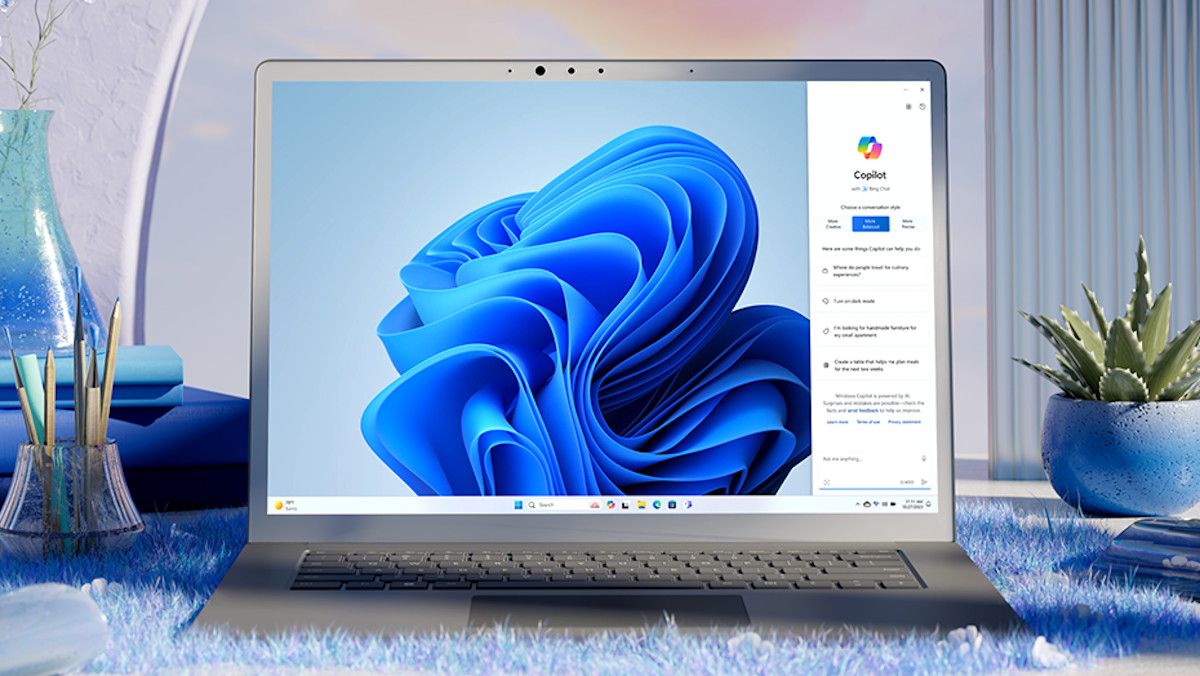
As reported by Windows Latest, Copilot has returned to its original sidebar design, which forces applications aside when docking the AI assistant. This essentially works almost exactly like Windows 11’s snap layouts, which allow users to have applications side by side, but with Copilot’s new docking options on the left or right sides of the desktop.
Applications are also automatically resized to make space for the Copilot window, effectively prioritizing the AI assistant.
Copilot has undergone several design changes, originally working as a sidebar (very similar to the current design), then as a standalone application, but now, it works as an Edge-based wrapper using more RAM, according to Windows Latest.

Fortunately, this new version of Copilot is still in its rollout phase for Windows users, so the ‘quick view’ option that acts as a floating window will be the main way to use the AI assistant for now.
These docking options are also arguably better than just quick view alone, as it gives users more options to customize Copilot’s placement. However, the return to an old design seems counterintuitive to Microsoft‘s attempt to wind down AI visibility and bloat on the operating system.
Copilot isn’t exactly simple to remove either: while the Copilot app can be uninstalled, it’s still integrated within Windows on a wider level, and requires full removal via blocking in Group Policy or Windows Registry editing.
Not all PC users are tech-savvy, and rather than making it much easier for those users to completely remove Copilot, Microsoft is adding more features instead. Hopefully, these docking options serve as a nothingburger in the long term, but it’s hard to trust Microsoft to push for AI reduction on Windows.

Follow TechRadar on Google News and add us as a preferred source to get our expert news, reviews, and opinion in your feeds.