
WWDC 2026, this year’s edition of Apple‘s software-focused developer conference, has been particularly notable due to it being the last one with Tim Cook as CEO — he’ll be handing over the reins to John Ternus later this year. But it’s also given us a glimpse of what the future holds for Macs and MacBooks, with the announcement of macOS 27 Golden Gate.
Unlike Microsoft‘s rival Windows operating system, Apple releases yearly major updates to its macOS operating system which come with a new name (usually taken from a Californian natural landmark) and number, which now reflects the year of release. While macOS 27 will release at the end of 2026, Apple will count 2027 as its main release year, so it doesn’t feel outdated a few months after it lands on people’s hard drives.
While WWDC 2026 is noteworthy for being Cook’s last, this year’s macOS update is less exciting, and is mainly focused on performance improvements (which are always welcome), and AI integration (less welcome).
Still, it’s an update anyone with a Mac or MacBook will want to download, as long as your device is compatible, so read on to find out what’s new.
On that note about compatibility; perhaps the most noticable change with macOS 27 Golden Gate is that Intel-based Macs and MacBooks are no longer supported. Only Macs that have Apple silicon chips (so, M1 Macs and MacBooks or newer) will be able to install macOS 27.
macOS 27 Golden Gate: at a glance
- What is it? The newest operating system for Macs and MacBooks
- When will it be out? A beta for developers will be available to download soon, full version likely in October, 2026
- How much will it cost? As usual, macOS 27 will be a free upgrade for everyone who has a compatible device
macOS 27 Golden Gate: release date
The developer beta preview for macOS 27 will be made available tomorrow, June 9, but you probably don’t want to install that.
For a start, you need to be a developer to download this beta, and that requires signing up and paying for a developer account. The public beta, which will come out likely in July, will be free, as will the final version when it launches later in the year.
Secondly, developer betas are very early versions of software that are mainly designed for (as the name suggests) software developers to test and make sure their apps are compatible. So, they are often very barebones with missing features and plenty of bugs.
The public beta will hopefully be more stable, but there could still be problems, so I recommend most people wait until the final version is released, especially if you’re installing macOS 27 on a device you rely on every day.
macOS 27 Golden Gate: Compatibility
Want to know if your Mac will be compatible with macOS 27 Golden Gate? Here’s the full list of Macs that’ll be able to run the operating system:
- MacBook Air M1 or later
- MacBook Pro M1 or later
- MacBook Pro 13-inch M1 2020 or later
- MacBook Pro 14-inch M1 Pro 2021 or later
- MacBook Pro 16-inch M1 Pro 2021 or later
- MacBook Neo
- iMac M1 2020 or later
- Mac mini M1 2020 or later
- Mac Studio 2022 and later
You’ll notice that no Macs made before 2020 are supported. That’s because macOS 27 Golden Gate is only compatible with Macs running on Apple’s own M-series chips (or the A18 Pro, in the MacBook Neo’s case).
This is a major change and could see a lot of people unable to upgrade. Apple likely sees dropping older Intel models as a clean break, and means macOS 27 Golden Gate can focus on AI features – as the old Intel chips don’t have NPUs for on-device AI.
By concentrating on its own chips, which use Arm archetecture, it also means Apple no longer has to worry about Macs running on Intel’s x86 chip tech, which will hopefully mean the macOS team has more time to improve the performance of the software and add features in the future.
If you have an Intel Mac, then you can continue to use it with macOS 26, though running an unupdated operating system isn’t recommended. So, it might be time to consider a new Mac – see below for some top deals.
macOS 27 Golden Gate: new features
1. Liquid Glass tweaks
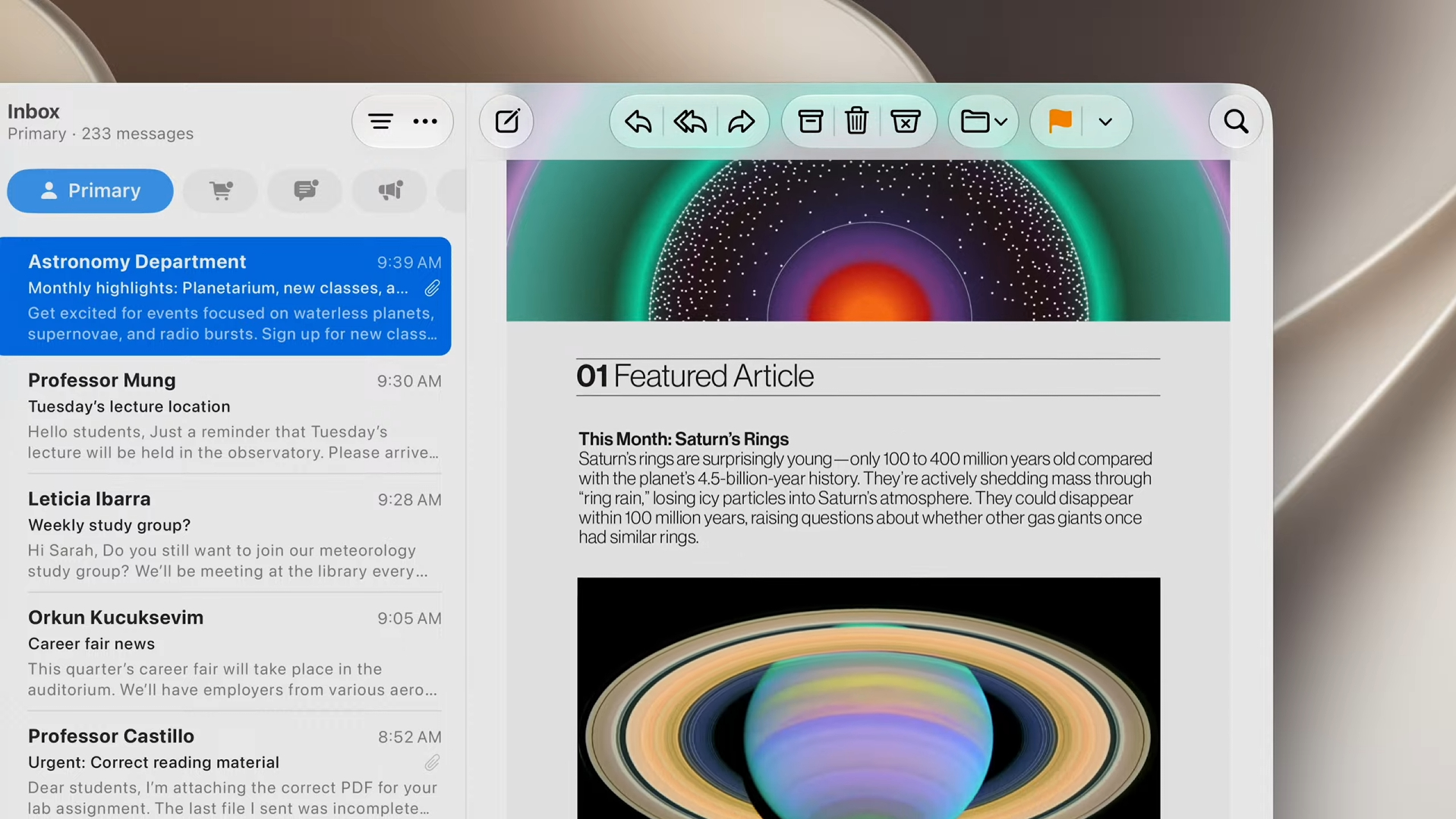
Last year’s macOS 26 brought a major design change with its Liquid Glass theme. While macOS 27 doesn’t bring another major change to the interface, it does address some of the common complaints about Liquid Glass, especially when the transparency effects (which gives the interface its name) made text hard to read.
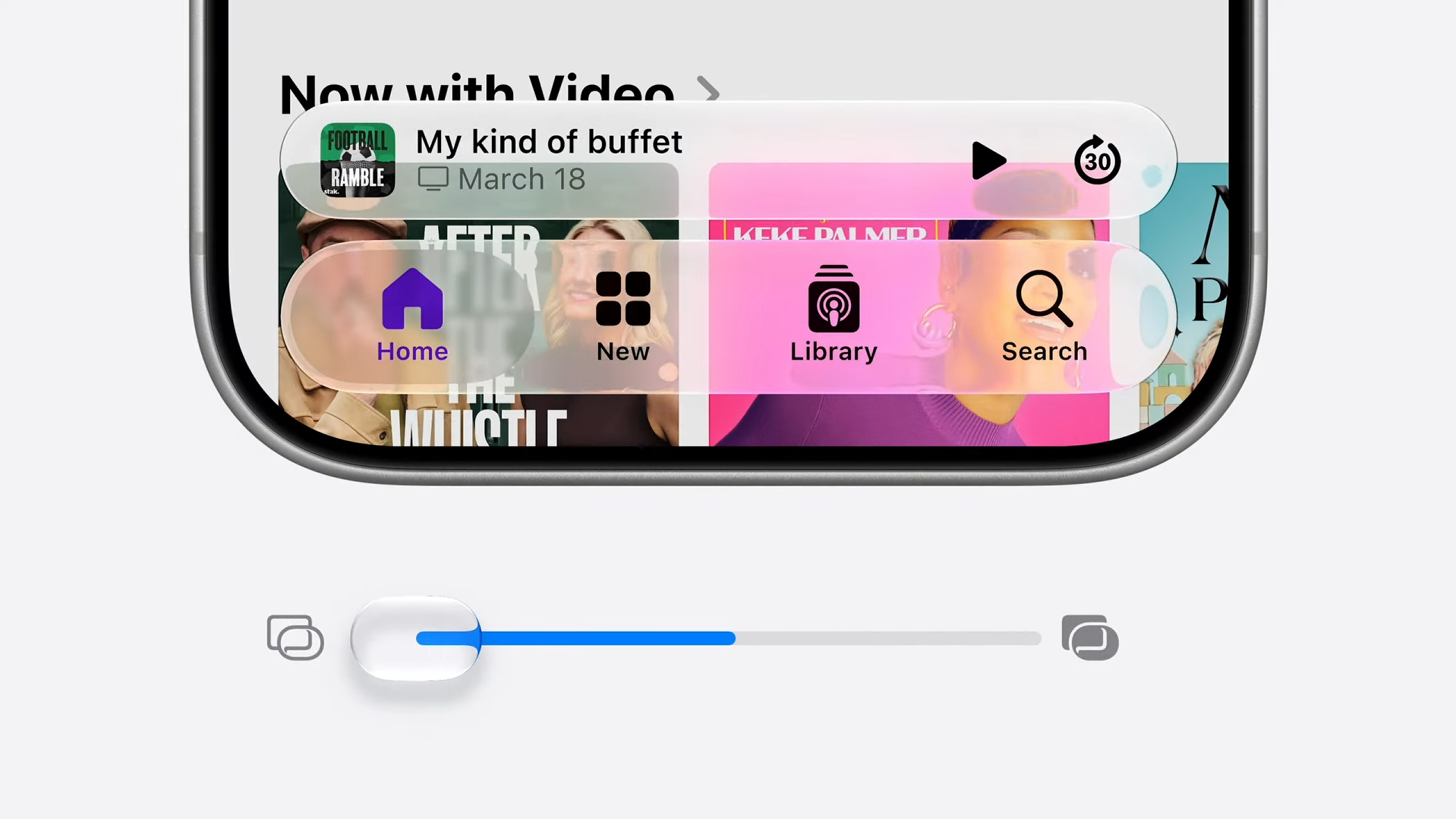
It will diffuse shadows to make it easier to read, and there’s a new slider to adjust the transparency of Liquid Glass.
2. General performance improvements

The major focus of macOS 27 will be making the operating system feel faster and more responsive on Macs and MacBooks, so while the new features might not be that exciting, you should hopefully notice an improvement in the overall performance of your Mac – and for free!
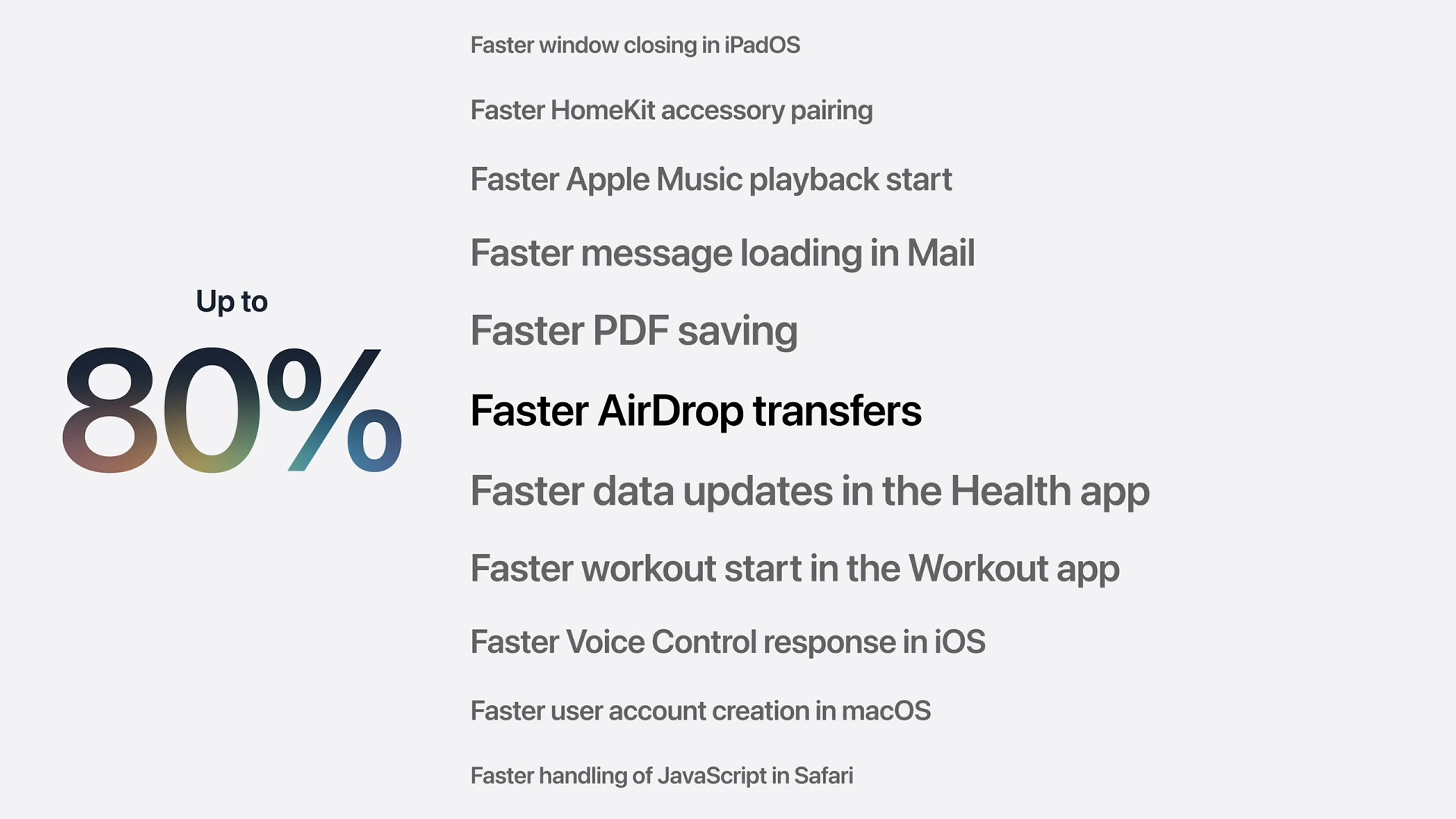
‘Responsiveness’ is an important word, with animations feeling faster, and Apple promises Mac apps will load 30% faster thanks to pre-loading.
Photos should appear in your gallery, and AirDrop sharing is up to 80% faster.
3. Better Search in macOS
Search has been rebuilt on iOS and macOS for Spotlight, Photos, and Mail (new ranking system for more relevant results), so finding files and folders on your Mac should be a lot easier.
4. Improved parental controls
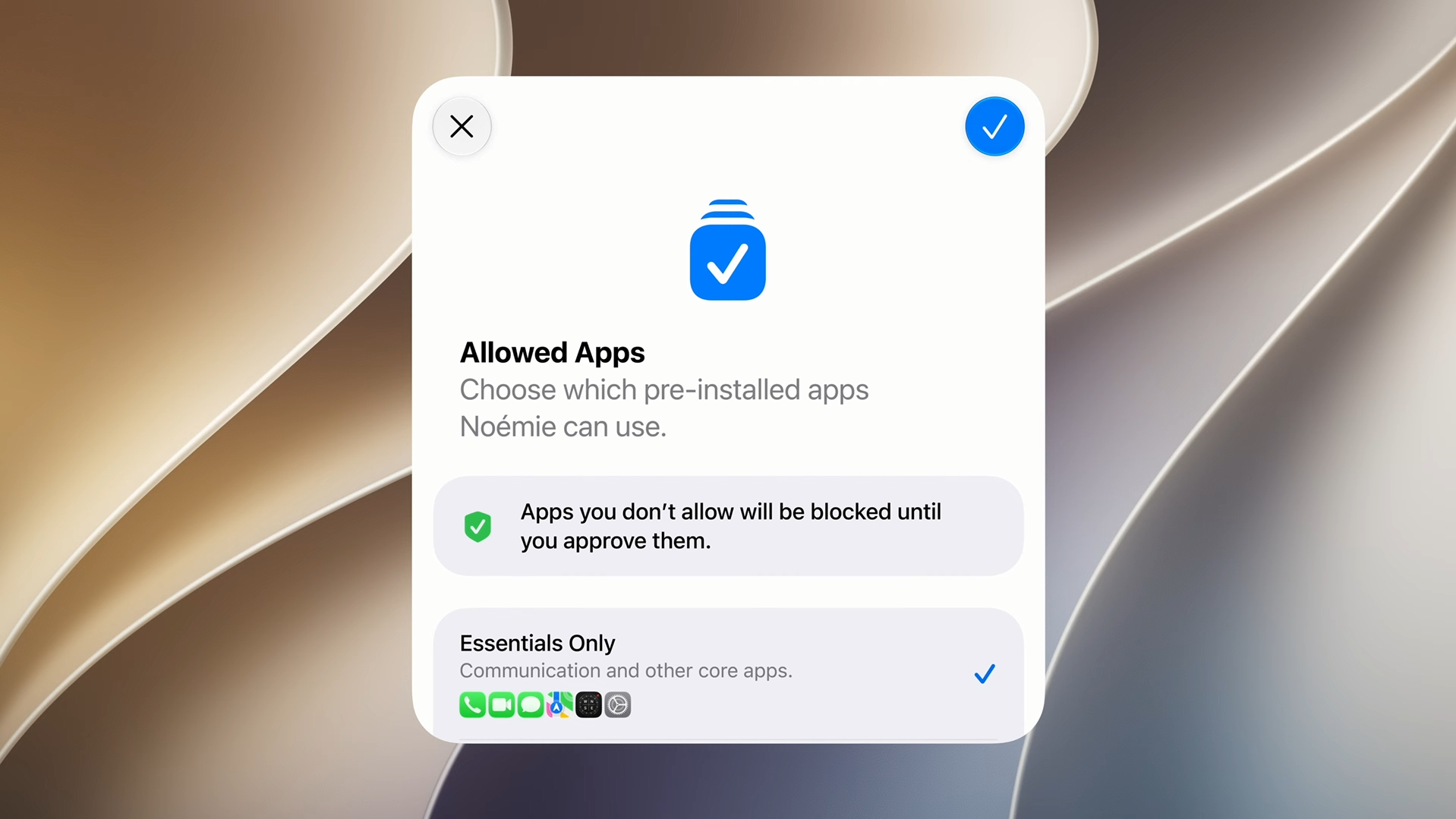
This is quite a hot topic at the moment, and it’s good to see Apple has taken the protection of children seriously. Alongside the existing parental controls, macOS 27 Golden Gate will let parents put a block on apps, and there are now tools that will prevent unsuitable images, including nudity and gore, from being seen.
“We’re giving powerful tools to parents,” according to Craig Federighi, senior vice president of software engineering at Apple.
5. Siri AI

Personally, I’ve never felt the need to use Siri much on a Mac, unlike on iPhones and iPads where the virtual assistant feels like a more natural fit.
That could change with the new overhauled Siri, which after several delays, will be a key part of macOS 27 Golden Gate. With advanced AI features, courtesy of Google‘s Gemini, the new and improved Siri will be able to complete tasks with just a voice command (or text prompt), such as write emails for you, and it can also detect what’s on your screen.
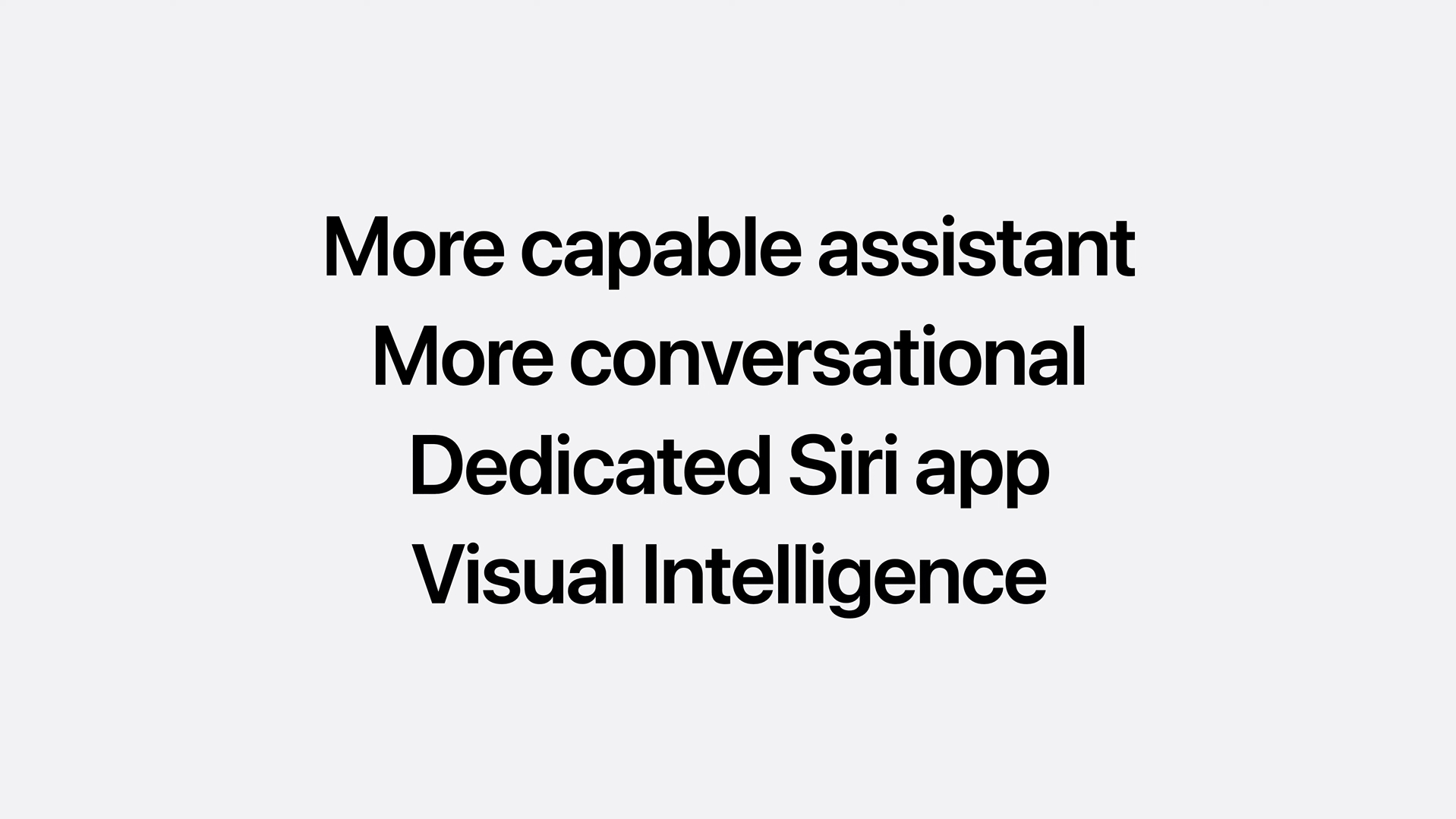
Siri will also make using the Calendar app in macOS better, as you can ask it to create events for you, and it can even check to see if you’re available before you respond to invites.
There will be a new Siri app for macOS, where you can have conversations with the assistant, as well as see previous chats, much like you would see text messages in the Messages app. Conversations are synced with iCloud, so you’ll be able to continue them on your iPhone or iPad.

Follow TechRadar on Google News and add us as a preferred source to get our expert news, reviews, and opinion in your feeds.