Laptop includes Core Ultra Series 3 CPUs, a bigger battery, and a touchscreen.
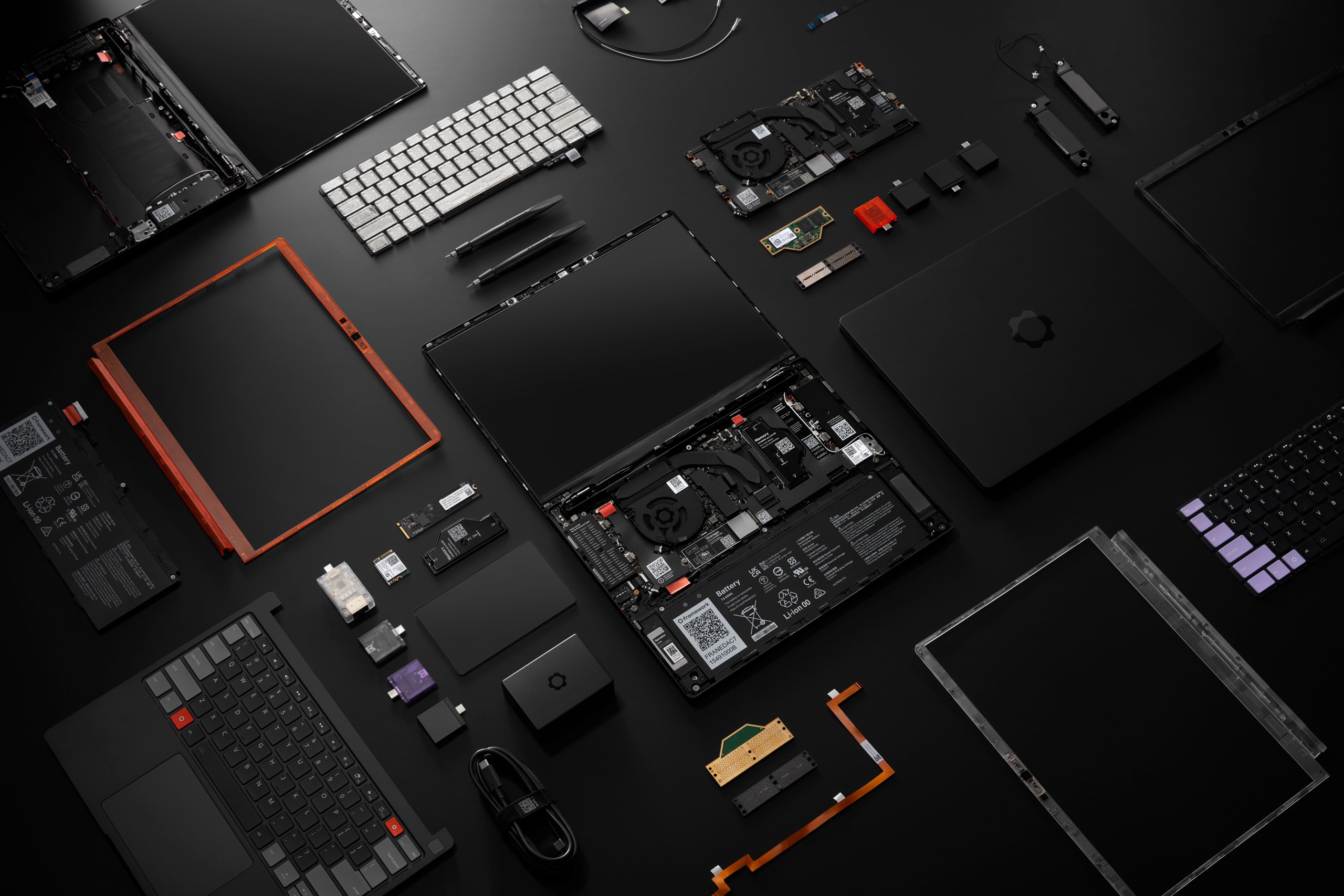
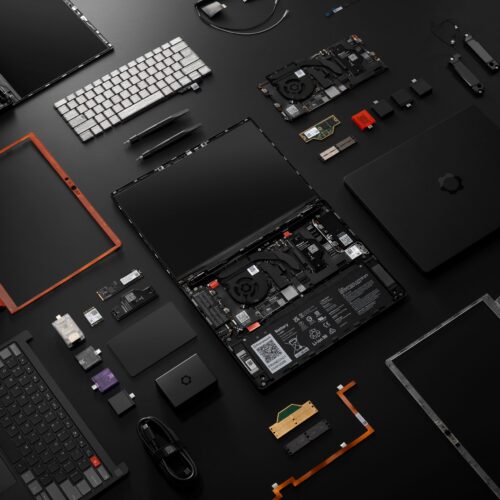
The Framework Laptop 13 Pro and all of its parts, exploded. Credit: Framework
The Framework Laptop 13 Pro and all of its parts, exploded. Credit: Framework
Framework has been selling and shipping its modular, repairable, upgradable Laptop 13 for five years now, and in that time, it has released six distinct versions of its system board, each using fresh versions of Intel and AMD processors (seven versions, if you count this RISC-V one).
The laptop around those components has gradually gotten better, too. Over the years, Framework has added higher-resolution screens in both matte and glossy finishes, a slightly larger battery, and other tweaked components that refine the original design. But so far, all of those parts have been totally interchangeable, and the fundamentals of the Laptop 13 design haven’t changed much.
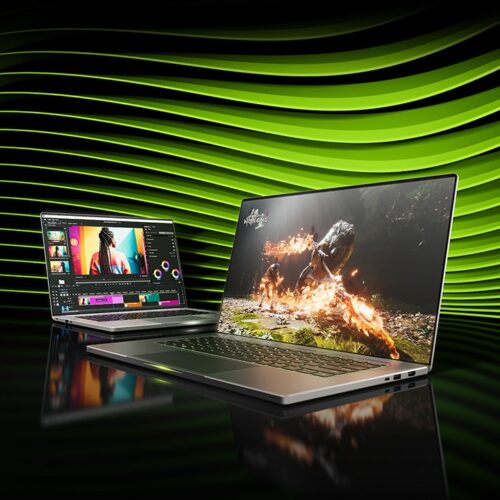
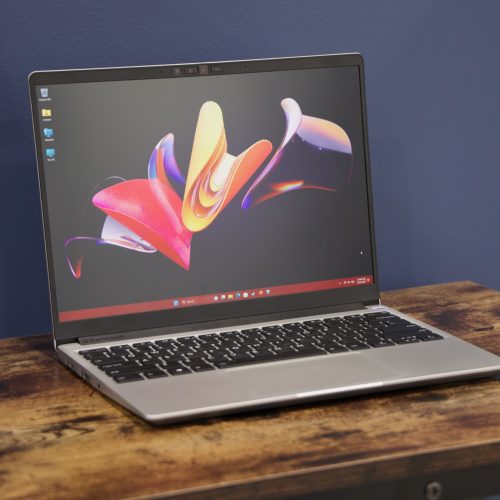
That changes today with the Framework Laptop 13 Pro, which, despite its name, is less an offshoot of the original Laptop 13 and closer to a ground-up redesign. It includes new Core Ultra Series 3 chips (codenamed Panther Lake), Framework’s first touchscreen, a new black aluminum color option, a larger battery, and other significant changes.
And while it sacrifices some component compatibility with the original Laptop 13, displays and motherboards remain interchangeable, so Framework Laptop owners can buy the new Core Ultra board and owners of older Framework Laptop boards can pop one into a Pro to benefit from the new battery and screen. At 1.4kg (about 3 pounds), the Laptop 13 Pro is slightly heavier than the Laptop 13’s 1.3kg, but it still stacks up well against the 14-inch M5 MacBook Pro (1.55kg, or 3.4 pounds).
The Framework Laptop Pro will start at $1,199 for a DIY edition with a Core Ultra 5 325 processor, and no RAM, SSD, or operating system. A prebuilt version with Ubuntu Linux installed will start at $1,499, and Windows 11 will cost another $100 on top of that. A Core Ultra X7 358H version starts at $1,599 for a DIY edition, and a “limited batch” Core Ultra X9 388H version starts at $1,799.
A bare motherboard with the Core Ultra 5 325 starts at $449, while a Core Ultra X7 358H board will cost $799. Pre-orders are available now, and begin shipping in June.
Big, occasionally incompatible changes
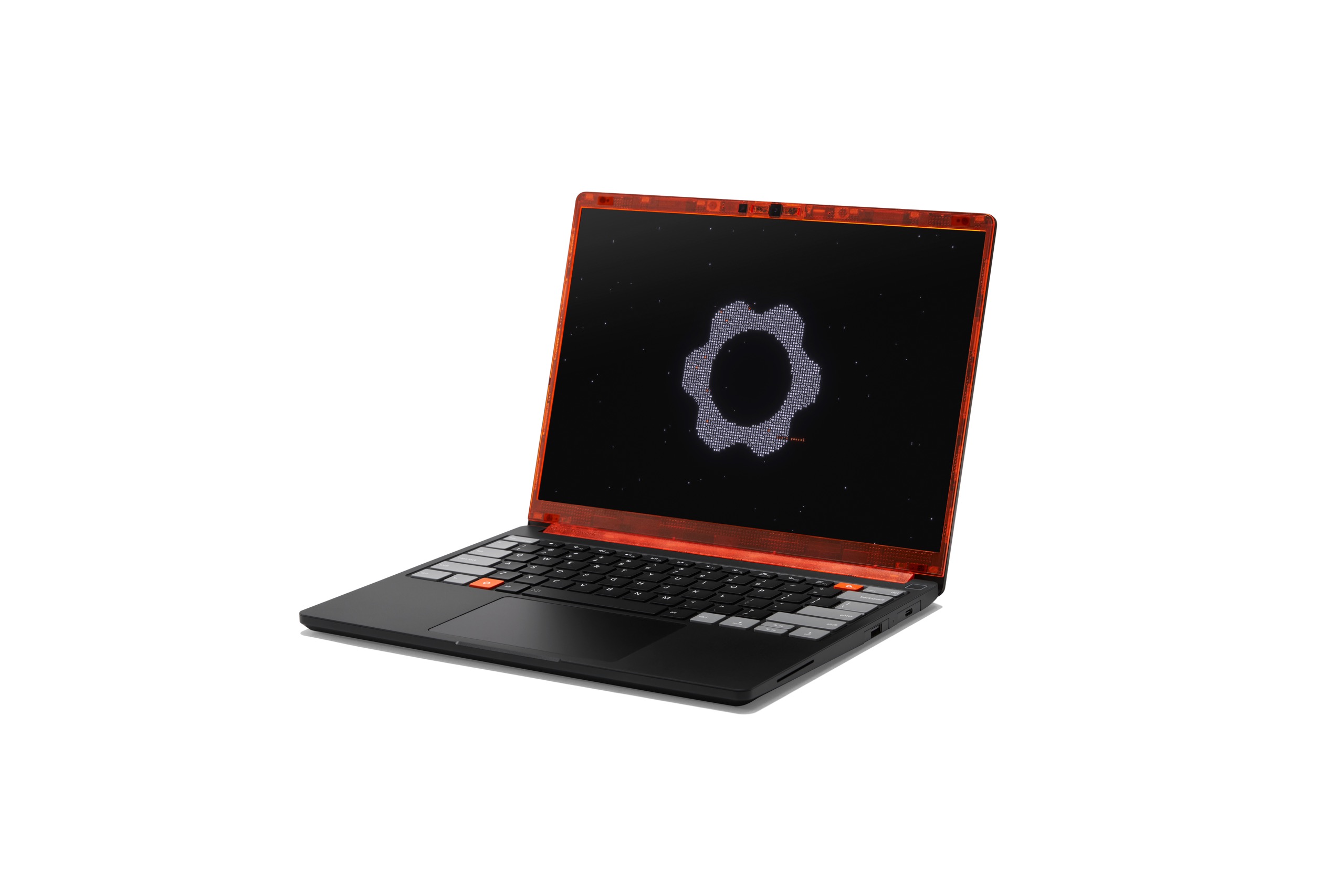
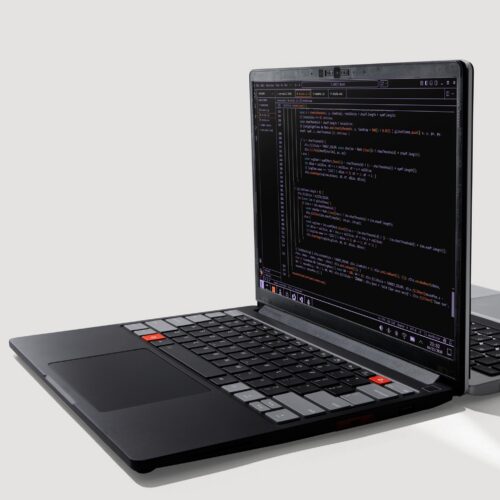
The Laptop 13 Pro comes with a new “graphite” aluminum enclosure. The bottom case and the keyboard/trackpad have been redesigned to accommodate a larger battery, which means they won’t be compatible with the original Laptop 13.
Credit: Framework
The Laptop 13 Pro comes with a new “graphite” aluminum enclosure. The bottom case and the keyboard/trackpad have been redesigned to accommodate a larger battery, which means they won’t be compatible with the original Laptop 13. Credit: Framework
An updated bottom shell and a new input cover with a fully haptic trackpad make space for a larger 74 WHr battery, 21 percent larger than the Laptop 13’s current 61 WHr battery and 34.5 percent larger than the original 55 WHr battery. This should also go some way toward fixing the Laptop 13’s biggest and most enduring shortcoming. With the new Panther Lake board, Framework claims it has seen “over 20 hours of battery life” when streaming 4K Netflix video.
But these changes collectively break the case/keyboard/battery interoperability between the old Laptop 13 and the Laptop 13 Pro; in particular, Framework CEO Nirav Patel told Ars that using a haptic trackpad without physical moving parts was important for making more room for a battery.
The other big compatibility-breaking change (and another potential battery saver) is a shift from regular DDR5 DIMMs to LPDDR5X-8533 memory packaged in LPCAMM2 modules.
We’ve covered the CAMM standard before—short for Compression-Attached Memory Modules, this format is still relatively new and rare, but it’s been pitched as a way to achieve some of the benefits of soldered LPDDR RAM (lower power use, faster speeds) without giving up the modularity or upgradeability of traditional RAM sticks.
Framework was stuck between a rock and a hard place here; to get Intel’s best-performing integrated Arc B390 and B370 GPU, Intel mandates the use of faster LPDDR5X. You can have DIMMs, but only with lower-performing GPUs that would probably have been slower than the Intel and AMD hardware Framework was already shipping. But Framework also clearly didn’t want to give up modular RAM, something it did to make the Framework Desktop work (AMD similarly requires LPDDR5X for that desktop’s Radeon RX 8050S and 8060S).
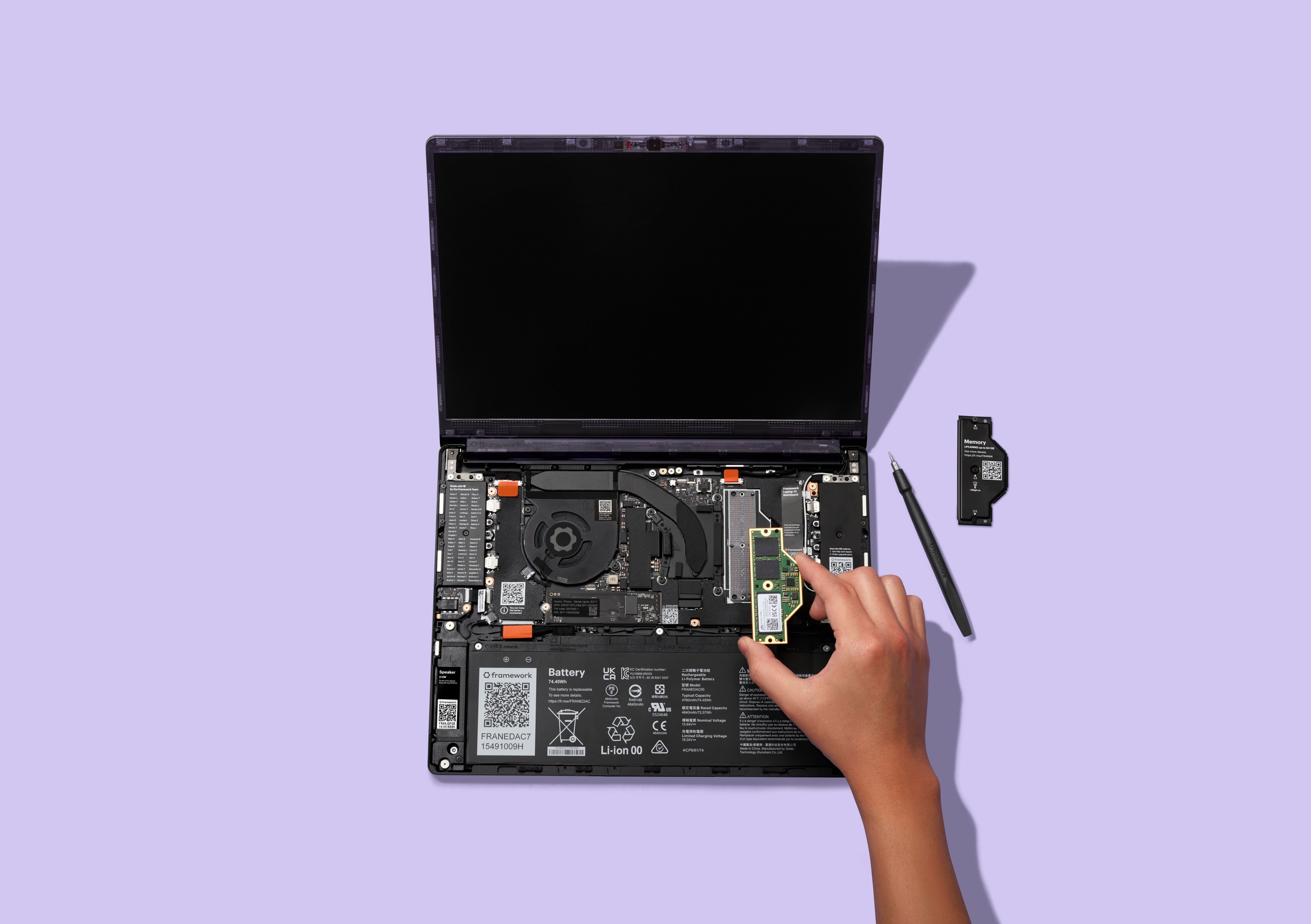
Replacing an LPCAMM2 memory module in the Laptop 13 Pro.
Credit: Framework
Replacing an LPCAMM2 memory module in the Laptop 13 Pro. Credit: Framework
The Laptop 13 Pro isn’t the first laptop to use LPCAMM2; a couple of Lenovo and Dell laptops beat it to it. But it’s early enough that very little aftermarket LPCAMM2 RAM actually exists; the most prominent modules are from Crucial, which has declared that it’s getting out of the consumer memory market entirely. Others are OEM sticks from Lenovo. Framework says it will be offering LPCAMM2 modules in its store—if it does, it will be one of the few places to actually offer it.
Whether you buy from Framework or bring your own, stepping up to the new board will require a RAM upgrade for the second time in Framework’s five-year history, regardless of whether you’re using a current DDR5 board or an older DDR4 model. That’s an extra hurdle at the best of times, but it could be a showstopper with RAM prices where they currently are.
Compatibility with the original Laptop 13
Happily for current Laptop 13 owners, beyond the keyboard/case/battery trifecta, the new 13 Pro and its parts remain mostly interchangeable with the original Laptop 13, and the parts are offered in Framework’s typical unadorned silver color so that any new parts you buy match the ones you already have.
The Laptop 13 Pro’s new display is the first one Framework has been able to spec out from scratch rather than using panels originally designed for some other company’s laptop.
The new screen is still 13.5 inches, still uses a 3:2 aspect ratio, and still has a 2880 x 1920 resolution with a maximum refresh rate of 120 Hz and 100 percent sRGB gamut coverage. Improvements include an upgraded 700-nit maximum brightness and 1,800:1 contrast ratio (up from 500 nits and 1,500:1 before), plus dynamic refresh rate support from 30 Hz up to 120 Hz. The new screen also has square corners instead of oddball rounded ones—this was something Framework had to put up with when using a panel made for another company. And it’s the first touchscreen display available for the Laptop 13, though Framework’s press release doesn’t mention any kind of stylus or pen compatibility.
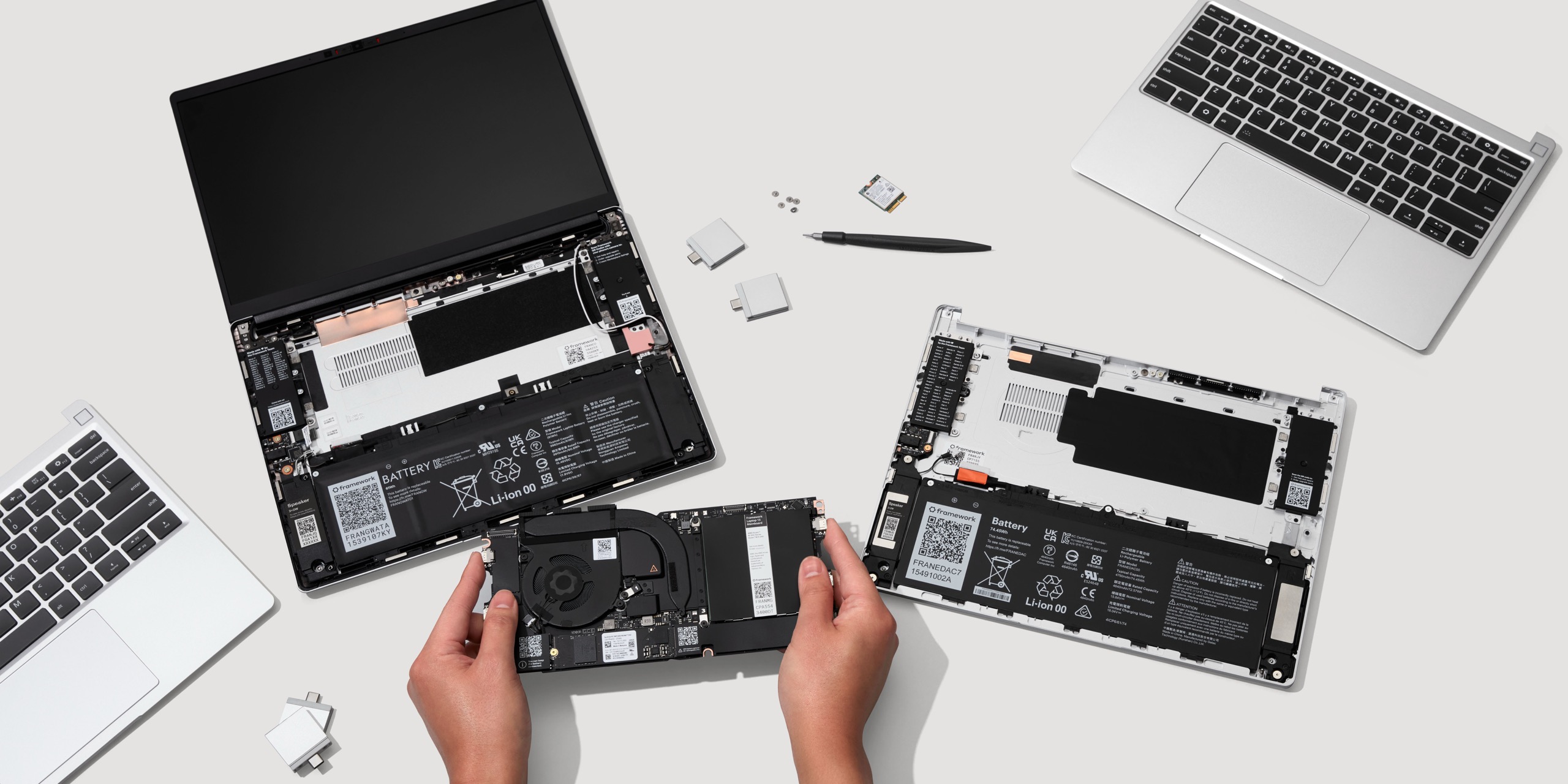
The upgrade kit that will let you change your old Laptop 13 into a Laptop 13 Pro. You can keep using your old motherboard, though it will need a BIOS update to support all the new hardware.
Credit: Framework
The upgrade kit that will let you change your old Laptop 13 into a Laptop 13 Pro. You can keep using your old motherboard, though it will need a BIOS update to support all the new hardware. Credit: Framework
The Laptop 13 and 13 Pro’s motherboards are fully interchangeable. You can put one of the new Core Ultra 3 boards in an existing Laptop 13, and you can drop everything all the way back to the original 11th-generation Intel Core board into a new Laptop Pro chassis to benefit from the new display, battery, and haptic trackpad.
Patel told Ars that some features, including access to the full 74 WHr battery capacity, would require a BIOS update on those older boards. But Framework plans to offer compatible updates for all its older boards “over the next couple of months” before the new parts begin shipping. Framework’s track record for BIOS and driver updates has improved a lot in the last couple of years, so hopefully, older laptop owners who want all the upgrades won’t be stuck waiting much longer than that.
For users who want to re-use an existing board, a “Bottom Cover Upgrade Kit” with the new bottom case, keyboard/trackpad, and battery (and, optionally, an entirely new chassis, if yours is looking worse for wear) will be available. Framework didn’t announce pricing for these parts.
Other odds and ends
Aside from the screen, the new motherboard, and the haptic trackpad, Framework Laptop 13 Pro buyers can expect a handful of additional improvements and refinements compared to the current Laptop 13.
Framework says that the retention latch system used for swapping out Expansion Cards is now “easier to use” and that the laptop’s hinges feature “improved geometry.” We’ll pay attention to these mechanisms in our review to see whether and to what extent they are noticeable. Side-firing speakers and Dolby Atmos support should also make both the speakers and headphones connected to the laptop sound better. And buyers in the US will now be able to pay a bit extra for a three-year warranty option, expanding on the one-year standard warranty.
People buying the new keyboard/trackpad module will also have three keycap options: the classic white-on-black, a two-toned version with some lavender keycap highlights, and a three-toned version with a mix of gray and orange keycap highlights.
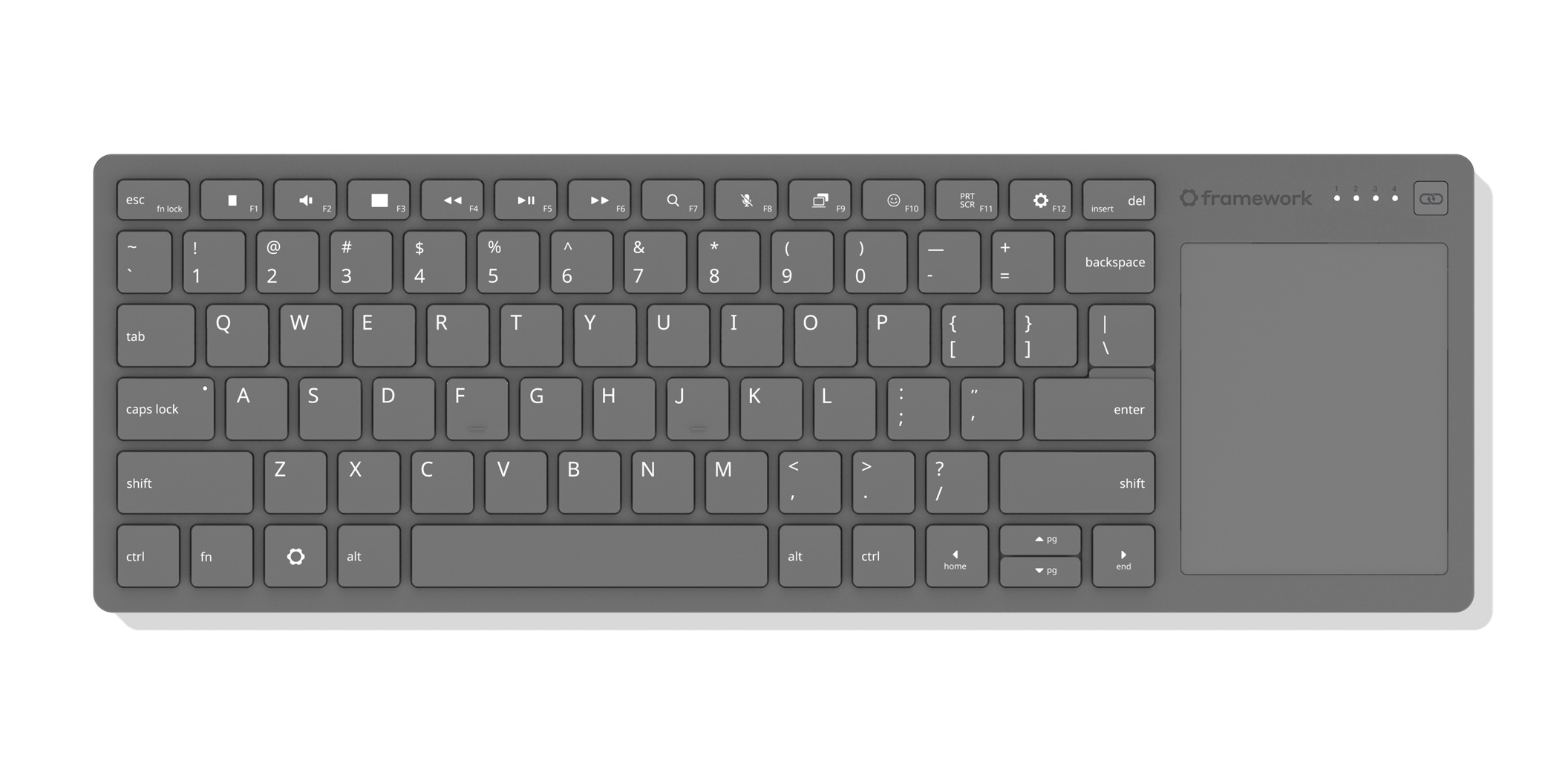
Framework’s wireless keyboard and trackpad combo.
Credit: Framework
Framework’s wireless keyboard and trackpad combo. Credit: Framework
Framework is introducing a handful of new accessories, too: a 10-gigabit Ethernet expansion module, a laptop sleeve “featuring extra pockets for your Expansion Cards and Framework Screwdriver,” and a new external Bluetooth keyboard with an integrated trackpad that’s intended primarily for use with the Framework Desktop. Framework says it uses the keyboard and trackpad hardware from the Laptop 12, plus open source ZMK firmware. The keyboard can be paired with up to four hosts using either Bluetooth or an included USB-A RF dongle; Framework will also eventually offer an RF Expansion Card module. Wired operation is also supported.
Finally, the Laptop 13 Pro (complete with new screen, keyboard/trackpad, and battery) will be offered with Framework’s existing Ryzen AI 300-series mainboard for those who would prefer AMD’s chips to Intel’s for some reason. Intel’s Panther Lake chips have meaningful performance advantages over AMD’s 2-year-old silicon in our testing, but if a specific workload or your own brand loyalty demands a Ryzen CPU and/or a Radeon GPU, those are among the off-the-shelf options available to you.

Andrew is a Senior Technology Reporter at Ars Technica, with a focus on consumer tech including computer hardware and in-depth reviews of operating systems like Windows and macOS. Andrew lives in Philadelphia and co-hosts a weekly book podcast called Overdue.