Big sizes, big resolution, and big ideas.
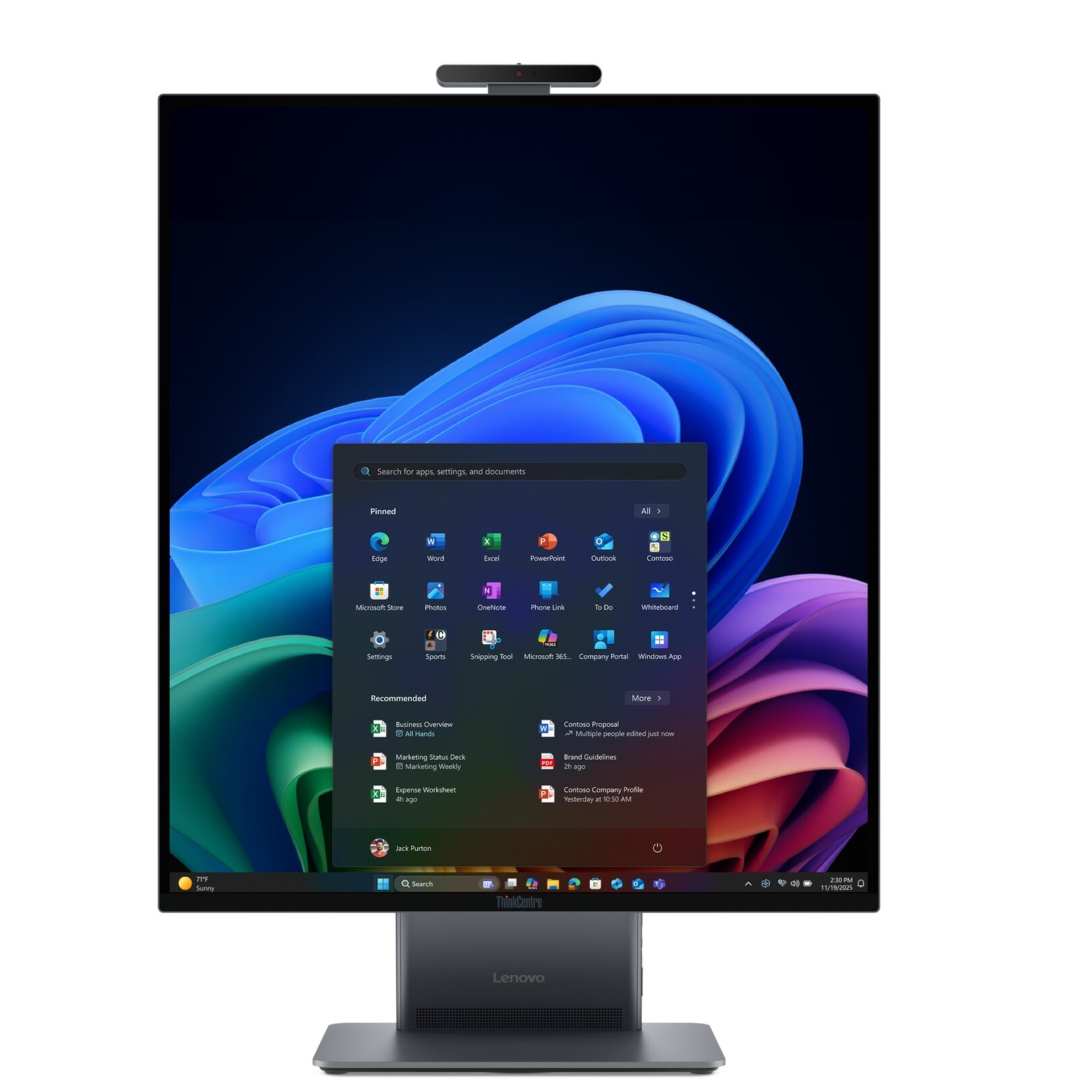
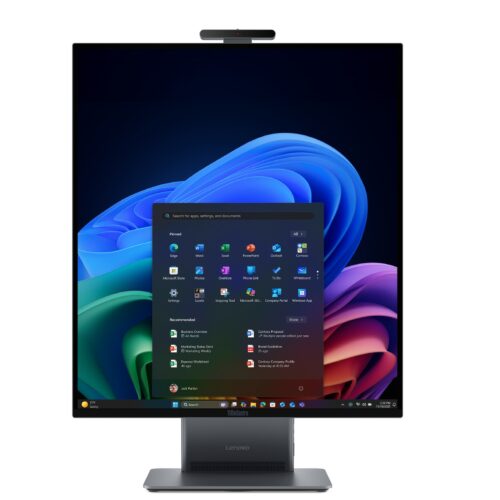
A marketing image for Lenovo’s tall AIO. Credit: Lenovo
A marketing image for Lenovo’s tall AIO. Credit: Lenovo
CES 2026 took place in Las Vegas last week, and as usual, we’re looking at the most interesting monitors from the show. Not every display is a monitor in the strictest sense, but they all provide a display for computers and have a unique twist that make them worth exploring.
Dell’s massive UltraSharp
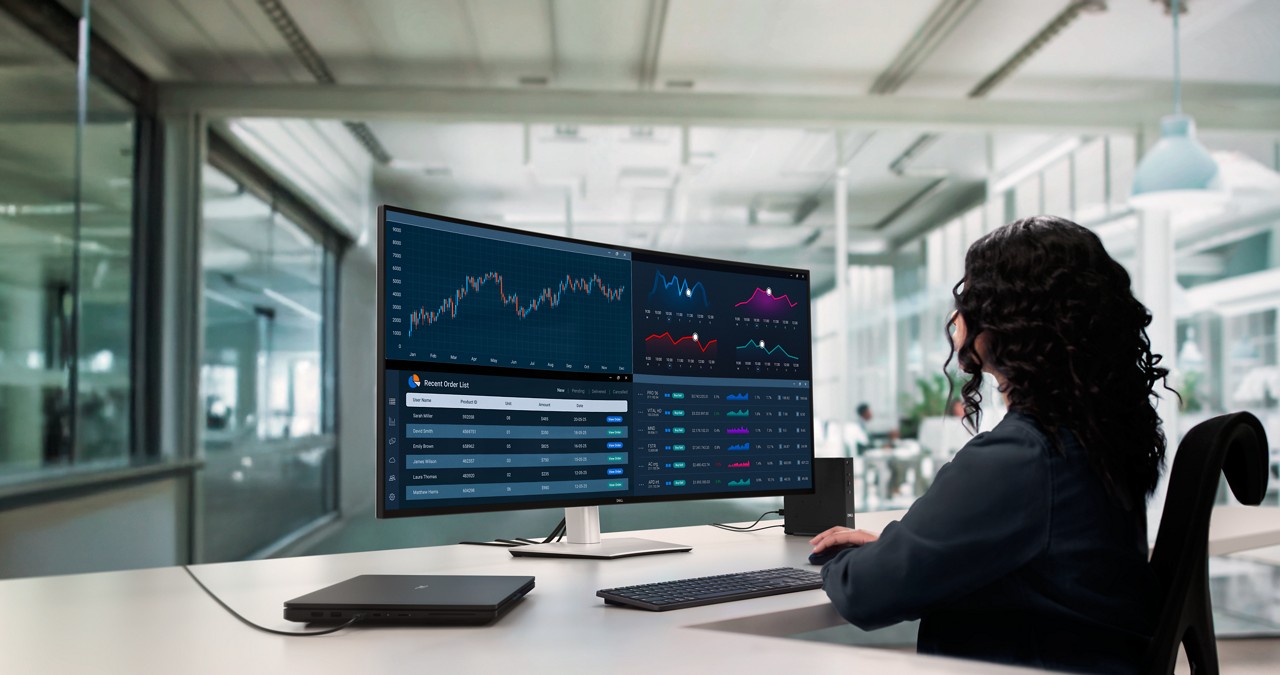
Dell’s biggest UltraSharp has a 21:9 aspect ratio.
Credit: Dell
Dell’s biggest UltraSharp has a 21:9 aspect ratio. Credit: Dell
It was a pretty safe bet that Dell would announce new UltraSharp monitors at CES. The displays are a solid recommendation for reliable USB-C monitors, including for Mac users and people needing something polished for professional or creative work. In recent years, UltraSharp monitors have also boasted more modern features, including integrated web cameras and IPS Black tech.
This year, the strategy was clear: Bigger is better.
At 51.5 inches, the UltraSharp U5226KW that Dell announced at CES is the biggest UltraSharp monitor yet. It has a resolution of 6144×2560, for a pixel density of 129 pixels per inch. The IPS Black monitor also has a bevy of ports via a Thunderbolt 4 hub that supports up to 140 W power delivery. There’s a separate pop-out box with 27 W USB-C and 10 W USB-A ports, and the monitor can connect to up to four PCs simultaneously via an integrated KVM. There’s a bounty of connectivity options across this massive display.
The U5226KW lacks any other noteworthy innovations beyond its size, but Dell is still hoping to impress professionals who frequently use numerous apps simultaneously, and especially those currently using multi-monitor setups.
Dell’s giant UltraSharp launched last week for $2,900 with a stand or $2,800 without a stand.
Lenovo’s tall AIO
All-in-ones (AIOs) are often overlooked, but Lenovo arrived at CES with a unique take on the computer-monitor combo.
The Lenovo ThinkCentre X AIO Aura Edition differs from other AIOs, including Apple’s 24-inch iMac, in its square-like panel. Its 16:18 aspect ratio means it’s not a true square, but the display is still much taller than other AIOs and most regular computer monitors, which are both usually 16:9.
The Aura Edition’s specs include a 27.6-inch IPS panel with 2560×2880 resolution, up to an Intel Core Ultra X7 Series 3 processor, up to 64GB of LPDDR5x RAM, and two M.2 SSD storage slots.
Lenovo expects the PC to appeal to “creators, programmers, and data professionals who benefit from seeing two A4 pages or full data sets in an easy-to-view portrait display,” the company said in a press release.
Additionally, Lenovo will preload the system with business-friendly features, like Lenovo DeskView, which can “digitize documents placed in front of the screen for instant sharing.” And in case there’s any debate over whether the ThinkCentre X AIO is truly a monitor, Lenovo says the device will launch with Lenovo Share Zone, which lets the screen support both the AIO and a second, connected system simultaneously.
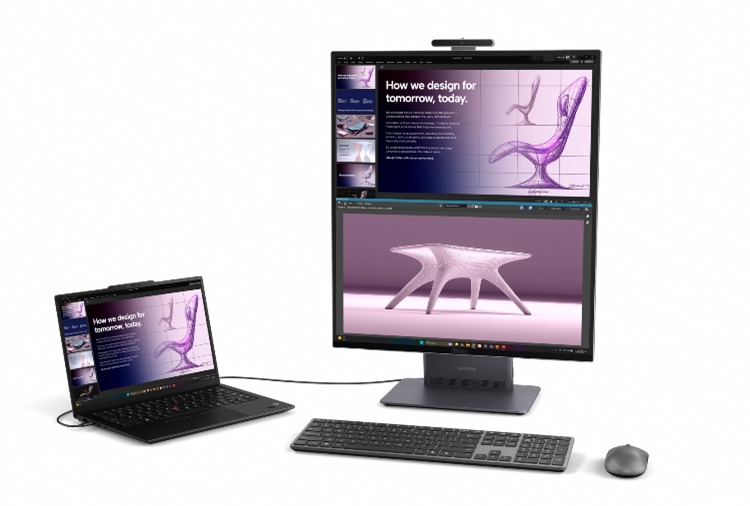
Lenovo’s depiction of the ThinkCentre X AIO Aura Edition sharing its screen with another computer.
Lenovo’s depiction of the ThinkCentre X AIO Aura Edition sharing its screen with another computer.
Noteworthy AIO releases are infrequent these days (Lenovo also announced a 32-inch 4K-resolution Yoga AIO I Aura Edition aimed at consumers who want their monitor’s base to light up in different colors depending on what’s on the screen. That machine is expected to release in Q2 for $2,400). Laptops, smartphones, and improvements in monitor technology and affordability have largely supplanted some of AIOs’ primary benefits, like saving space and providing an ample screen.
But with many companies pushing employees back into offices full-time or part-time, there’s an incentive to explore alternative ways to equip offices, from AIOs to big-screen tablets, and even keyboard-PCs. AIOs are easy for IT teams to set up and use minimal space. Simultaneously, Lenovo is offering an option for the growing number of people who prefer taller screens, perhaps due to the nature of their work or the increasing presence of taller displays in consumer laptops.
Lenovo didn’t announce a price or release date for its tall AIO.
RGB-stripe OLED monitors
A return to classic OLED subpixel layouts from panel-makers LG Display and Samsung Display is a promising sign for the versatility and legibility of future OLED monitors.
Most OLED computer monitors use either a WOLED panel from LG Display or a QD-OLED panel from Samsung Display. WOLED panels feature a red, white, blue, and green (RWBG) subpixel layout or, for newer monitors, an RGWB subpixel layout. QD-OLED monitors have a triangular RGB layout.
Both subpixel layouts have issues with text legibility on Windows. That’s because ClearType, Windows’ subpixel font-rendering software, is built for LCDs with an RGB-stripe subpixel layout. The result for OLED monitors is “fringing,” which, to astute eyes, appears as a colorful border around text. Fringing is especially common on OLED monitors with less than 4K resolution and is often more associated with QD-OLED than WOLED.
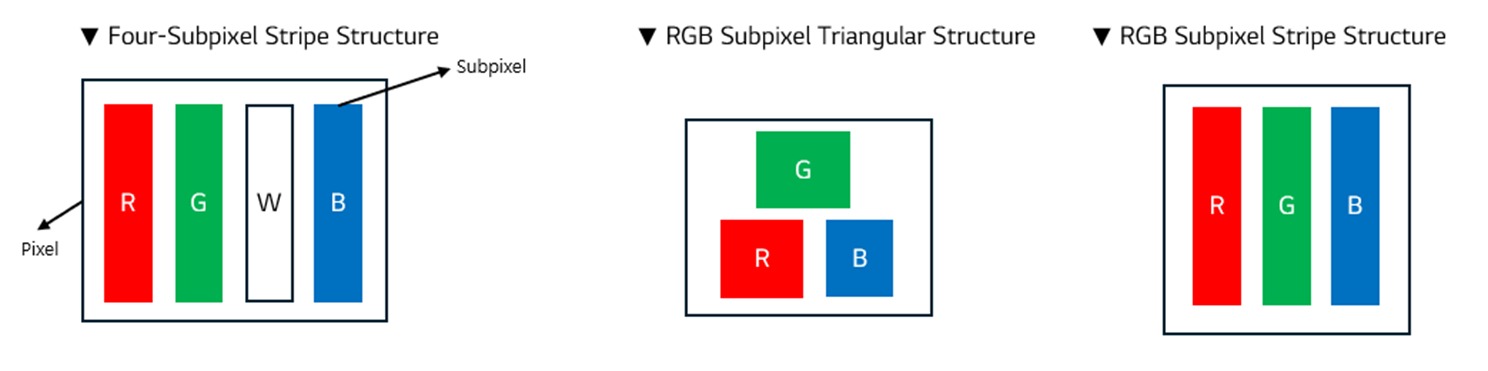
A diagram of the subpixel structures of WOLED (left), QD-OLED (center), and LG Display’s RGB-stripe OLED (right) panels.
Credit: LG Display
A diagram of the subpixel structures of WOLED (left), QD-OLED (center), and LG Display’s RGB-stripe OLED (right) panels. Credit: LG Display
As is common in emerging, expensive computing peripherals, OLED monitors first targeted gamers, making fringing less of a concern. WOLED and QD-OLED panels were also favored by panel suppliers because they were easier to manufacture in large sizes for TVs.
And after Japanese panel maker JOLED went bankrupt (it has since been acquired), we stopped seeing new RGB-stripe OLED monitors, which should be more suitable for reading, working, and other non-gaming applications.
But this year, LG Display is making OLED panels with RGB-stripe subpixels. As the company announced in December, “the RGB stripe structure arranges the three primary color subpixels—red, green, and blue—in a straight line, significantly reducing visual distortions such as color bleeding and fringing, even at close viewing distances. Although OLED panels using the RGB stripe method existed before, their maximum refresh rate reached around 60 Hz, making them unsuitable for use as gaming monitors.”
To enable an RGB-stripe subpixel and high refresh rates, LG Display said it increased “the proportion of the pixel area that emits light.”
Similarly, Samsung Display announced at CES that this year, Asus and MSI will release monitors with Samsung’s new QD-OLED panels, which use a vertical RGB subpixel structure the company has named “V-stripe.”
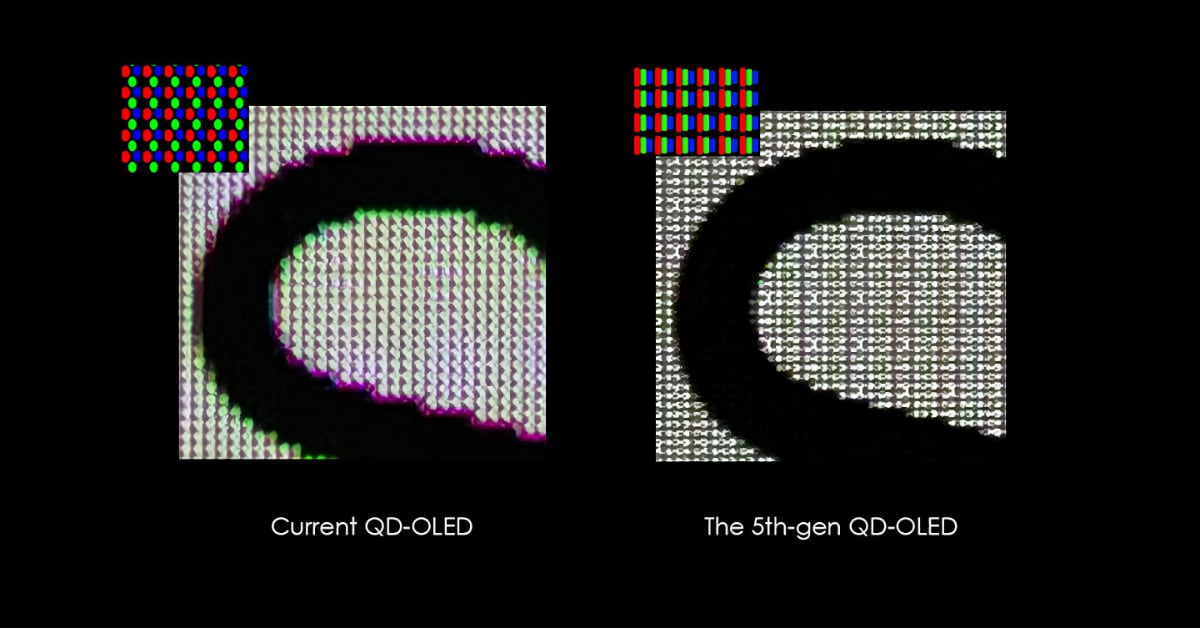
A depiction of text on a QD-OLED monitor with RGB subpixels in a triangular shape (left) and on QD-OLED monitor RGB subpixels in a vertical stripe (right).
Credit: MSI
A depiction of text on a QD-OLED monitor with RGB subpixels in a triangular shape (left) and on QD-OLED monitor RGB subpixels in a vertical stripe (right). Credit: MSI
“The biggest technical challenges in mass-producing high refresh rate panels with a new pixel structure include reduced organic material lifespan, heat generation, and brightness degradation,” Samsung Display’s announcement said. “By leveraging QD-OLED’s top emission structure, which offers brightness advantages, along with improvements in organic material efficiency and design optimization, we were able to mass-produce a high-performance monitor.”
Some publications that demoed RGB-stripe OLED monitors at CES reported text looking noticeably better than on other OLED monitors.
LG and Gigabyte also announced that they will release OLED monitors with RGB-stripe subpixels this year.
Samsung’s 6K, 3D monitor
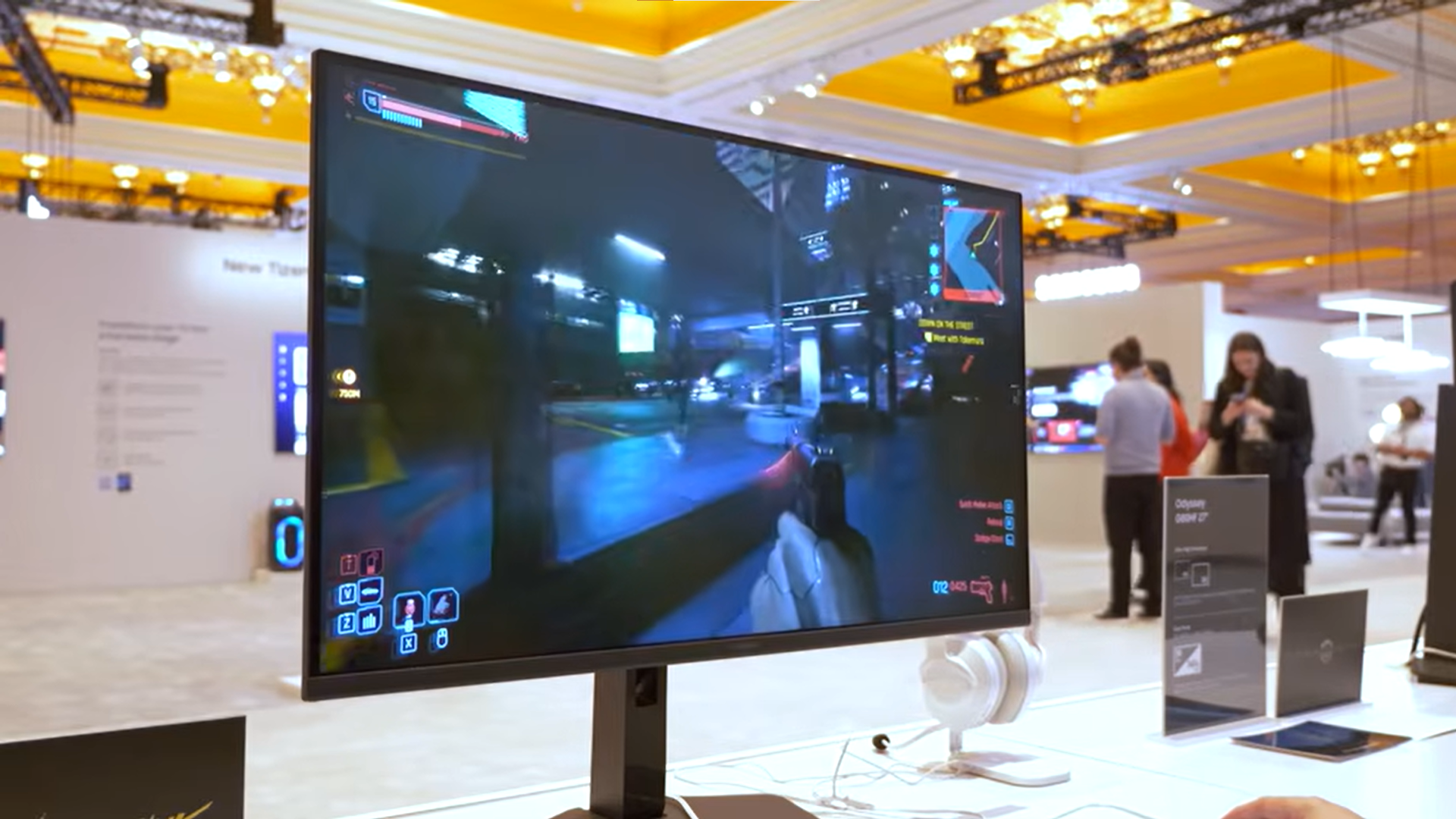
The IPS monitor has two ports: HDMI 2.1 and DisplayPort 2.1.
The IPS monitor has two ports: HDMI 2.1 and DisplayPort 2.1. Credit: Monitors Unboxed/YouTube
In true CES fashion, Samsung’s latest Odyssey 3D monitor one-ups its predecessor in every way it can.
Samsung launched its first Odyssey 3D monitor last year. We found that while the glasses-free 3D experience was impressive, the monitor was hard to recommend given its limited game support.
Back then, Samsung’s Odyssey 3D Hub app, which is used to launch stereoscopic content, had 14 games. As of this writing, there are 29 3D-supporting titles (you can see a full list at the Microsoft Store), but that still may not be enough to warrant a purchase price of what we expect will be over $2,000, based on the preceding Odyssey 3D’s release price.
The lack of applications for a glasses-free 3D gaming monitor didn’t stop Samsung from releasing a larger option, though. The Odyssey 3D that came out in 2025 has a 27-inch 4K IPS screen with a 165 Hz refresh rate. The 2026 model is 32 inches and supports 6K resolution (6144×3456) at a refresh rate of 165 Hz. The monitor is also supposed to easily drop down to 3K resolution (3072×1728), at which point it will run at 330 Hz. So although you don’t need glasses to get the most out of this monitor, you will need a decently powerful GPU.
In addition to glasses-free 3D gaming, Samsung’s 3D monitors can make 2D videos appear to be in 3D. In our testing of the 27-inch Odyssey 3D, this worked well enough on YouTube videos, albeit with a bit of a cardboard-cutout effect.
Most gamers or people seeking 6K resolution won’t opt for a 3D monitor. But Samsung’s investment in improving 3D displays alongside (slowly) growing game support should be welcome for people who have been waiting 15 years for glasses-free 3D to really take off.
Nvidia G-Sync Pulsar monitors
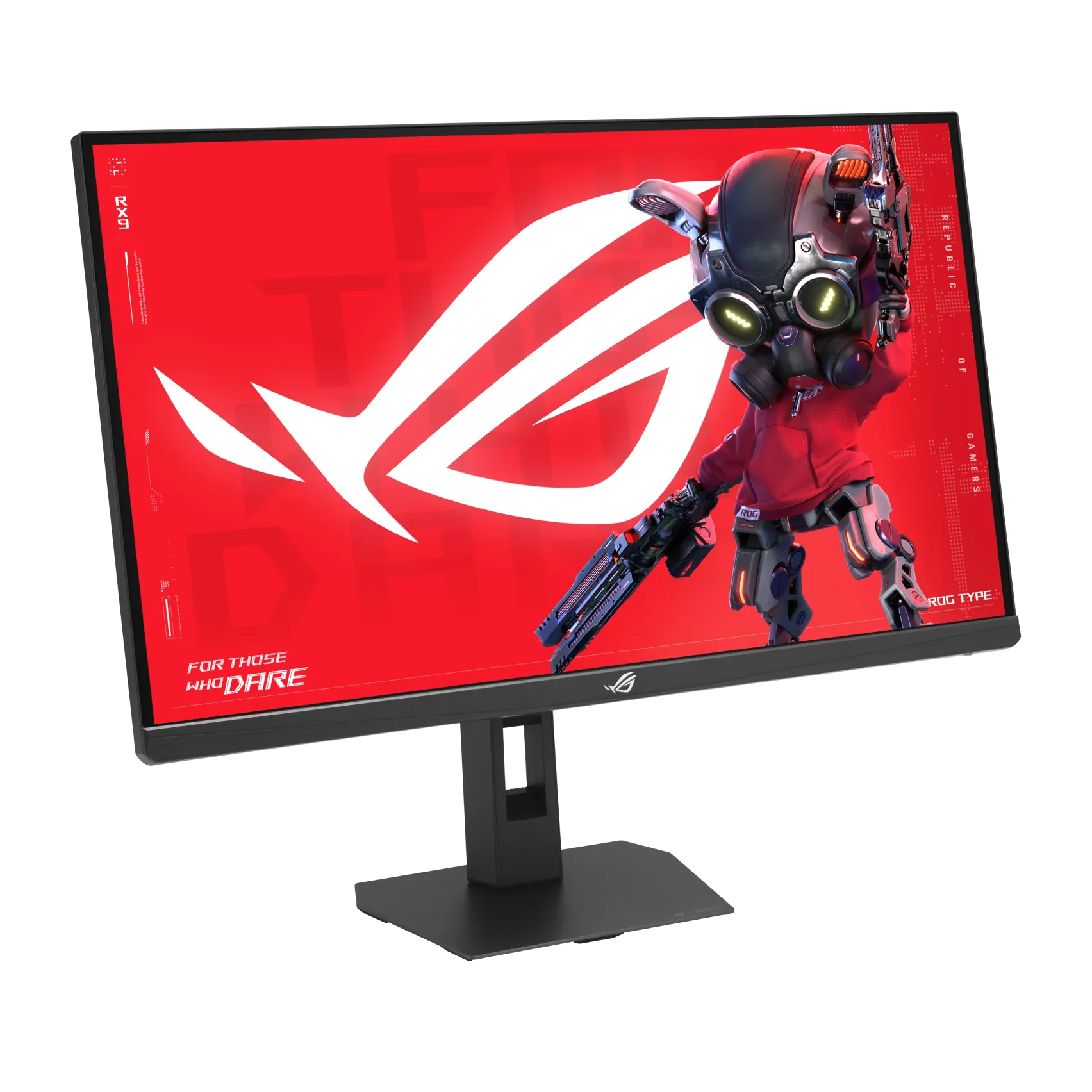
Asus’ ROG Strix Pulsar XG27AQNGV monitor came out last week.
Credit: Asus
Asus’ ROG Strix Pulsar XG27AQNGV monitor came out last week. Credit: Asus
G-Sync Pulsar is a backlight strobing technique designed to reduce perceived blur when viewing fast-moving content on supported monitors.
The backlight on a Pulsar monitor pulses for one-fourth of a frame right before pixels are overwritten. This enables pixels to be the proper color before they’re lit up so you don’t see pixels fading from one hue to another. The approach differs from that of most monitors, which use always-on backlights, and is reminiscent of plasma TVs, which didn’t have backlights but lit up pixels in quick pulses, helping to reduce motion blur. Pulsar also differs from other forms of backlight strobing, such as Nvidia’s Ultra Low Motion Blur, in that it works with variable refresh rates.
Speed-hungry gamers have been awaiting Pulsar monitors since Nvidia announced the technology at CES 2024. As of this writing, three Pulsar monitors are available to purchase: Acer’s Predator XB273U F5, Asus’ ROG Strix Pulsar XG27AQNGV, and MSI’s MPG 272QRF X36.
For more, check out our previous coverage on Nvidia’s new G-Sync Pulsar monitors.
Odinn’s Omnia display
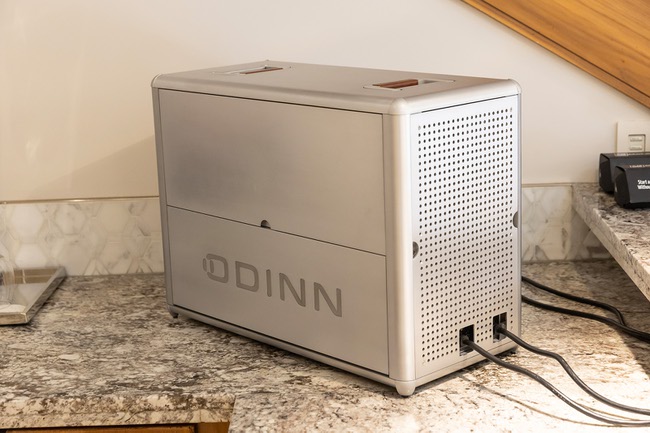
Two-year-old California startup Odinn reportedly held limited demos at CES last week of Odinn’s Omnia X, a provocative approach to the idea of a “portable data center.”
The term “data center” is a stretch, though, as Omnia X is far from matching the computing capabilities of even a modest data center. The PC can support up to two AMD EPYC 9965 CPUs, four Nvidia H200 NVL GPUs, and 6TB of DDR5 memory.
That’s an impressive amount of power to fit in a chassis that Odinn claims is the size of carry-on luggage. The system also has a flip-down keyboard and a pair of handles, which are essential since Omnia X weighs 77 pounds. That’s more than what you’d expect from a”portable” gadget, but Omnia X’s form factor is more about simplifying “data center” access for businesses and employees with demanding and sensitive computing needs who work in various locations.
In an interview with Las Vegas Sun, Oddin CEO Carl Liebel compared Omnix X to about half of a data center rack and said it could replace a company’s need to rent space in a data center.
The Omnia X makes this list due to its (optional) integrated, 23.8-inch 4K display that flips out from the system’s side. With the display and max specifications, the Omnia X could be the most well-equipped portable computing solution we’ve seen.
OMNIA by ODINN
Odinn says that Omnia X uses a redundant power supply unit (PSU) with a high Platinum rating for efficiency. In a PSU, efficiency means less internal heat and lower energy consumption—key areas of concern in a system like Omnia’s. Interesting Engineering reported that Omnia X uses a proprietary closed-loop cooling system.
Odinn’s website targets Omnia X at heavy-lift projects, like “military AI missions,” “enterprise-grade simulations,” and portable data centers.
“Run large models without ever connecting to the cloud. Omnia AI was built for mission-critical inference at the edge, from battlefield computer vision to real-time autonomous navigation,” Omnia’s website reads. “With dual GPUs, massive RAM, and hardware-level isolation, it delivers the kind of raw AI horsepower previously reserved for large-scale data centers, right where your team needs it most.”
Odinn is also pitching the computer to cinematographers, 3D artists, and VFX editors who work on location. Analysts, investigators, and cyber operators could also benefit by using the system for “mapping threat surfaces, performing forensic investigations, or searching across massive, disconnected data sets,” the California startup claims.
Omnia X will cost at least $550,000 Liebel told Las Vegas Sun. You can see pictures of it at the show here and here.
1,000 Hz monitors
Every year at CES, a new panel claims to be the fastest monitor that has ever existed. Sure, most people don’t need a monitor that can refresh 1,000 times per second. But extremely high refresh rates do offer visual benefits, including less blur and fast objects looking sharper. It’s also just cool to see how far professional-grade gaming monitors can go.
One of the fastest monitors at CES 2026 is Acer’s 1,000 Hz Predator XB273U F6. Last month, Philips and AOC announced upcoming monitors that could run 720p at 1,000 Hz, too. But Acer appears to be the closest to actually releasing such a monitor. The OEM gave demos of its 1,000 Hz, 27-inch display at last week’s trade show. Unlike the other monitors, Acer’s speedy screen has a launch timeframe: Q2 2026. (Samsung also announced a 1,040 Hz monitor at the show, but the additional 40 Hz seems negligible at this point, and Samsung hasn’t provided details about how it purportedly reached that speed. Further, there seemed to be minimal demos of Samsung’s 27-inch Odyssey G6 G60H at CES 2026.)
While 1,000 Hz monitors target gamers playing games at the highest levels, they are also built to support a 2560×1440 resolution at a slower—but still amazingly fast—500 Hz.
You can take a look at the Predator XB273U F6 in this video from CNET or the video from Monitor Unboxed below.

Scharon is a Senior Technology Reporter at Ars Technica writing news, reviews, and analysis on consumer gadgets and services. She’s been reporting on technology for over 10 years, with bylines at Tom’s Hardware, Channelnomics, and CRN UK.