
Microsoft‘s big drive to fix Windows 11 is going very well thus far. To give the company credit where it’s definitely due, as was promised, Microsoft has moved quickly to get some important changes into testing swiftly.
That includes a major overhaul for Windows Update, for example, as well as making Windows 11 more performant in general, vital customization changes for the likes of the Start menu and taskbar, work on fixing device drivers in various ways, and listening carefully to user feedback. Indeed, on the latter point, Microsoft has engaged with the Windows 11 community to a remarkable level, I’d say.
Much more is happening besides this, and it all adds up to very good news for Windows 11 users. Yet while Microsoft is on a commendable roll with improving Windows 11 in 2026 – at least thus far – I can’t help but wonder about what we aren’t seeing.
There are some huge changes that many people would absolutely love to happen – myself included – and I’m going to outline my personal top five in a wish-list here. These are features that, frankly, I can’t believe Microsoft will ever implement – but there’s no doubt they’d be massive crowd pleasers. And you never know, with the mood Microsoft has been in of late, maybe – just maybe – something on this list could sneak in. We can live in hope…
1. Ditch the adverts – all of them

Okay, so Microsoft wouldn’t call them adverts – they are referred to as suggestions, recommendations, or nudges, and so on – but Windows 11 has plenty of these promotional asides which clutter the interface and generally annoy most (although admittedly not all) users.
It’s true that Microsoft has promised it will calm down this activity, and we’ve already seen some evidence of that. But what I’d like to see in Windows 11 is a switch in Settings that when flicked removes all of these thinly veiled ads or recommendations in one form or another.
Or at least a bank of sliders that correspond to the different types of suggestions and ads throughout Windows 11 that you can enable or disable as you wish, so you can still turn everything off (but maybe keep a couple of bits that you don’t mind).
If Microsoft gave us control to remove any mention of OneDrive, Bing, Edge, Game Pass and so on throughout Windows 11, I’d be seriously happy, or indeed delirious (not to mention amazed). And while I’m on this subject, I’m happy to see Windows 11 search is finally stopping the practice of promoting web search results (and Bing by extension), but I’d love to see an option to drop these web results entirely (and that could actually happen, with any luck).
2. Bring back local accounts for Windows 11 installs
In the good old days, you could install your copy of Windows with a local account. With Windows 11, though, Microsoft dropped that ability and made it so that you must install the OS with a Microsoft account. Not everyone wants to do this, though, and there should be a choice.
However, it isn’t just that Microsoft has stripped away the local account option in Windows 11 setup, the company has actively worked to thwart the possible workarounds to fudge your way past having a mandatory Microsoft account.
Given such crackdowns, it seems very unlikely that Microsoft will reverse course on this issue, even though it’s one of the loudest pieces of feedback in some quarters that people want to just use a local account with no fuss in setting up the OS.
3. A lean, clean installation routine

Also on the topic of Windows 11 installation, what I’d be really keen to see is Microsoft offering a bank of options pertaining to what default apps and services are included with the operating system.
Giving users a choice – and the ability to pare down apps to the bare minimum if needed – would really be a step forward in terms of eliminating bloat right out of the gate with the desktop OS.
This is the reason why some people hunt out alternative custom Windows 11 installations such as Tiny11, and while I certainly don’t expect Microsoft to go as far as offering ‘Windows 11 Lite’ – of course that wouldn’t happen – it’d be great to get some meaningful granular control over default app installations, and the ability to cut back on a lot of this software.
4. Turn off the telemetry

With those who refuse to go anywhere near Windows 11, one of the most common complaints I see is that the reason they want to avoid installing the OS is because it’s ‘Microsoft spyware’ or similar comments along those lines.
While that’s an exaggeration, it stems from an actual grievance in that you can’t actually avoid having some telemetry tied to your copy of Windows 11. In other words, the OS is always sending a baseline set of data about your PC back to Microsoft’s servers (if you’re a consumer on Windows 11 Home, anyway).
Granted, this is not part of an effort to spy on your local activity on your Windows 11 machine, and rather it’s more about crash reports and related diagnostics. But still, there are clearly trust issues around what Microsoft is doing, and privacy activists rightly point out that we, as individuals sat at our Windows 11 computers, really don’t know where this data goes or exactly what it’s used for (or might be used for in the future).
Given that, there should be a basic option to turn off all telemetry in Windows 11. You can’t do that with a consumer installation of the OS on Windows 11 Home – not without messing around in the Registry, a process that can end up going badly awry, especially for relative tech novices. Although note that consumers can turn off much of the telemetry (as in avoiding sending Microsoft the full works), just not all of it.
Really, Microsoft should give every Windows 11 user an option in Settings to easily switch off all this activity save for the bare minimum of vital telemetry to ensure the security of the system.
5. Finish them!
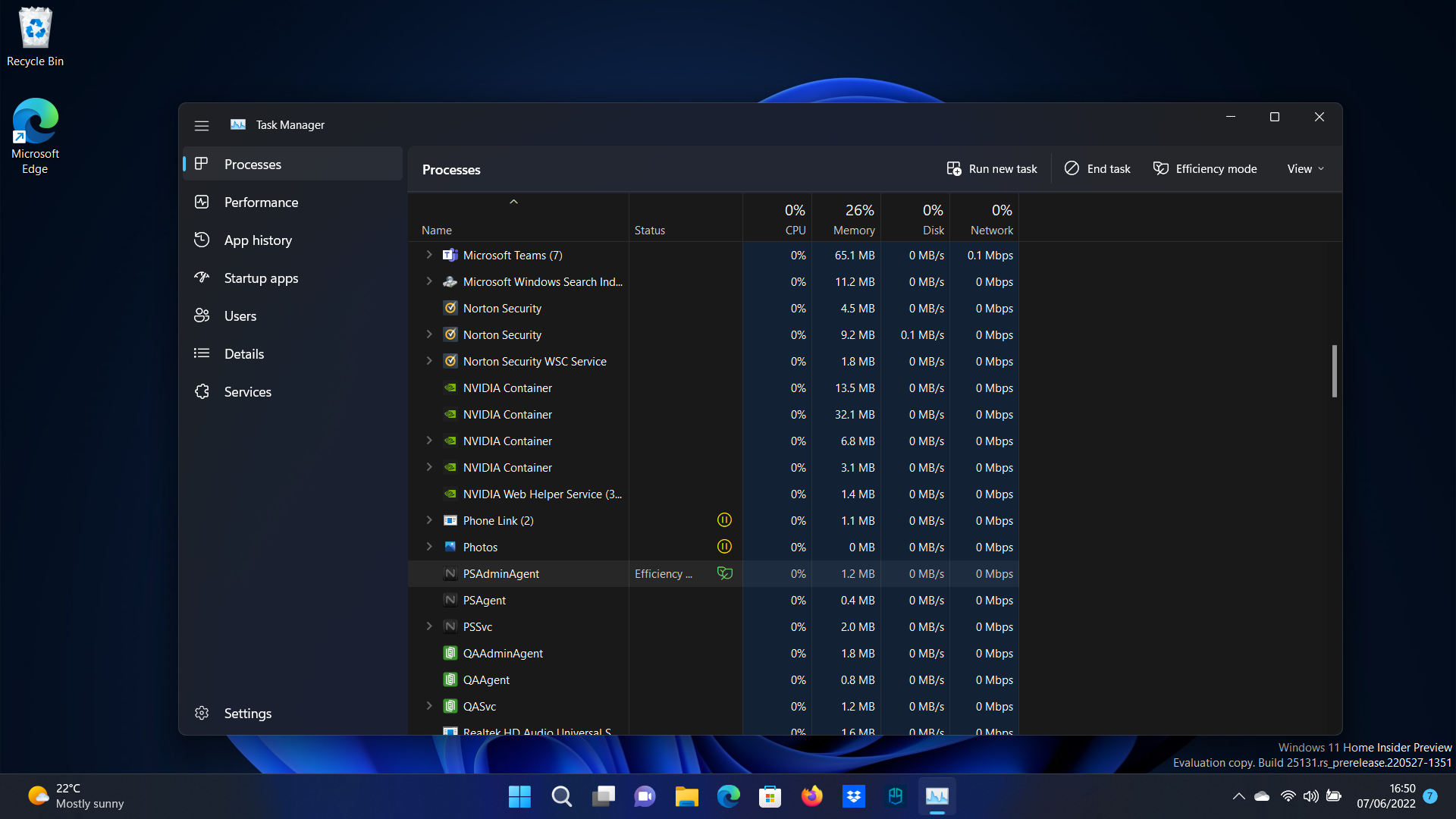
The final item on my wish-list is for Microsoft to get on with finishing some of the still incomplete long-running projects in Windows 11 that have been underway since back in the mists of operating system time.
I’m mainly thinking of two things here. Firstly, that Microsoft needs to finally finish dark mode, so it fully applies to all parts of the Windows 11 interface, and we don’t get any more jarring white panels popping up to offend our eyes in the semi-darkness of the evening. Oh, and also incorporate the Light Switch feature from PowerToys into Windows 11, please Microsoft. This allows for automatic time-based switching between light and dark modes, and why it isn’t a default part of the OS (as it is on Macs) is beyond me.
Secondly, the work to migrate the legacy parts of the Control Panel to the modern Settings app has been so painfully slow, it’d be good to see Microsoft pick up the pace with these transitions. Again, when they appear, these throwback pieces of interface feel unprofessional and jarring, and while I appreciate there’s a lot of legacy stuff which is complicated to deal with here, this migration of features has been going on for so long at this point, it’s a bit embarrassing.
Of course, completing the Control Panel transition is a wish too far, and doubtless not high on the priority list right now, so I’ll give you a pass on that Microsoft, if you fulfil everything else on my list here. Deal?

Follow TechRadar on Google News and add us as a preferred source to get our expert news, reviews, and opinion in your feeds.