

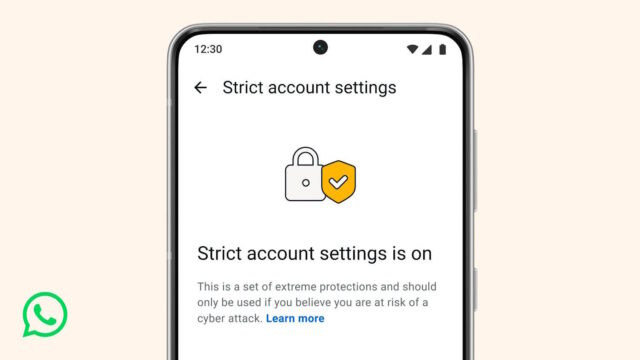
Meta has always made much of the security features that are built into WhatsApp, highlighting things such as end-to-end encryption. Now the company has announced that it is ramping up security for some users with the introduction of Strict Account Settings.
The new feature has been available to beta testers for a little while, but now it is rolling out more widely. It is not designed with all WhatsApp users in mind, with Meta saying that some people may feel the need for the more sophisticated security it offers.
Meta points to users such as journalists and public-facing figures as being at risk of attacks and therefore being among those who may be interested in activating Strict Account Settings. Some of the additional security comes by changing the way features of WhatsApp work, and blocking other functions entirely. It is for this reason that the Strict Account Settings option is not enabled by default.
Among the changes the setting makes are:
- Account security: Two-step verification is turned on. Security notifications are turned on and locked. End-to-end encrypted backups are encouraged for users with backups enabled.
- Messaging and media: Link previews are turned off. Blocking high volumes of unknown account messages is turned on.
- Profile and presence: Your Last seen and online, Profile photo, About details, and links on your profile are locked to contacts only or to your pre-established, more-selective list of people.
- Groups: Only known contacts or a pre-established, more-selective list of people can add you to groups.
Announcing the enhanced security, WhatsApp says:
At WhatsApp, we think you should be able to have a private conversation online, just like you would in-person. We will always defend that right to privacy for everyone, starting with default end-to-end encryption. But we also know that a few of our users – like journalists or public-facing figures – may need extreme safeguards against rare and highly-sophisticated cyber attacks.
That’s why today we’re announcing a new, lockdown-style feature called Strict Account Settings.
If you turn this on, certain account settings will lock to the most restrictive settings, and it will limit how your WhatsApp works in some ways, like blocking attachments and media from people not in your contacts. You can enable Strict Account Settings – which is rolling out gradually over the coming weeks – by going to Settings > Privacy > Advanced.
Strict Account Settings is one of many ways we’re working to protect you from the most sophisticated of cyber threats. We’ve also rolled out a programming language called Rust behind the scenes to help keep your photos, videos, and messages safe from things like spyware, so you can share and chat with confidence.
In a separate blog post, Meta has the following to say:
[…] we’re adding a new extreme protection feature called Strict Account Settings. This lockdown-style feature bolsters your security on WhatsApp even further with just a few taps by locking your account to the most restrictive settings like automatically blocking attachments and media from unknown senders, silencing calls from people you don’t know, and restricting other settings that may limit how the app works. You can turn on Strict Account Settings, which will be rolling out in the coming weeks, by going to your WhatsApp Settings, then to Privacy, and then to Advanced.
More information about Strict Account Settings and how to use them can be found in this support document.


