

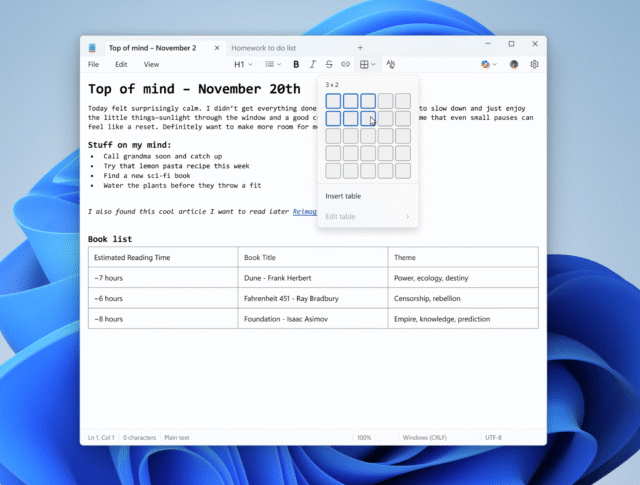
Notepad has changed so dramatically over the decades of its existence, that it can hardly be considered the same app anymore. With Microsoft having killed off WordPad (which was, initially, more advanced than Notepad), the company now seems intent on transforming Notepad into WordPad – and then some.
We have already seen all manner of previously inconceivable additions to Notepad, including support for tables, and the almost inevitable injection of AI. But now it seems that Microsoft is moving Notepad away from being just text based.
Microsoft has yet to officially make an announcement about it, but sources from the company say that Notepad is in line to support images. As reported by Windows Latest, this is said to be part of Notepad’s Markdown support.
As Notepad evolves into a modern day version of WordPad, the arrival of image support is not surprising. WordPad allowed for the addition of images to documents. While not announced, people who installed the latest preview builds of Windows 11 spotted a new (as yet non-functional) image button in the Notepad toolbar.
Windows Latest reports:
[We have ] learned that Microsoft is adding image support to Notepad on Windows 11, and sources told us that the feature has “minimal impact” on performance. Microsoft sources also told us that the feature is part of Notepad’s existing Markdown support, and you’ll be able to disable it in Settings along with other features.
[…]
After a recent update in the Windows Insider Program, some of you might have noticed that there’s an image button in the toolbar of Notepad. It only shows up in the “What’s new” dialog of Notepad, which appears when you install Notepad for the first time or apply one of the recent updates.
The site goes on to say:
Right now, this button does not work, but the image shortcut in the marketing material is not a mistake. Image support is real, and it’s being worked on internally for a wider rollout in the coming months.
Microsoft sources confirmed to Windows Latest that image support is being tested in internal builds of Notepad. In tests, Microsoft found that images and other markdown features have minimal impact on performance.
If this feel like too much for Notepad, you will be able to disable the button from within Settings just as you can for other formatting options.


