

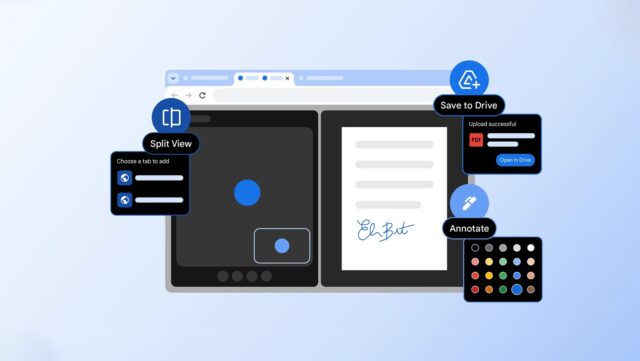
Google has announced the addition of a trio of new features to the desktop version of Chrome which the company says will make the browser more helpful than ever.
There is nothing to link the three features to each other, and you may find that some, none or all are of interest to you. The three additions to Chrome are Save to Google Drive, split tab view, and PDF annotations. Here’s what each of these can do for you.
The ability to annotate PDFs is a new feature of Chrome’s integrated PDF viewer. Google says, quite rightly, that being able to add notes in the viewer saves you from having to manually download the PDF in question and open it up in a dedicated PDF viewing app – everything can now be taken care of for you in Chrome. The company describes this handy new capability as a way for adding “quick digital signatures, reviewing a work report, making notes on a class syllabus or simply highlighting a key section of a personal document”.
Being able to work with tabs in browser windows has certainly made life easier, but that does not mean that there is not room for improvement. Another productivity booster that Google has added to Chrome is the ability to split a tab in two so you can see two pages at the same time.
Google explains:
Have you ever found yourself juggling multiple windows or constantly switching between the same two tabs? It’s a common frustration that can interrupt your flow and slow you down.
Split view is designed to help. It allows you to view two tabs at the same time, providing a more streamlined, flexible way to work. Split view is a built-in, intuitive tool that helps you create a single, organized space, saving you time and reducing some back-and-forth tab fatigue.
Our work with early testers has shown that split view is already helping people multitask and get more done on the web. One teacher told us they use split view to more easily grade papers in the classroom, others love using it to take notes on YouTube videos, and developers are even using it to reference documentation while they code.
The third and final new feature is Google’s way of making sure that you don’t lose the files that you download, and that you don’t download files for later and simply forget about them. Google says in its announcement:
With the new “Save to Google Drive” feature, we’re making it easy to know exactly where to find your downloads. You can now save PDFs directly to your Drive from Chrome without downloading and re-uploading them. It’s automatically organized into a dedicated “Saved from Chrome” folder in your Drive. This keeps your important documents backed up, organized and easy to search for later, from any of your devices.
Which of these new features appeals most to you? Share your thoughts in the comments below.


