are people really skipping Liquid Glass?
Liquid Glass is controversial, but adoption rates aren’t as low as they seem.

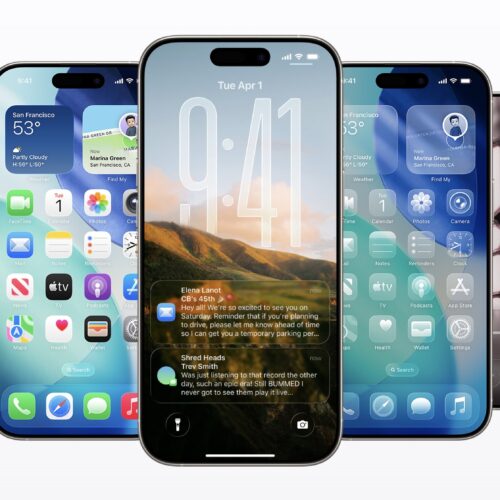
iPhones running iOS 26. Credit: Apple
iPhones running iOS 26. Credit: Apple
Last week, news about the adoption rates for Apple’s iOS 26 update started making the rounds. The new update, these reports claim, was being installed at dramatically lower rates than past iOS updates. And while we can’t infer anything about why people might choose not to install iOS 26, the conclusion being jumped to is that iPhone users are simply desperate to avoid the redesigned Liquid Glass user interface.
The numbers do, in fact, look bad: Statcounter data for January suggests that the various versions of iOS 26 are running on just 16.6 percent of all devices, compared to around 70 percent for the various versions of iOS 18. The iOS 18.7 update alone—released at the same time as iOS 26.0 in September for people who wanted the security patches but weren’t ready to step up to a brand-new OS—appears to be running on nearly one-third of all iOS devices.
Those original reports were picked up and repeated because they tell a potentially interesting story of the “huge if true” variety: that users’ aversion to the Liquid Glass design is so intense and widespread that it’s actively keeping users away from the operating system. But after examining our own traffic numbers, as well as some technical changes made in iOS 26, it appears Statcounter’s data is dramatically undercounting the number of iOS 26 devices in the wild.
We’ve taken a high-level look at all iPhone traffic across all Condé Nast websites for October, November, and December of 2025 and compared it to traffic from October, November, and December of 2024. This data suggests that iOS 26 is being adopted more slowly than iOS 18 was the year before—roughly 76 percent of all iPhone pageviews came from devices running iOS 18 in December of 2024, compared to about 45 percent for iOS 26 in December of 2025.
That’s not as cataclysmic a dropoff as Statcounter’s data suggests, even before considering other mitigating factors—iOS 26 dropped support for 2018’s iPhone XS, XS Max, and XR, for example, while iOS 18 ran on every iPhone that could run iOS 17.
But it’s still a much slower rate of adoption than we’re used to for most iOS versions, and it’s something to monitor as we get closer to iOS 27 and Apple’s first opportunity to make major changes to Liquid Glass. And to monitor it, it’s important to be able to measure it correctly. There have been behind-the-scenes changes to iOS 26 that appear to have thrown off Statcounter’s data collection—let’s talk about those, about what our own data shows, and about why you may want to upgrade to iOS 26 soon even if you don’t care for Liquid Glass.
User agent string changes in iOS 26
It turns out that telling an iOS 18 device from an iOS 26 device is harder than it ought to be, and that’s because of a change Apple made to Safari in iOS 26.
Web analytics software (and services like Statcounter) attempt to gather device data by looking at the browser’s user agent string, a short list of information about the hardware, operating system, browser, and browser engine. There are benign and useful reasons to collect this kind of data. If you’re a web developer fielding a ton of user complaints from people who are all using a specific browser or OS version, it can help you narrow down what the issue is and test a fix. You could also use the user agent string to decide whether to show the desktop or mobile version of your site to a user.
But if this information is too accurate or detailed, it can lead to “fingerprinting”—the ability for sites to identify a specific user or specific type of user from their user-agent string. Browser makers have taken steps, both together and separately, to reduce the amount of fingerprinting that is possible.
And occasionally, browsers will intentionally misrepresent their user agent string for compatibility reasons. For example, the default user agent string for Safari running on modern versions of iPadOS claims that the browser is running on top of macOS to make sites rendered on an iPad work more like sites rendered on a Mac. Apple froze the macOS version in Safari’s user agent string to 10.15.7 several years ago, partly to reduce fingerprinting and partly to resolve compatibility problems that some sites had when Apple put “macOS 11” in the user agent string after decades of macOS 10.
All of this is to say: information derived from the user-agent string is only as accurate as the OSes and browsers that are reporting their user-agent strings. And in iOS 26, Apple decided to freeze the iOS version in Safari’s user agent string to version 18 in order to reduce fingerprinting (credit to developer and blogger Niels Leenheer, who both explained this change and confirmed with Apple engineer Karl Dubost why it was made).
Which explains why anyone looking at Statcounter’s data could draw incorrect conclusions about iOS 26 adoption: because most iOS users are running Safari, and because all Safari versions running on iOS 26 are claiming to be running on iOS 18.6 or 18.7 instead.
Only third-party browsers like Google Chrome or Microsoft Edge are reporting an iOS version of 26 in their user agent strings, so what Statcounter is inadvertently measuring is the number of Chrome users who have updated to iOS 26, not the total number of users who have updated.
What our data says
There is a workaround for this, at least for iOS. Safari on iOS 26 will report an iOS version of 18.6 or 18.7, but it also reports a Safari version of 26.x. This isn’t as useful on macOS, where Safari 26 could be running on macOS 14 Sonoma, macOS 15 Sequoia, or macOS 26 Tahoe. But on iOS, Safari 26 only runs on iOS 26, so it’s a useful proxy for identifying the operating system version.
| iOS 18 Safari pageviews in 2024 | iOS 26 Safari pageviews in 2025 | |
|---|---|---|
| October | 24.9% | 22.1% |
| November | 35.1% | 26.3% |
| December | 75.9% | 45.3% |
For these stats, we’ve grouped together all devices claiming to run Safari 26 on an iPhone, regardless of whether the underlying iOS version is listed as 18.x or 26.x (some apps or third-party browsers using Apple’s built-in WebKit engine can still identify themselves as “Safari,” though Chrome, Edge, and Mozilla Firefox at least report their own user-agent strings). We’ve compared those numbers to all devices claiming to run Safari 18 on iPhones claiming to run iOS 18. This does screen out users running third-party browsers on iPhones, but Statcounter data suggests that the ratio of Safari to Chrome users on iOS hasn’t changed much over that period.
What’s interesting is that for October 2024 and October 2025—the first full month that iOS 18 and iOS 26 were available, respectively—adoption numbers don’t look all that different. About 25 percent of iPhone pageviews across all Condé Nast were served to devices running Safari on iOS 18, compared to 22 percent for iOS 26 the following year. That is a step down, but it suggests that early adopters weren’t repelled en masse by Liquid Glass or anything else about the operating system.
But the gap widens over the next two months, which does suggest that “normal” users aren’t in a rush to get the update. By December 2024, our data shows that 76 percent of iPhone Safari pageviews were going to iOS 18 devices, compared to just 45 percent for iOS 26 in December 2025.
Adoption of new iOS versions does plateau after a while. Adoption of iOS 18 hit 80 percent in January 2025, according to our data, and then rose more slowly afterward, peaking at around 91 percent in August 2025. Those stats are in the same ballpark as both Statcounter data (78 percent as of August 2025) and the last stats Apple has published (82 percent of all iPhones as of June 2025) for iOS 18. (We’ve asked the company if it has any updated internal stats to share and will update the article if we receive a response.)
We’ll see where iOS 26 eventually settles. If I’m Apple, I’m a bit less worried about slower adoption as long as iOS 26 eventually hits that same 80 to 90 percent range. But if usage settles significantly below that historical watermark, it could signal a more lasting negative response to the iOS 26 update that needs to be addressed in future versions.
Why it’s time to take the plunge, even if you don’t like Liquid Glass
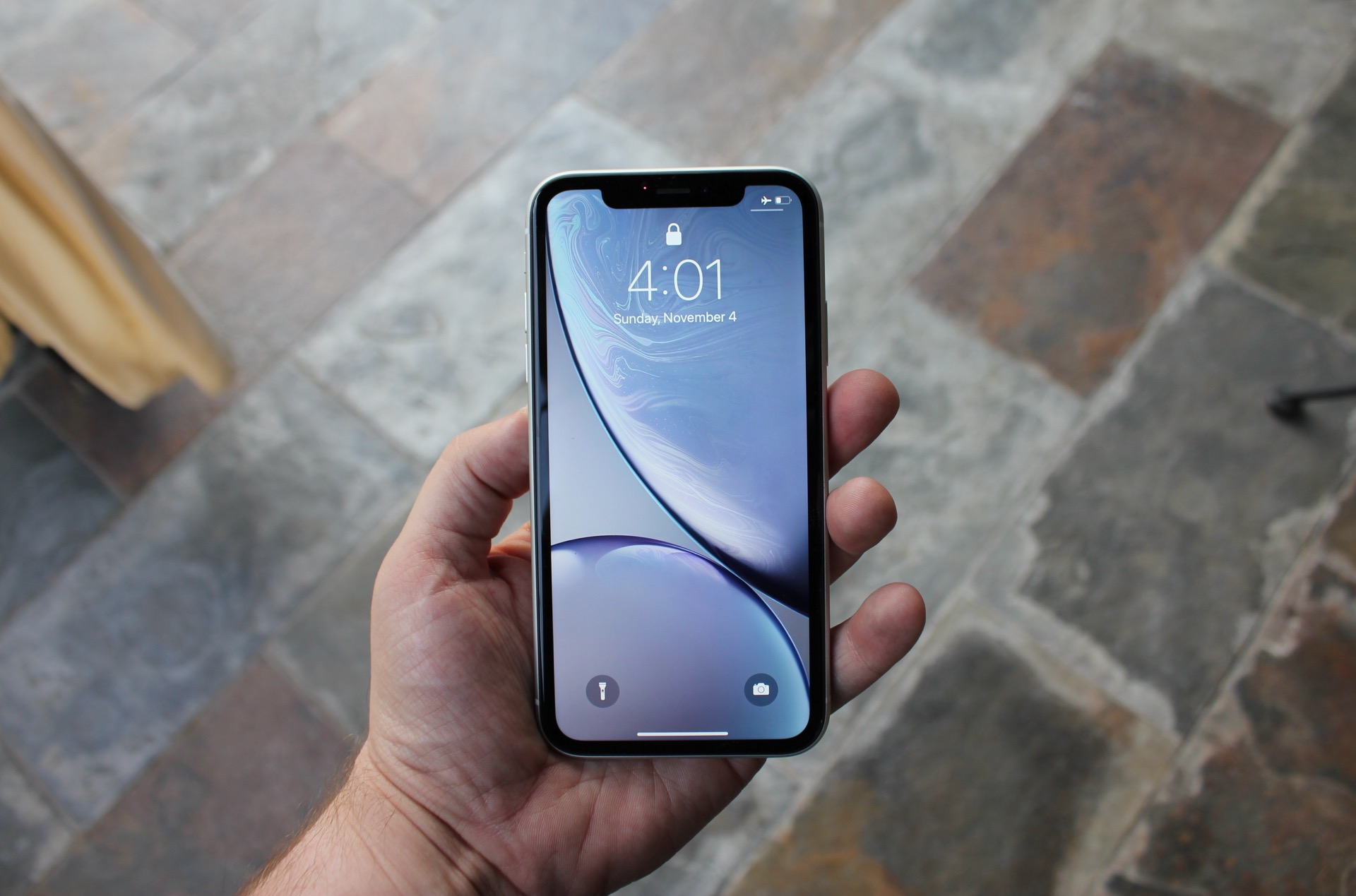
Apple’s most recent security updates for iOS 18 are only available for phones that can’t run iOS 26 at all, like the iPhone XR. That means it’s probably time to install iOS 26 even if you don’t like Liquid Glass.
Credit: Samuel Axon
Apple’s most recent security updates for iOS 18 are only available for phones that can’t run iOS 26 at all, like the iPhone XR. That means it’s probably time to install iOS 26 even if you don’t like Liquid Glass. Credit: Samuel Axon
However you feel about Liquid Glass, we’re getting to the point that upgrading is going to become necessary for people who want security patches and functional fixes for their phones.
For a short time after each new iOS version is released, Apple continues to provide security patches for the previous version of iOS, for people who would rather wait for early bugs in the new OS to be patched. The company started this practice in 2021, when it provided security patches for iOS 14 for a couple of months after the release of iOS 15. But those patches don’t last forever, and eventually devices that can upgrade to the new operating system will need to do it to stay patched.
Apple never formally announces when these security updates have stopped, but you can tell by looking at the company’s security updates page. The iOS 18.7, 18.7.1, and 18.7.2 updates all apply to the “iPhone XS and later.” But the iOS 18.7.3 update released on December 12, 2025, only applies to the iPhone XS, iPhone XS Max, and iPhone XR. It’s a subtle difference, but it means that Apple is only continuing to patch iOS 18 on devices that can’t run iOS 26.
This is standard practice for iPhones and iPads, but it differs from the update model Apple uses for macOS—any Mac can continue to download and install security updates for macOS 14 Sonoma and macOS 15 Sequoia, regardless of whether they’re eligible for the macOS 26 Tahoe upgrade.
If you skipped the early versions of iOS 26 and iPadOS 26 because of Liquid Glass, the good news is that Apple provided options to allow users to tone down the effect. The iOS 26.1 update added a “tinted” option for Liquid Glass, increasing the interface’s contrast and opacity to help with the legibility issues you’ll occasionally run into with the default settings. The company also added opacity controls for the lock screen clock in iOS 26.2. Personally, I also found it helpful to switch the Tabs view in the Safari settings from “Compact” to “Bottom” to make the browser look and act more like it did in its iOS 18-era iteration.
Those settings may feel like half-measures to hardcore Liquid Glass haters who just want Apple to revert to its previous design language. But if you’ve got a modern iPhone or iPad and you want to stay up to date and secure, those toggles (plus additional controls for motion and transparency in the Accessibility settings) may at least ease the transition for you.

Andrew is a Senior Technology Reporter at Ars Technica, with a focus on consumer tech including computer hardware and in-depth reviews of operating systems like Windows and macOS. Andrew lives in Philadelphia and co-hosts a weekly book podcast called Overdue.