

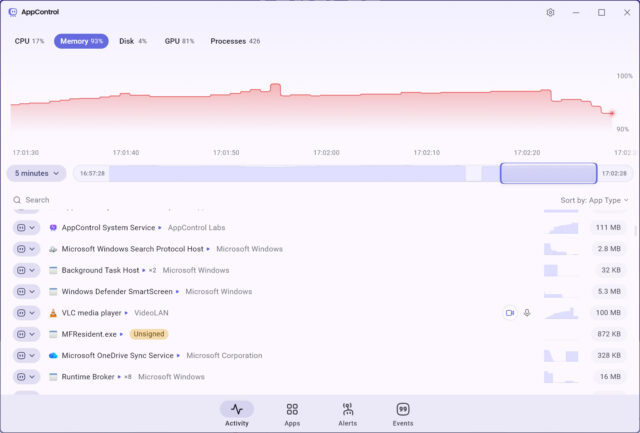
AppControl, a Windows utility that tracks system activity in real time and over time, has received its first updates, improving the free tool’s stability, expanding language support, and introducing new usability features. We wrote about the tool’s launch last month, and it continues to build on its goal of showing users exactly what their PC is doing and why in an easy to understand way.
The software records CPU, GPU, memory, disk, and temperature activity on a continuous timeline, letting users scroll back and see what caused spikes or slowdowns. It also tracks access to privacy-sensitive hardware like webcams, microphones, and location services, presenting that information in plain language instead of technical process names.
If you have ever opened Task Manager too late to catch what caused a spike, this approach makes a lot more sense. Instead of a snapshot, you get a timeline you can actually work with.
AppControl updates
Recent updates focus on tweaking how the tool behaves rather than changing what it does. Version 1.1.1.208b improves thermal monitoring for newer AMD CPUs, which should result in more accurate temperature tracking on modern systems. It also includes targeted reliability fixes across core components, helping the app run more consistently during longer sessions.
Earlier changes in version 1.1.0.204b added several features driven by user feedback. The software supports additional languages, including French, Polish, Russian, Dutch, Serbian in Cyrillic, and Italian.
A new hotkey, Win+Ctrl+A, launches AppControl instantly. It’s a small addition, but one that makes checking system activity much faster.
Support now extends beyond standard desktop setups, with Windows Server compatibility included. That opens it up to more professional environments where tracking system behavior can be even more useful.
A fix has been applied to Privacy Mode, which previously failed to activate correctly if enabled after installation. That issue came from a forum report and has been resolved, alongside general stability and performance improvements.
The updates don’t change the core idea, but they do make the tool more reliable and easier to use across different setups.
AppControl is entirely free and available to download from here.
What do you think about AppControl and its latest updates? Let us know in the comments.
