
TechRadar Verdict
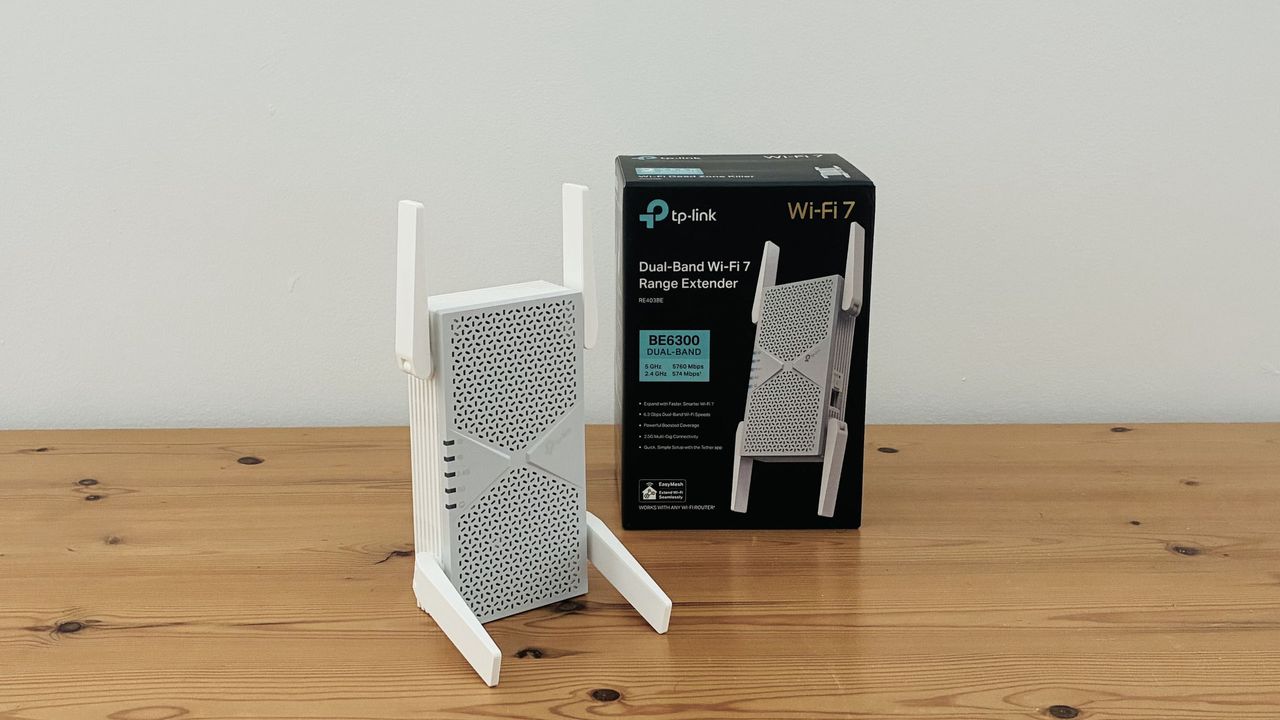
Sticking with dual-band Wi-Fi 7 helps to keep the price down, but the BE6300 is still fast enough to handle gaming and streaming video even in areas within your home that suffer from a Wi-Fi deadspot. The easy-to-use app also provides plenty of support for first-time users.
Pros
- +
Competitive price
- +
Easy-to-use app
- +
Good performance
Cons
- –
Bulky design, could block adjacent power sockets
- –
No support for 6.0GHz band
Why you can trust TechRadar We spend hours testing every product or service we review, so you can be sure you’re buying the best. Find out more about how we test.
TP-Link BE6300 One Minute Review
I liked TP-Link’s BE3200 range extender, which helped to tackle the Wi-Fi deadspot in my office quickly and easily, and at a competitive price.
However, the BE3200 is very much an entry-level option for Wi-Fi 7, with a relatively modest top speed of 3.2Gbps. If you’re looking for something a little faster for gaming or streaming 4K video then you could consider the BE6300 model, which doubles that speed without doubling the price.
Both range extenders keep the price down by sticking with dual-band Wi-Fi, which uses just the 2.4GHz and 5.0GHz frequency bands, but omits the high-speed 6.0GHz band that is available with the fastest Wi-Fi 7 models.
Latest Videos FromTechRadar
But, as the name suggests, the BE6300 is still almost twice as fast as the BE3200, stepping up to a top speed of 6.3Gbps, which should be more than fast enough for most home users.
As you’ve probably guessed, the term ‘BE6300’ refers to the speed of the range extender, but it’s also known by the model number RE403BE, so keep your eyes peeled if you’re buying online.
TP-Link BE6300 review: Price & release date
- Where is it available? US-only
- Available Now
- Price: $149.99
The BE6300 is currently only available in the US. You can’t buy it direct from TP-Link either, so you’ll need to shop around online, with the average price sitting at around $149.99.
Oddly, though, there is a similar model called the BE6500 (model RE605BE) available in the UK and Australia. This is slightly faster than the BE6300 that we review here, with a top speed of 6.5Gbps, and costs £188.00/AU$265.
TP-Link BE6300 review: Specs
Swipe to scroll horizontally
|
Price |
$149.99 |
|
Wi-Fi |
Wi-Fi 7 (2.4GHz/5.0GHz) |
|
Wi-Fi Speed |
6.3Gbps |
|
Ports |
1x 2.5Gbps Ethernet |
|
Antennae |
4 |
|
Dimensions (HxWxD) |
161 x 81 x 39mm |
TP-Link BE6300 review: Design
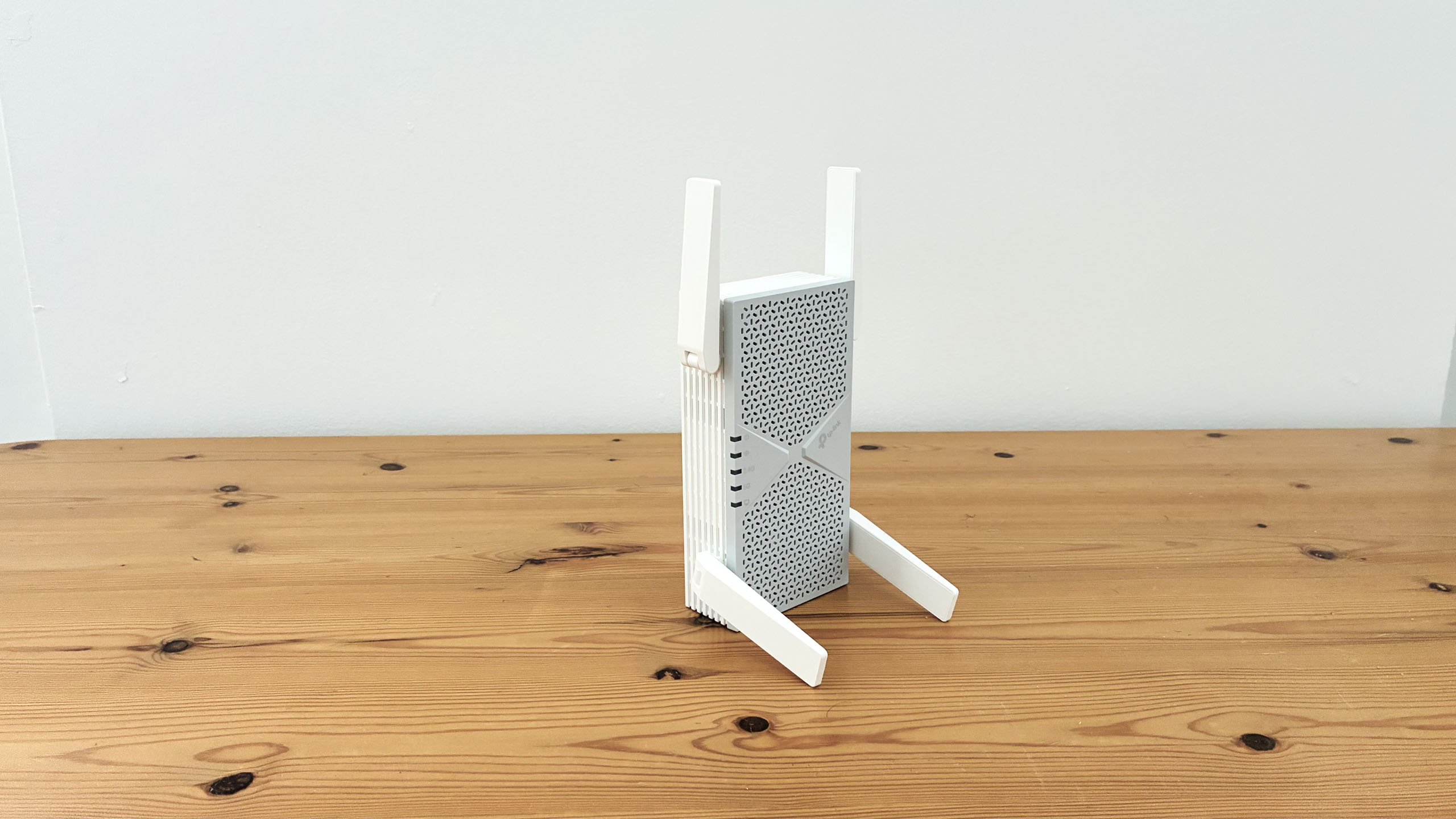
Unsurprisingly, the BE6300 looks very similar to its little brother, with a chunky, white rectangular design that plugs straight into any convenient mains power supply.
However, the extra speed of this model means that it requires a little more power and the BE5300 is therefore quite a bit larger, and also sprouts an extra pair of antennae – four in total – to boost performance.
The body of the BE6300 measures 161mm high, but unfolding the top and bottom antennae extends that to a full 261mm. It’s wider too, at 81mm, which means that the bulky device could block any adjacent power sockets if you have two or more sockets that sit close together.
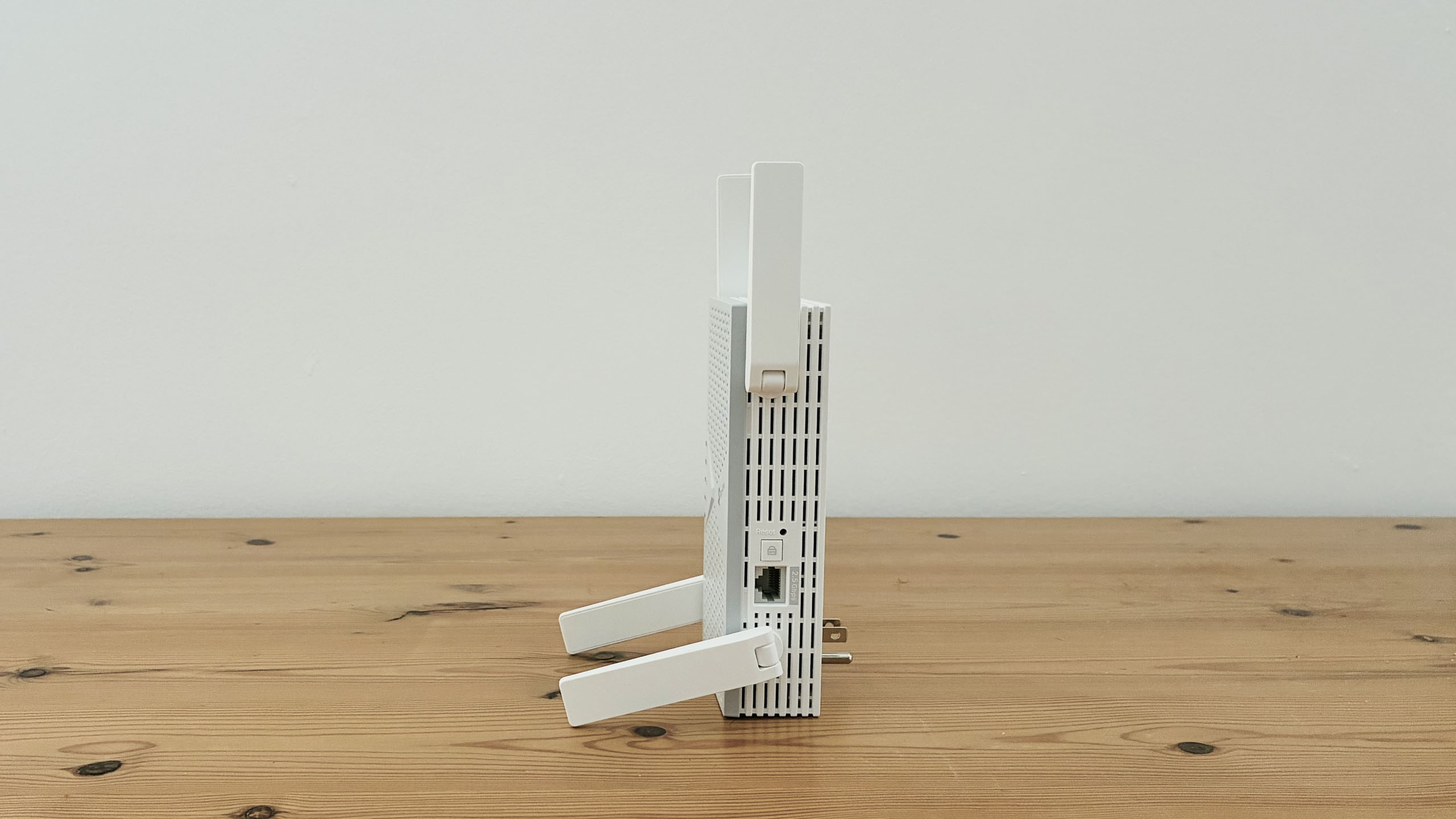
You’ll also need plenty of room if you want to use the Ethernet port that’s located on the right-hand side of the range extender. Mind you, it’s possible to plug the BE6300 into a mains extender, rather than plugging it straight into a wall socket, although that’s not a very neat solution as it leaves you with additional cables trailing on the floor.
TP-Link BE6300 review: Features
As mentioned, the BE6300 provides dual-band Wi-Fi 7, using the 2.4GHz and 5.0GHz frequency bands with a top speed of 6.3Gbps.
It may not support the high-speed 6.0GHz band, but it does include a Wi-Fi 7 feature called MLO – multi-link operation – that allows computers and mobile devices with Wi-Fi 7 to boost performance by transmitting data on both bands simultaneously. The Ethernet port on this model is faster too, now running at 2.5Gbps.
As we’ve seen before, TP-Link’s Tether app is well designed and easy to use, making it easy to get started even if you’ve never used a range extender before. It recommends that you initially plug the BE6300 into a power socket close to your main broadband router in order to avoid any interference during the initial set-up process.
The app is then able to automatically detect the range extender and guides you through the process of connecting it to both the 2.4GHz and 5.0GHz networks set up by your main router.
If you want to keep things simple then you can tell the range extender to just use the same network name and password as your original network, or you can give the range extender a new name and password for extra security.
Once that’s done you can unplug the range extender and move it closer to the room where you need to boost the Wi-Fi signal. The app can help here too, by checking the strength of the Wi-Fi signal so that you can find the best spot to place it.
The app can also show you all the devices that are connected to the range extender, and allows you to block devices, such as a child’s tablet or smartphone at night-time. There’s also an Eco mode that helps to reduce power consumption, and you can schedule a time for the range extender to turn itself off as well.
TP-Link BE6300 review: Performance
I have a Wi-Fi deadspot in an office at the back of my building, and when I tested the less expensive BE3200, I found that its 2.4GHz band couldn’t quite achieve the full speed of 150Mbps provided by my office broadband service.
That was no longer a problem when I set up the BE6300 in a nearby hallway, and it was easily able to maintain a smooth 150Mbps for both the Ookla Speed Test and for file downloads from Steam. Needless to say, the faster 5.0GHz band worked equally well, cruising along at 150Mbps throughout all my tests.
Not everyone will need a range extender with a speed of 6.3Gbps, so many homes will still get perfectly good performance from a less expensive range extender such as the BE3200. But, if you do need strong performance for gaming or streaming video, then the BE6300 fits the bill at a competitive price.
Should you buy the TP-Link BE6300?
Swipe to scroll horizontally
|
Attribute |
Notes |
Score |
|---|---|---|
|
Features |
It’s dual-band only, but good performance and ease of use make it suitable for many homes |
4/5 |
|
Performance |
It’s a modest performer compared to tri-band rivals, but still fast enough for gaming and streaming video |
4/5 |
|
Design |
The bulky design could cause problems with some power sockets |
3.5/5 |
|
Value |
It’s a good dual-band range extender at a competitive price |
4/5 |
Buy it if…
” data-widget-type=”deal”>
TP-Link BE10000
A speed of 6.3Gbps will be fine for most homes, but if you really need top performance then TP-Link’s tri-band BE1000 range extender adds support for the high-speed 6.0GHz band, which boosts the Wi-Fi speed to 10Gbps.
” data-widget-type=”deal”>
Asus RP-AX58
Wi-Fi 6 has still got some life in it, and this low-cost range extender provides dual-band Wi-Fi running at 3Gbps, which will be perfectly adequate for email, web browsing and bingeing Netflix.
- Read TechRadar’s reviews guarantee
- First reviewed August 2026
” data-join-the-conversation-text=”Join the Conversation”>
You must confirm your public display name before commenting
Please logout and then login again, you will then be prompted to enter your display name.
Related Posts

Bad news, PC gamers: this retailer’s worst-case prediction for the Nvidia RTX 5090 GPU is a long wait until almost June for the GPU to be back in stock
(Image credit: Nvidia) Nvidia RTX 5090 supply is looking very shaky according to a UK retailer Overclockers has a worst-case […]

NYT Strands hints and answers for Sunday, June 21 (game #840)
(Image credit: New York Times) Looking for a different day? A new NYT Strands puzzle appears at midnight each day […]

NYT Strands hints and answers for Monday, August 10 (game #890)
(Image credit: New York Times) Looking for a different day? A new NYT Strands puzzle appears at midnight each day […]