

AI security agents are starting to influence real security decisions. They summarize findings, prioritize remediation, recommend next steps, and help teams move faster. But most still rely on fragmented risk signals: scanner output, severity scores, threat intelligence, configuration findings, and exposure data.
That fragmentation matters because attackers do not move through environments one tool category at a time. They chain exposures across identities, networks, cloud assets, applications, and security controls. If the AI workflow only sees isolated findings, it cannot understand whether those findings create a real attack path.
As AI-powered attackers accelerate exploitation, security teams need more than faster AI-assisted workflows. They need workflows grounded in evidence that can prove which risks are exploitable.
These systems can correlate information and identify patterns, but without validation, they cannot answer the question security teams ultimately care about: Can an attacker actually exploit this in our environment, and can we prove it?
Without validation, AI automates security guesswork. With validation, it can act on attack evidence. For security teams, that distinction matters because the cost of acting on the wrong signal is wasted effort, delayed remediation, and continued exposure.
From Risk Signals to Attack Evidence
Consider a common vulnerability management scenario. A scanner identifies hundreds of vulnerabilities across an environment. An AI assistant reviews the results and highlights the most severe findings based on CVSS scores, exploit intelligence, and exposure context. The workflow looks efficient, but it is still making decisions from disconnected signals.
- A critical vulnerability may be unreachable.
- A high-severity finding may sit behind multiple security controls.
- A medium-severity weakness may actually be part of a successful attack path leading to privileged access.
This is where security validation becomes critical. Security validation tests whether exposures, misconfigurations, credentials, and security controls can actually be leveraged in a real attack path. Rather than estimating risk, validation produces evidence of what is exploitable, what is blocked, and what needs to be fixed. Pentera’s AI-powered security validation platform applies this approach by safely emulating real-world attack techniques against production environments to determine which exposures can actually be leveraged by an attacker.
When Pentera executes a test, it does more than identify vulnerabilities. The platform safely performs the same techniques used by attackers to validate exposure across internal infrastructure, external attack surfaces, cloud environments, identity systems, and security controls. Instead of producing a list of theoretical weaknesses, Pentera generates validated attack paths that demonstrate how an attacker could move across the environment, chaining exposures across assets, identities, controls, and attack surfaces. Each step includes evidence showing:
- The technique used
- The systems reached
- The credentials obtained
- The privileges gained
- The assets at risk
- The objective achieved
This changes the remediation conversation. The team is no longer debating whether a finding might matter. It is deciding how quickly to eliminate a validated attack path. The workflow changes from “review, infer, prioritize, ticket” to “validate, prove, prioritize, remediate, re-test.”
Bringing Validation Into AI Security Workflows
The challenge is that validation data often lives separately from the workflows where security teams actually work. Analysts investigate findings in one tool. Engineers remediate issues in another. AI-driven workflows need validated evidence from somewhere else before they can recommend action with confidence.
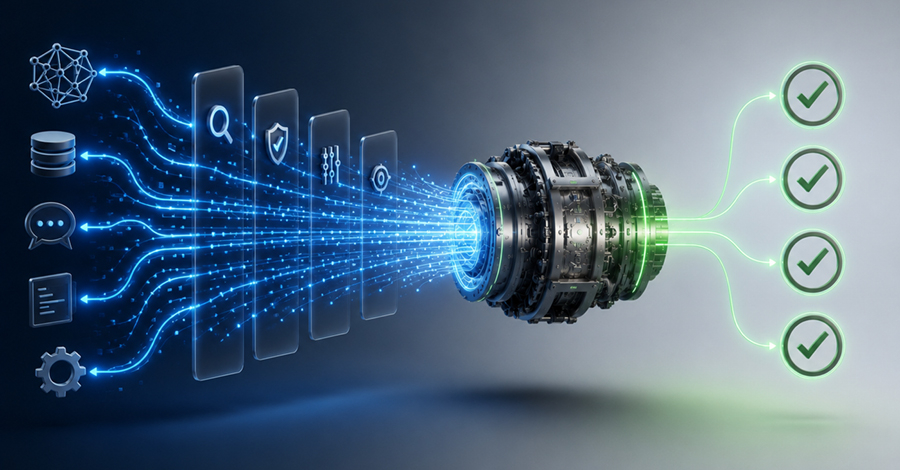
To bridge that gap, Pentera introduced an MCP (Model Context Protocol) Server that makes Pentera validation data available directly to MCP-compatible AI assistants. Instead of exporting reports, reconciling findings, or stitching context together across tools, organizations can connect Pentera validation data into the AI workflows analysts already use. Once connected, AI agents can retrieve findings, review validated attack paths, access test results, and initiate validation activities through existing AI-based tools and workflows using natural language.
This is not another AI copilot summarizing more security data. Pentera gives the AI workflow validated attack evidence: what was tested, what was exploitable, what controls were bypassed, and what proof supports the finding.
Example prompts:
- “Show me all validated attack paths from the latest Pentera test that resulted in privileged access.”
- “Which critical scanner findings were actually validated by Pentera?”
- “Show me evidence of lateral movement from the latest test.”
What Changes In The Workflow
Once connected to Pentera through MCP, AI workflows move from passive analysis to validation-driven action.
Validate before ticketing. A scanner flags a critical issue. The analyst asks the AI assistant whether the exposure was validated by Pentera. The assistant returns the relevant attack path, the technique used, the affected asset, and whether the attack achieved privilege escalation or lateral movement.
Prioritize exploitable attack paths. Instead of sorting hundreds of findings by severity, the AI workflow cross-references scanner results with Pentera validation data and surfaces the exposures proven exploitable in the customer environment. This is especially important when the highest-risk exposure is not the highest-severity finding but the finding that connects to a validated attack path.
Enrich remediation workflows. Validated findings can be routed into ticketing systems with attack evidence attached: exploited weakness, reached system, obtained credentials, gained privilege, and business-impact context.
Revalidate after remediation. After a fix is applied, the AI workflow can use Pentera validation data to confirm whether the attack path was closed, turning remediation from a ticket update into a verified outcome.
Example prompts:
- “Which of these findings are actually exploitable?”
- “Which attack path presents the highest business risk?”
- “Show evidence of lateral movement achieved during the last test.”
Security Considerations for Enterprise Deployments
Security teams evaluating MCP integrations often ask the same question: What data is exposed, and where does it go?
Pentera’s MCP Server is designed for controlled enterprise deployments:
- Runs locally as a Docker container
- Uses STDIO communication
- Opens no inbound ports
- Requires no external management interface
- Inherits existing Pentera RBAC permissions
- Operates only within the permissions of the associated Pentera API client
- Logs interactions for auditability
This lets organizations bring validation data into AI workflows without exposing a new network service or bypassing existing governance controls. As AI workflows become more autonomous, the validation layer must remain governed by enterprise permissions, audit trails, and deployment boundaries.
The Shift From Risk Inference to Validation
MCP support is more than a new integration point. It reflects a broader shift in security operations: AI systems are being asked to prioritize risk, recommend actions, and drive remediation decisions.
Scanner output can suggest risk. Threat intelligence can indicate relevance. Exposure data can show context. Only security validation can determine whether an attacker can actually chain exposures into a successful attack.
This is where AI-assisted security operations should go. When a scanner reports a critical exposure, a CNAPP raises an alert, or a new threat emerges, the workflow should not stop at detection or prioritization. It should ask the next question automatically: can this actually be exploited in our environment?
Pentera’s MCP Server brings validation directly into AI workflows. The outcome is not just faster analysis. It is AI-assisted security decision-making grounded in real attack evidence: prioritized by exploitability, connected to remediation, and verified after the fix.
Found this article interesting? This article is a contributed piece from one of our valued partners. Follow us on Google News, Twitter and LinkedIn to read more exclusive content we post.