
TechRadar Verdict
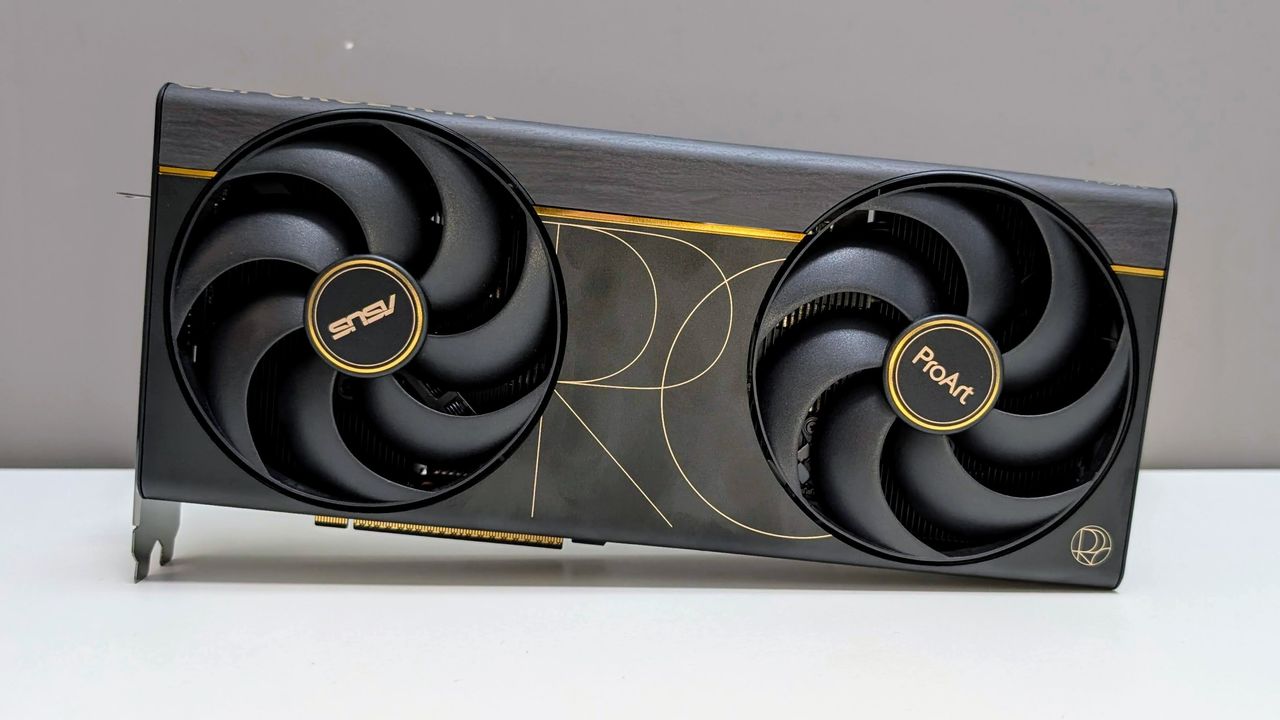
The Asus ProArt RTX 5090 is a specialised take on Nvidia’s flagship consumer GPU, built for creators and high-end builders who want top-tier performance in a slimmer card. It’s a little faster than a stock RTX 5090, but the real reason to consider it is the SFF-ready 2.5-slot design, 32GB of GDDR7, USB-C display output and quieter fans. The downside is the price, plus in our testing we experience noticeable coil whine. Still, if you specifically need a compact, workstation-friendly RTX 5090, it has some appeal but larger yet cheaper RTX 5090 cards may offer better value for some buyers.
Pros
- +
Excellent RTX 5090 performance
- +
Slimmer 2.5-slot SFF-ready design
- +
USB-C display output
Cons
- –
Expensive
- –
Noticeable coil whine under load
Why you can trust TechRadar We spend hours testing every product or service we review, so you can be sure you’re buying the best. Find out more about how we test.
Asus ProArt RTX 5090: Two-minute review
The Asus ProArt GeForce RTX 5090 32GB GDDR7 OC Edition is a specialised flagship GPU built for a niche audience and isn’t going to appeal to those looking for a premium upgrade for a gaming build. It’s aimed at creators, AI users and compact workstation builders who want full RTX 5090 performance without the bulk of larger 3.5 or 4 slot coolers.
The ProArt uses the normal RTX 5090 spec: 21,760 CUDA cores, 32GB of 28Gbps GDDR7 on a 512-bit bus and PCIe 5.0 support. The card has a 2482MHz default clock and a 2512MHz OC mode, and a 1000W power supply is recommended.
The 32GB of VRAM helps when rendering, running larger AI models or heavily modded 4K games would exceed the memory available on lower-tier cards. The ports — HDMI 2.1b, DisplayPort 2.1b and USB-C — give excellent monitor setup flexibility.
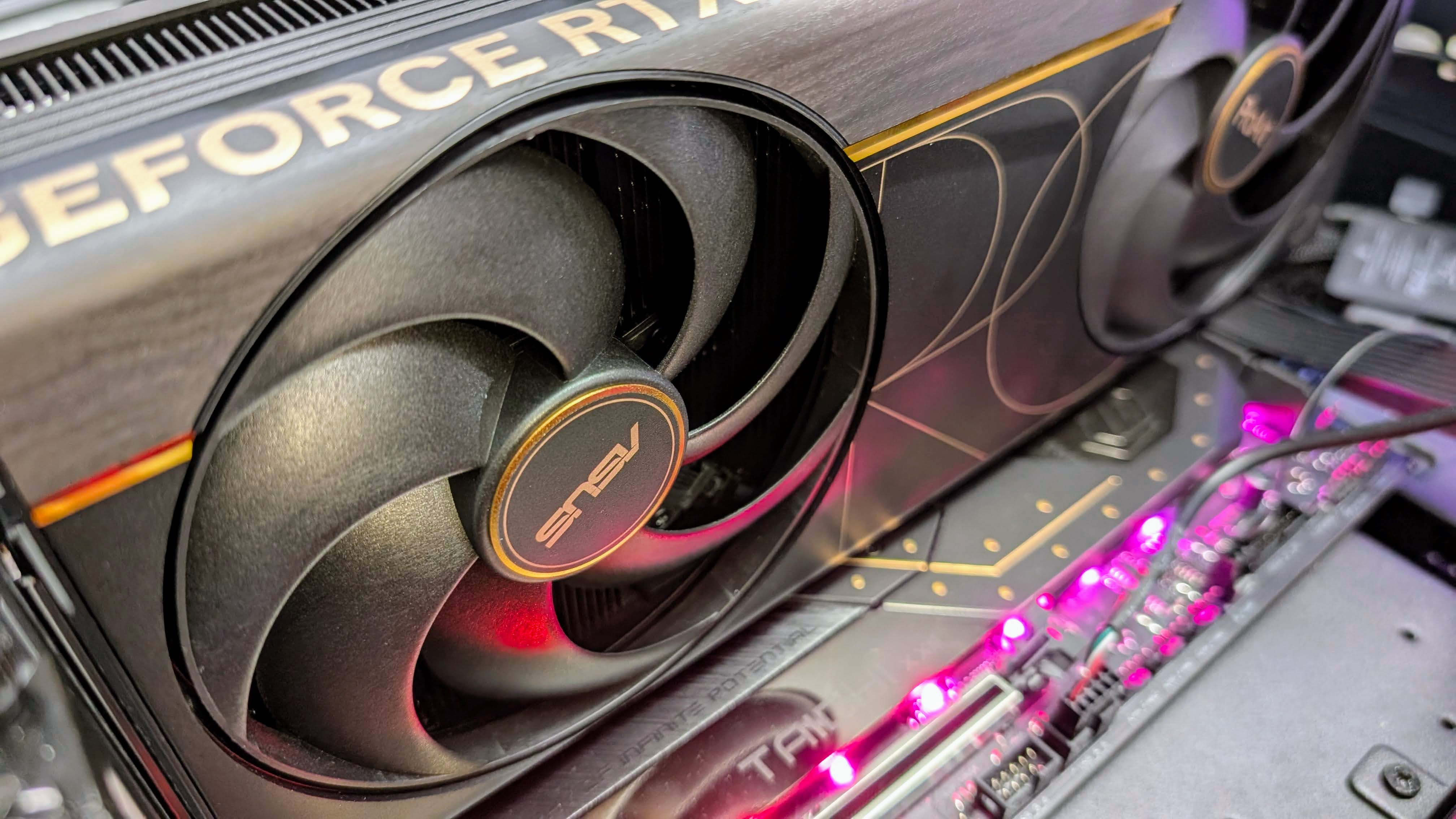
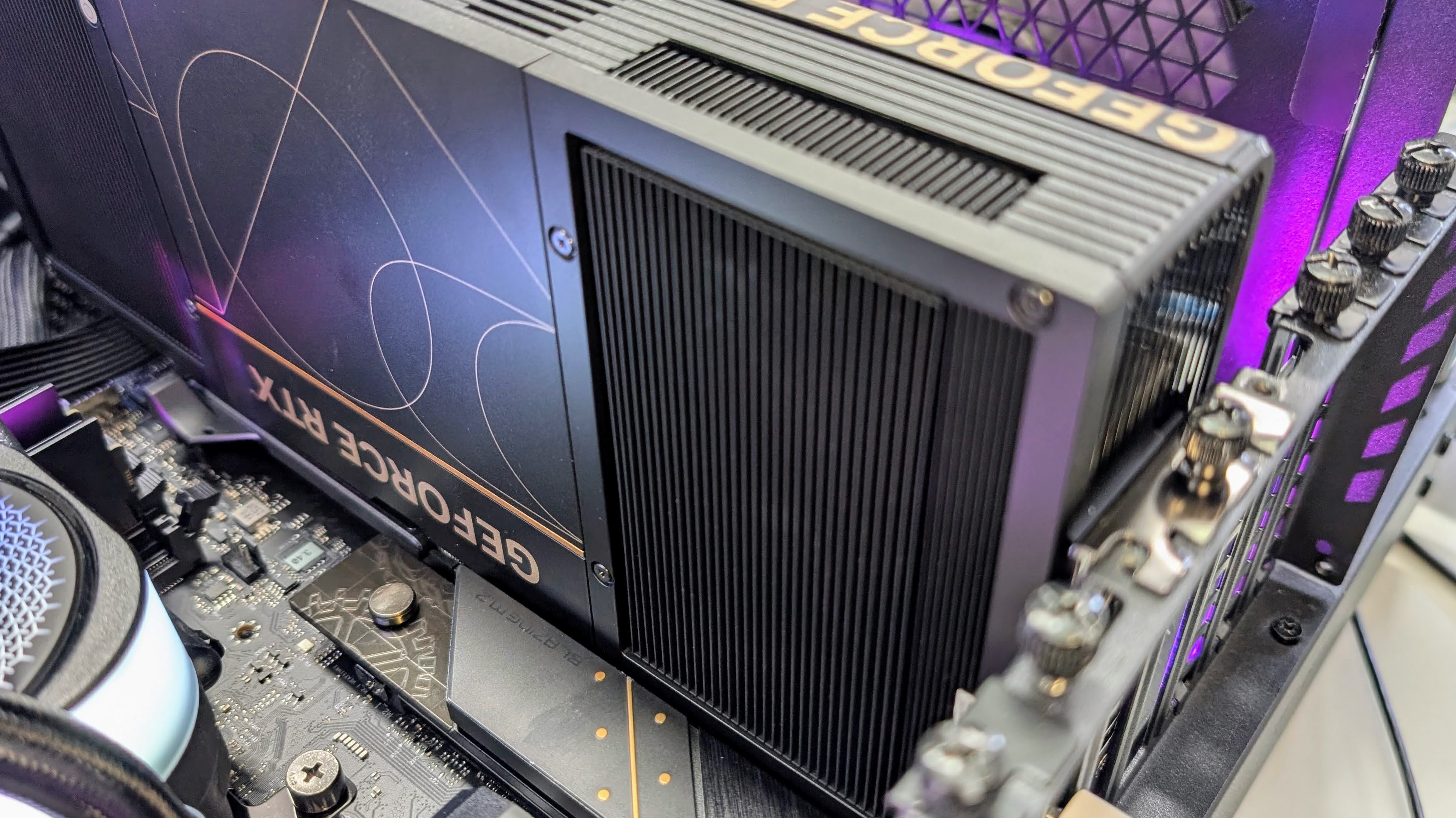
The 304 x 140 x 50mm, 2.5-slot SFF-ready design is a key selling point, as most flagship RTX 5090 cards are much chunkier, while the slimmer ProArt leaves more room for nearby expansion cards, side-panel clearance and power-cable routing.
Installation is straightforward: a 1-to-4 adapter is included and the 16-pin socket on the card is angled back for easy cable routing, plus the included adjustable GPU support can be used to help prevent sag.
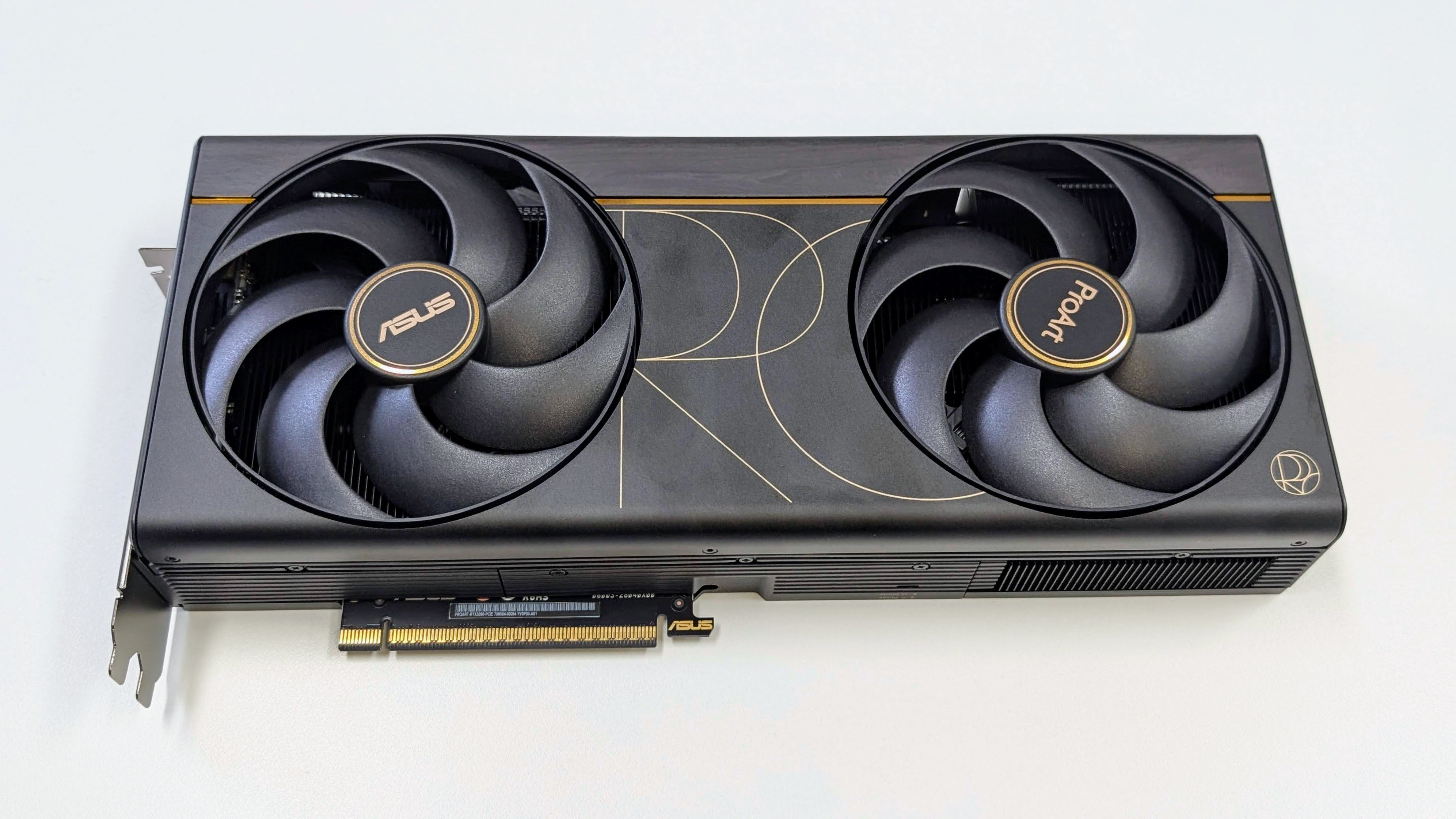
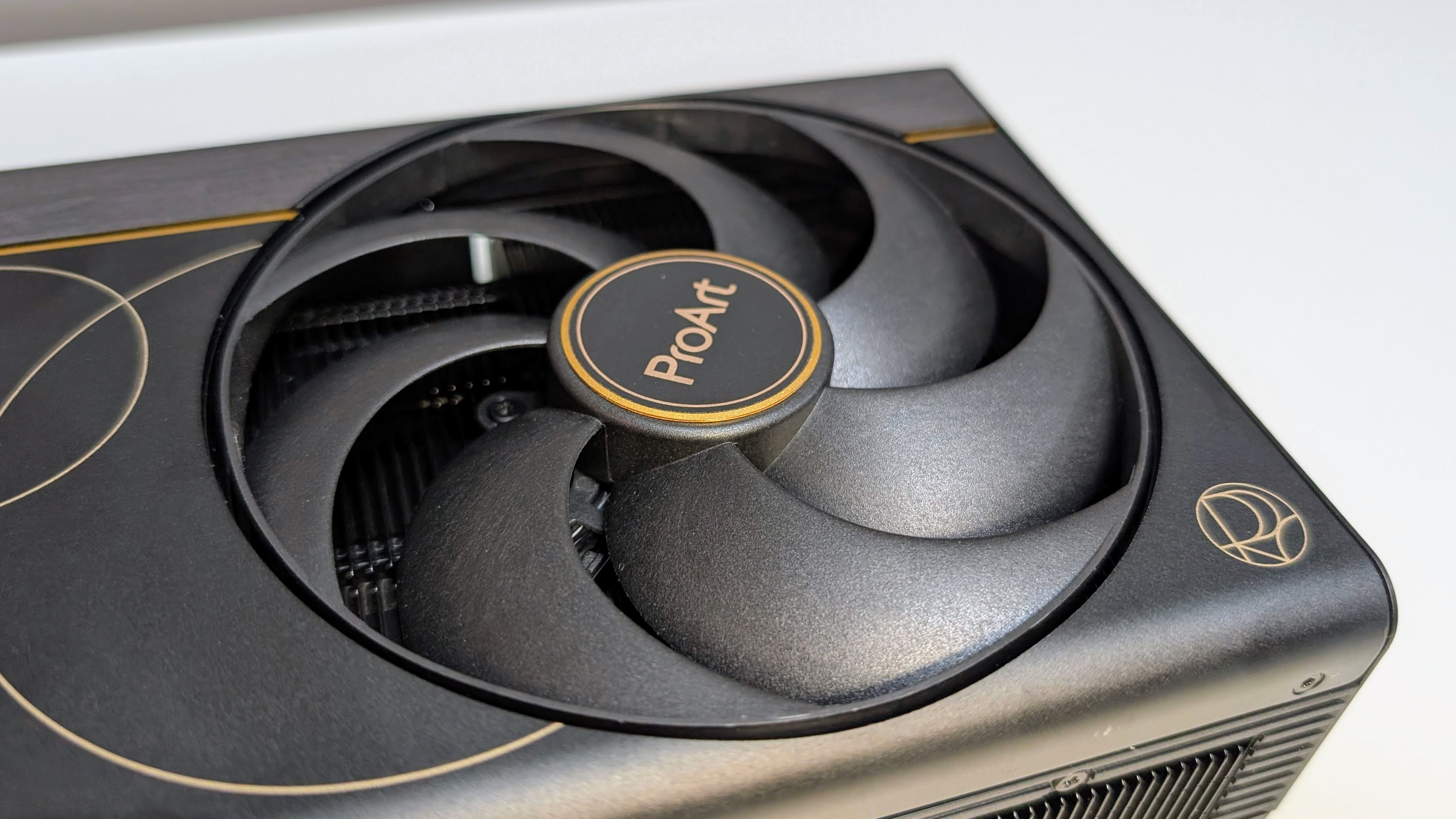
Build quality is top-notch, with no obvious flex, and the GPU avoids gamer-style RGB lighting in favour of a subdued creator/workstation look with brown wood-patterned laminate trim and subtle ProArt gold markings.
Cooling is provided by two large Axial-tech fans, a vapour chamber, liquid metal on the GPU and a double-vented backplate. In OC mode, the GPU peaked at 76°C and memory at 86°C, with a 36dB peak sound level, which is reasonable for a slimmer RTX 5090 cooler. Unfortunately there was noticeable coil whine under heavy loads, and at times it was louder than the fans.
Standard mode was about 5% cooler and 6% quieter, but most importantly, barely slower, while Quiet mode was about 7% cooler and 6% quieter than OC mode, but gave around 2% less performance.
Overall performance is excellent, as expected from an overclocked RTX 5090. OC mode was about 3% faster than a stock RTX 5090, around 45% to 50% ahead of the RTX 5080 in compute loads, and up to 60% in gaming. The improvement is most obvious at 4K, in ray tracing and compute-heavy workloads.
The coil whine is frustrating given this is a card designed for creators, though it’s not so bad that you’d hear it outside a well-designed closed case.
Otherwise, the ProArt RTX 5090 OC Edition does a difficult job well. Yes, it’s expensive and specialised, but its slimmer design, quiet fans, 32GB of GDDR7 and top-end performance make it a capable choice for creators and high-end builders who can use what it offers.
That said, unless you can find it at a compelling price, it faces stiff competition from slim RTX 5090 cards that use AIO water cooling.
Asus ProArt RTX 5090: Price & availability
- How much is it? It retails for about $4,099 / £3,799 / AU$6,499
- When can you get it? The Asus ProArt RTX 5090 is available now
- Where is it available? You can buy it in the US, UK, and Australia
The Asus ProArt RTX 5090 is available now, retailing for about $4,099 / £3,799 / AU$6,499 depending on the region and retailer. That makes it around the typical price for a premium RTX 5090, though it sits above many cheaper air-cooled cards with the same spec.
While the ProArt would always be an expensive card, AI data centre demand has really pushed up prices, so it’s a tough sell unless you really need the features.
The premium price mostly gets you the compact ProArt design rather than a big performance uplift. You still get the full RTX 5090 spec, a mild factory overclock, 32GB of GDDR7, USB-C display output, a slimmer 2.5-slot cooler and a three-year warranty.
The main competition is from other RTX 5090 cards, and if you don’t need the SFF-ready form factor, cheaper air-cooled models will get you very similar core performance for less, while larger premium or all-in-one (AIO) water-cooled RTX 5090 cards may offer lower temperatures, less noise or more overclocking headroom for similar money.
If the compact creator-focused GPU is perfect for your next build, the ProArt may be a compelling buy. If you just want the cheapest route to RTX 5090 performance, wait for the price to come down a little, or look at alternatives.
- Value: 3.5 / 5
Asus ProArt RTX 5090: Specs
- Full RTX 5090 spec and 32GB of GDDR7
- Slimmer SFF-ready 2.5-slot design
Swipe to scroll horizontally
| Header Cell – Column 0 |
Asus ProArt RTX 5090 |
Stock RTX 5090 |
RTX 5080 |
|---|---|---|---|
|
Process Node |
TSMC 4N |
TSMC 4N |
TSMC 4N |
|
Transistor Count (Billion) |
92.2 |
92.2 |
45.6 |
|
CUDA cores |
21,760 |
21,760 |
10,752 |
|
RT cores |
170 |
170 |
84 |
|
Tensor Cores |
680 |
680 |
336 |
|
Render Output Units |
176 |
176 |
112 |
|
Cache (MB) |
96 |
96 |
64 |
|
Boost Clock (MHz) |
2,482 default / 2,512 OC |
2,410 |
2,620 |
|
Memory Speed (Gbps) |
28 |
28 |
30 |
|
Memory Type |
GDDR7 |
GDDR7 |
GDDR7 |
|
Memory Pool (GB) |
32 |
32 |
16 |
|
Memory Interface (bits) |
512 |
512 |
256 |
|
Memory Bandwidth (GB/s) |
1,792 |
1,792 |
960 |
|
PCIe Interface |
5.0 x16 |
5.0 x16 |
5.0 x16 |
|
TBP (W) |
575 |
575 |
360 |
|
Recommended PSU (W) |
1,000 |
1,000 |
850 |
|
Power Connector |
1 x 16-pin, 1-to-4 adapter |
1 x 16-pin, 1-to-4 adapter |
1 x 16-pin, 1-to-3 adapter |
- Specs: 4 / 5
Asus ProArt RTX 5090: Design
- Slimmer than most flagship RTX 5090 cards
- SFF-ready
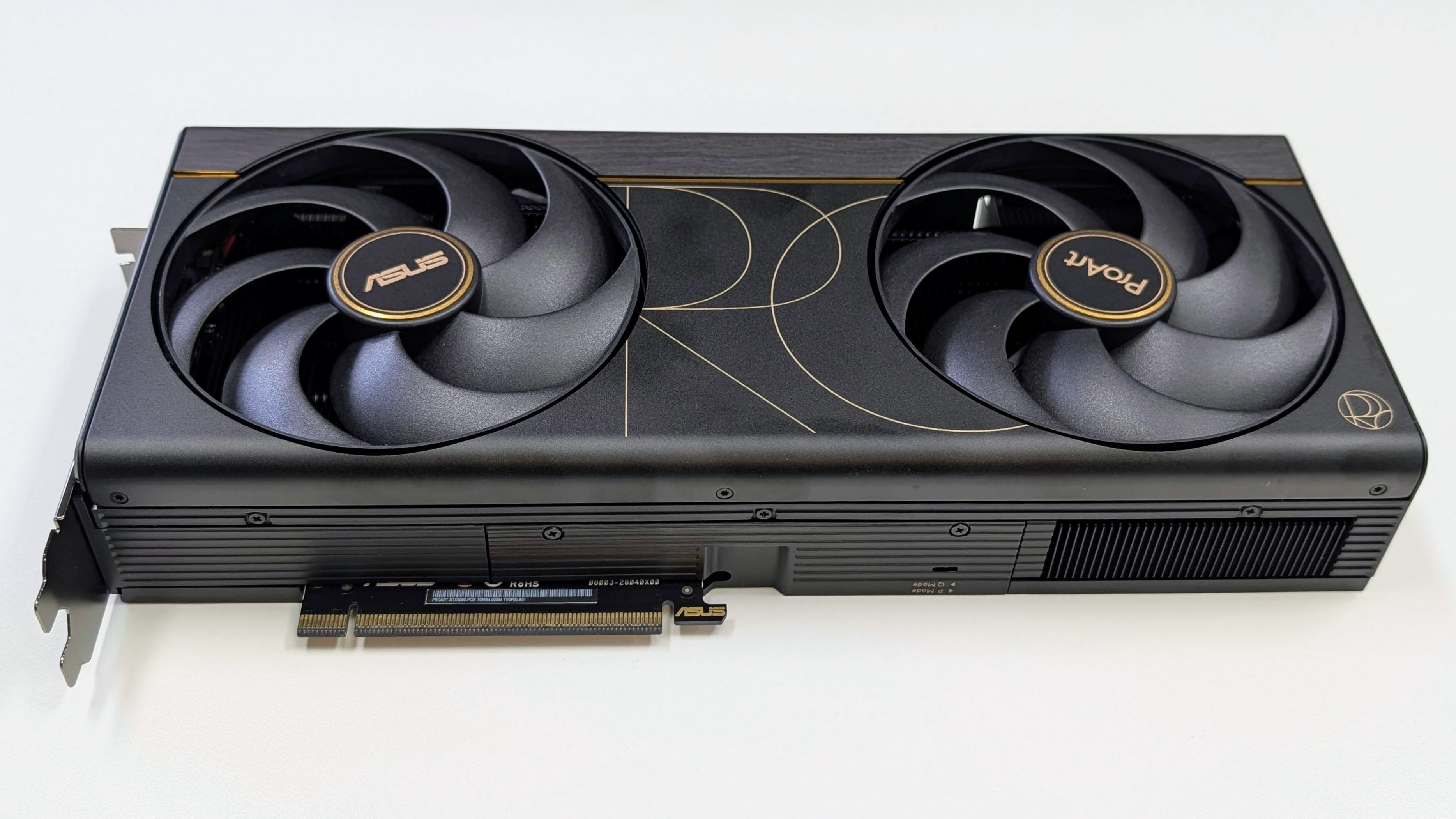
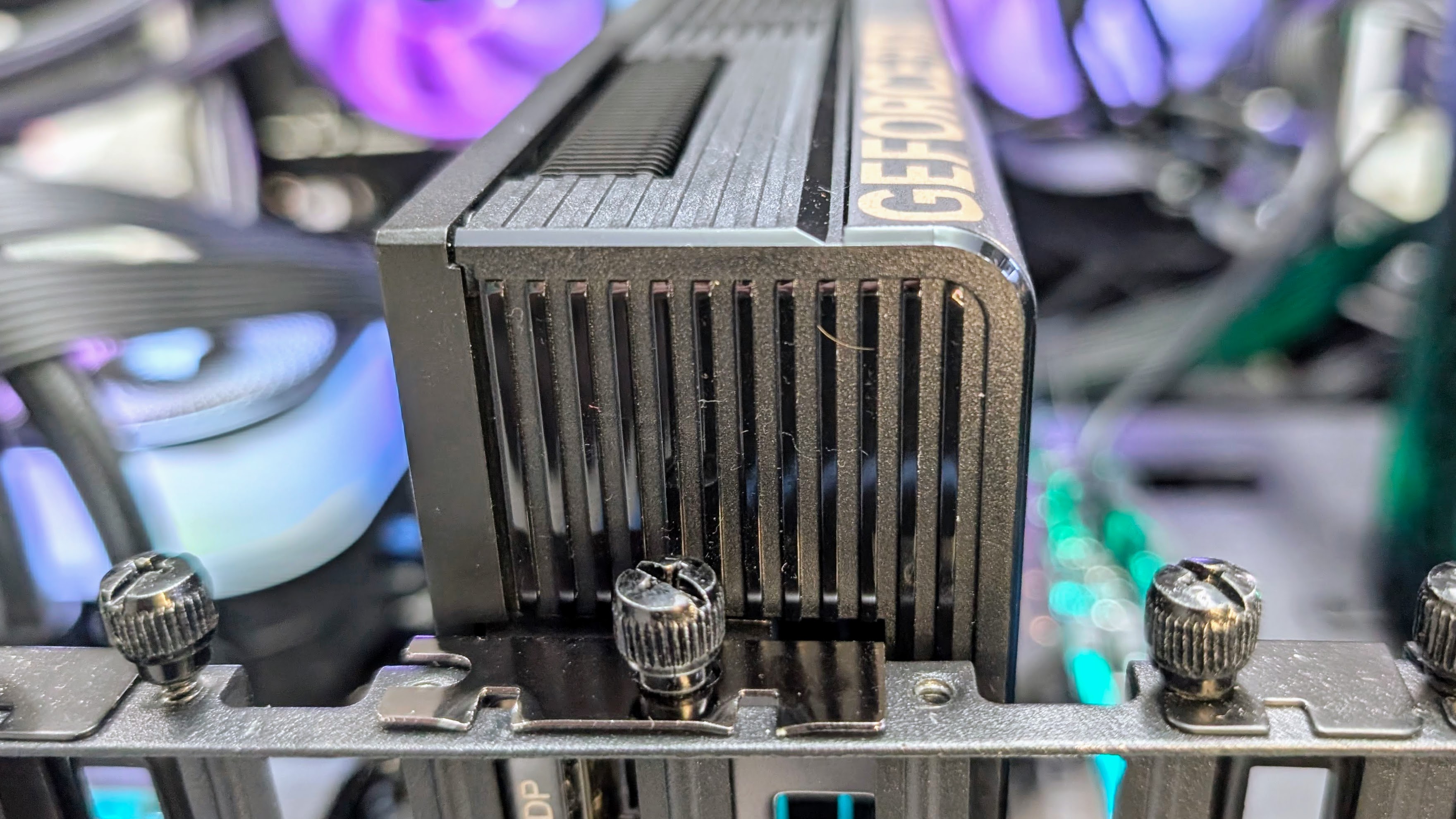
The ProArt design is the main reason to choose this particular RTX 5090 over a more conventional option. Asus has kept the card to 304 x 140 x 50mm (12.0 x 5.5 x 2.0in) and a 2.5-slot thickness, which is much easier to work with than the very large 3.5-slot and 4-slot RTX 5090 designs.
It’s also SFF-ready, which means it fits Nvidia’s size guidelines for small-form-factor enthusiast builds rather than just being smaller than average. That doesn’t make it a tiny GPU, but it does mean the ProArt is built to work in more compact cases that support SFF-ready graphics cards, as well as larger systems where you want more room for other expansion cards or easier airflow.
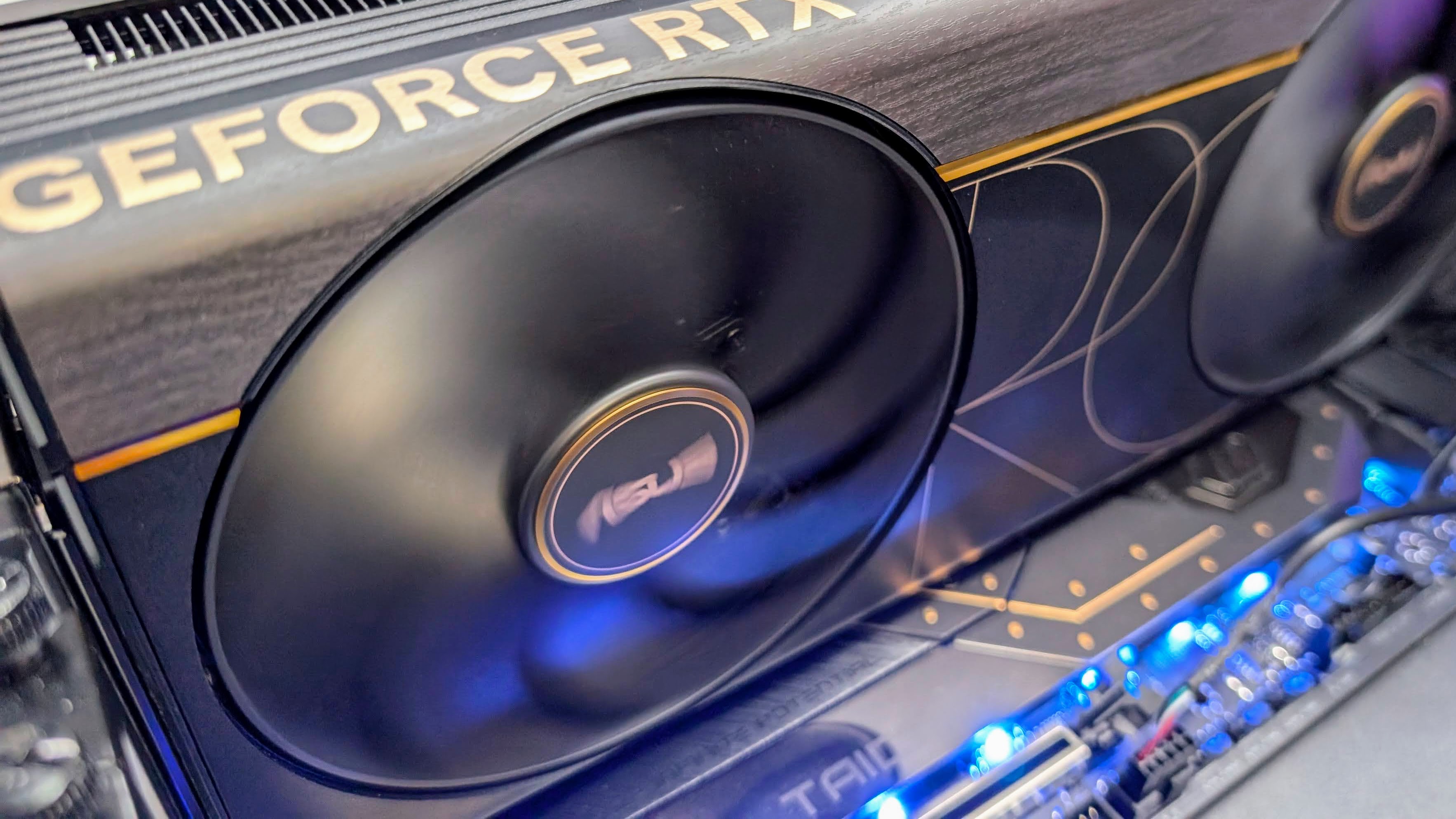
Visually, it avoids the usual gaming-card look. The brown wood-patterned laminate trim and small ProArt gold details give it a more subdued workstation feel, and there’s no RGB lighting to worry about.
Cooling is handled by two large Axial-tech fans, a vapor chamber, liquid metal on the GPU and a double-vented backplate. That’s a decent cooling setup for a thinner RTX 5090, though the slimmer cooler does mean it has less heatsink volume than some of the much larger cards.
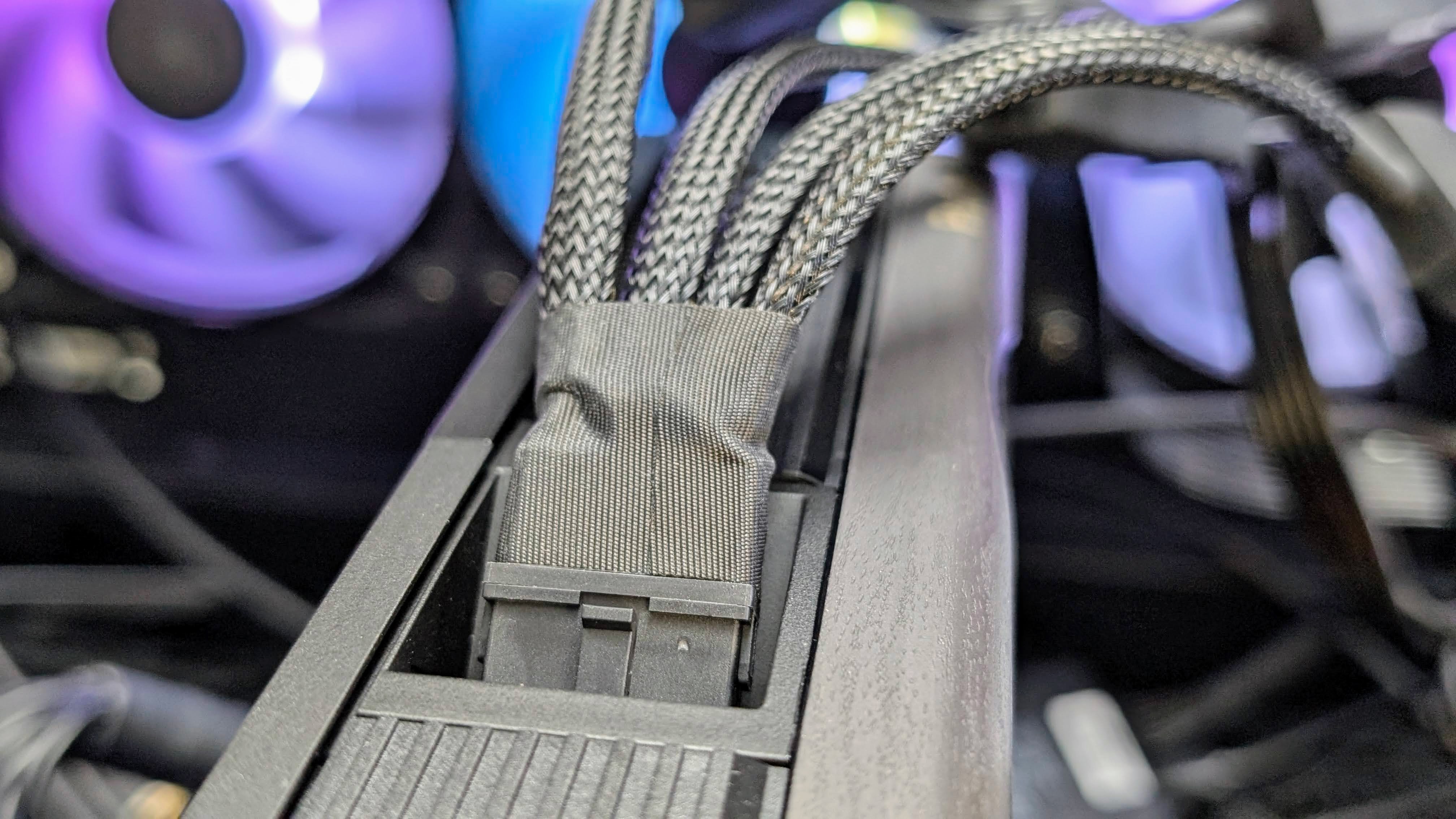
The card includes a dual BIOS switch for Performance and Quiet modes, a solid backplate and an adjustable GPU holder in the box. The 16-pin power connector is angled back toward the end of the card, which helps cable routing, but you’ll still need to be careful with bend clearance, especially in smaller cases.
Overall, the design feels practical, premium and nicely understated, but it only really makes sense if you specifically need a thinner RTX 5090.
- Design: 4.5 / 5
Asus ProArt RTX 5090: Performance
- About 3% faster than a stock RTX 5090
- Excellent cooling and low fan noise
- Very noticeable coil whine
The Asus ProArt RTX 5090 is at its best when you look beyond gaming and treat it as a compact high-end creator card. In Geekbench 6 Compute and Blender, it performs at the level expected for a tuned RTX 5090, with small but useful gains over the stock RTX 5090.
The gap is much bigger against older or lower-tier cards. Across the compute tests, the ProArt was about 50% ahead of the RTX 5080 on average, and around 40% ahead of the RTX 4090. The RTX 4090 is still a very capable GPU, but the ProArt’s combination of 32GB of faster GDDR7 and Blackwell architecture gives it a clear advantage in compute workloads and makes it a worthwhile upgrade.
While not the focus, gaming is still excellent, as you’d expect from an RTX 5090. Cyberpunk 2077 reached 98fps at 4K using Ultra Ray Tracing and balanced scaling, while Black Myth: Wukong hits 88fps at 4K with ray tracing, Cinematic settings and 50% upscaling. So while not the point of the ProArt, it’s a very capable gaming card.
Thermals are quite good for a slim RTX 5090. The ProArt peaked at 75°C, which is much warmer than larger 5090s with aftermarket cooling, which typically run about 10°C cooler. The VRAM reached 86°C, which is again higher than most 5090s but not in any way problematic.
Fan noise was also very low, with the ProArt peaking at just 36dB in my testing. That’s about the same as 5090s with big coolers.
All in all, Asus has done a good job tuning the ProArt to keep performance high and fan noise under control, even if that means letting temperatures sit a little higher than some larger cards. That trade-off is perfectly fine for a 2.5-slot RTX 5090, and the GPU and VRAM temperatures stay well within reasonable limits.
The catch is coil whine, which is an electrical buzz caused by components vibrating under heavy power load, rather than the fans themselves. In fact, most of the time it’s louder than the fans themselves.
Some coil whine isn’t unusual on very high-power graphics cards, but it’s still disappointing on a premium creator-focused model where low noise is a key selling point.
Swipe to scroll horizontally
| Header Cell – Column 0 |
Asus ProArt RTX 5090 |
Stock RTX 5090 |
RTX 5080 OC |
|---|---|---|---|
| Row 0 – Cell 0 | Row 0 – Cell 1 | Row 0 – Cell 2 | Row 0 – Cell 3 |
|
Synthetic Benchmarks |
Row 1 – Cell 1 | Row 1 – Cell 2 | Row 1 – Cell 3 |
|
3DMark Steel Nomad |
14,440 |
14,430 |
8,743 |
|
3DMark Speed Way |
14,366 |
14,560 |
9,435 |
|
3DMark Port Royal |
38,501 |
36,310 |
22,021 |
| Row 5 – Cell 0 | Row 5 – Cell 1 | Row 5 – Cell 2 | Row 5 – Cell 3 |
|
Compute benchmarks |
Row 6 – Cell 1 | Row 6 – Cell 2 | Row 6 – Cell 3 |
| Row 7 – Cell 0 | Row 7 – Cell 1 | Row 7 – Cell 2 | Row 7 – Cell 3 |
|
GeekBench 6 Compute (OpenGL) |
391,245 |
383,000 |
275,612 |
|
GeekBench 6 Compute (Vulkan) |
408,212 |
355,000 |
259,633 |
|
Blender (aggregate score) |
4,551 |
4,440 |
3,001 |
| Row 11 – Cell 0 | Row 11 – Cell 1 | Row 11 – Cell 2 | Row 11 – Cell 3 |
|
Thermals / noise |
Row 12 – Cell 1 | Row 12 – Cell 2 | Row 12 – Cell 3 |
|
Peak GPU temp |
76°C |
72°C |
67°C |
|
Peak VRAM temp |
86°C |
89°C |
70°C |
|
Idle temp |
43°C |
35°C |
45°C |
|
Peak sound level |
36dB |
50dB |
38dB |
| Row 17 – Cell 0 | Row 17 – Cell 1 | Row 17 – Cell 2 | Row 17 – Cell 3 |
|
Gaming (average fps) |
Row 18 – Cell 1 | Row 18 – Cell 2 | Row 18 – Cell 3 |
|
Cyberpunk 2077 – 4K |
98 |
94 |
50 |
|
Black Myth: Wukong 4K |
88 |
84 |
55 |
Cyberpunk 2077: Ultra Ray Tracing, balanced scaling
Black Myth: Wukong: Ray Tracing, Cinematic, 50% upscaling
- Performance: 4 / 5
Should you buy the Asus ProArt RTX 5090?
Swipe to scroll horizontally
|
Category |
Notes |
Score |
|---|---|---|
|
Value |
Very expensive but on par with other premium RTX 5090s. |
3.5 / 5 |
|
Specs |
A 5090 GPU with 32GB of GDDR7, USB-C display output and a mild OC mode. |
4 / 5 |
|
Design |
The 2.5-slot build and understated styling suit compact creator PCs. |
4.5 / 5 |
|
Performance |
Solid performance overall, with low fan noise and temps kept under control. The coil whine is frustrating though. |
4 / 5 |
|
Final score |
A capable specialised RTX 5090 for compact high-end builds, but the high price and coil whine keep it from being an easy recommendation for everyone. |
4 / 5 |
Buy the Asus ProArt RTX 5090 if…
- I spent about a week testing the Asus ProArt RTX 5090
- I ran synthetic, compute and gaming benchmarks
- I compared it against the stock RTX 5090, 4090 and the Asus ROG Astral RTX 5080 OC
Test System Specs
Here are the specs on the system I used for testing:
Motherboard: MSI Z890 Tomahawk Wi-Fi
CPU: Intel Core Ultra 285K
CPU Cooler: Corsair Titan 360 RX
RAM: G.Skill Trident Z5 DDR5 (2 x 16GB)
SSD: Samsung 9100 Pro
PSU: Corsair HX1000
Case: Thermaltake Core P3 TG Pro
I spent about a week with the Asus ProArt RTX 5090, testing it in OC mode and comparing it against other high-end cards. The main comparisons were stock RTX 5090 and RTX 4090 performance and the Asus ROG Astral RTX 5080 OC.
I used 3DMark for synthetic performance, Geekbench 6 Compute and Blender for creator workloads, and games including Cyberpunk 2077 and Black Myth: Wukong for real-world gaming results.
- Originally reviewed June 2026

Senior Writer – TechRadar Australia
Lindsay is an Australian tech journalist who loves nothing more than rigorous product testing and benchmarking. He is especially passionate about portable computing, doing deep dives into the USB-C specification or getting hands on with energy storage, from power banks to off grid systems. In his spare time Lindsay is usually found tinkering with an endless array of projects or exploring the many waterways around Sydney.
” data-join-the-conversation-text=”Join the Conversation”>
You must confirm your public display name before commenting
Please logout and then login again, you will then be prompted to enter your display name.
Related Posts

Quordle hints and answers for Thursday, August 6 (game #1655)
(Image credit: Getty Images) Looking for a different day? A new Quordle puzzle appears at midnight each day for your […]

Ask Jeeves quietly shuts down after nearly three decades, after pioneering conversational web search long before ChatGPT and Gemini
Remember Ask Jeeves? (Image credit: Ask Jeeves / Ask.com) Ask Jeeves has closed after almost 30 years It pioneered natural […]

CISA warns that Nx Console and GitHub repositories abused in multiple supply chain compromises – tools across enterprise, cloud, and DevOps environments exploited
(Image credit: Getty Images) CISA issued an alert on ongoing supply chain attacks abusing GitHub repos via a malicious Nx […]