

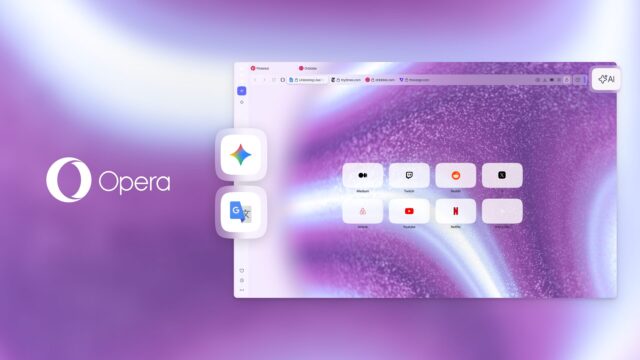
Opera has rolled out an update to its Opera One R3 browser that adds new sidebar tools, expands its Split Screen layout, and introduces some additional visual themes. The changes focus on bringing commonly used services within easy reach and allowing more windows to sit side by side without constant tab switching.
Gemini and Google Translate now sit directly inside the browser sidebar alongside existing tools. Users can open either service without loading a separate tab, keeping their main page visible at the same time.
Opera One sidebar
Gemini joins Opera’s built-in browser AI and ChatGPT, creating a cluster of AI tools available from the same panel. This makes it easier for users to compare responses from different models without bouncing between tabs.
Opera describes its browser AI as aware of tab context, meaning it can reference content already open on screen. That reduces the need to repeat details when asking for summaries or edits.
SEE ALSO: Opera GX arrives on Linux with built-in ad blocking and VPN
Google Translate also arrives in the Opera One sidebar, providing another way for users to tackle language tasks without leaving the current page. Built-in website translation is available for entire pages, but the new addition focuses on short text such as replies, messages, or emails.
Gaining these services in the sidebar requires opening the sidebar setup menu and selecting the relevant options under Google services or AI services. The icons will then appear permanently in the sidebar until removed.
Another change in the latest release affects the Split Screen feature that previously supported two tabs at a time. The browser now allows up to four tabs to appear simultaneously, arranged horizontally, vertically, or in a grid.
Dragging tabs into position triggers layout prompts that guide placement, while an alternate method lets users select multiple tabs and create a layout through a right-click menu. This could appeal to users working across documents, chat tools, and reference material at the same time.
The update also introduces two animated dynamic themes — Cybervroom and Mizumi. Each includes motion, sound effects, and background audio, offering different visual styles.
What do you think about these Opera One changes? Let us know in the comments.


