

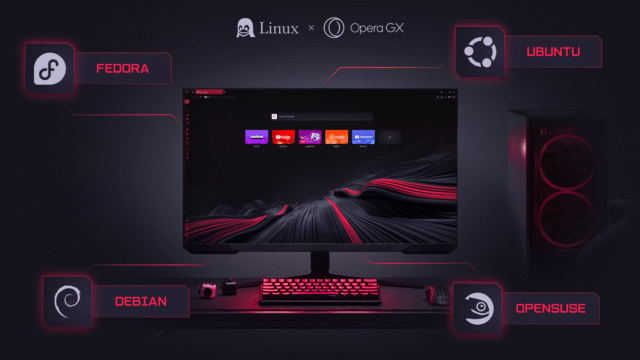
Opera GX has officially arrived on Linux, bringing the gaming-focused browser’s resource controls, customization features, and built-in privacy tools to the platform for the first time. Opera says interest in a Linux version has been building across forums, Discord, and Reddit, although it’s hard to gauge how widespread demand for it really is. Even so, Linux support has been missing until now despite the browser being available on Windows and macOS for years.
“PC gaming has long been associated with a single dominant platform, but that’s changing. Bringing GX to Linux users — who are renowned for the control they like to exert over their tools — means gamers and developers can manage browser resources, customize their setup, and keep their system performing exactly the way they want,” said Maciej Kocemba, Product Director, Opera GX.
Opera GX Control
One of the more noteworthy features in the browser is GX Control. This lets users limit how much RAM and network bandwidth it can use, so it won’t interfere with other demanding software when running in the background. Instead of relying on system-level tools, the controls can be accessed directly in the browser, making quick adjustments easier.
There are also sidebar integrations for services like Twitch and Discord, so users can access those at any time without needing to juggle multiple windows. It’s a convenience feature rather than a necessity, and whether it feels helpful or distracting will depend on how you might prefer to organize your screen.
Customization has long been a big part of the browser, with built-in support for themes, sound effects, and visual tweaks via GX Mods. Not everyone will care about changing how a browser looks or sounds, but it’s a welcome addition.
SEE ALSO: Opera’s 30th anniversary project Web Rewind is a playable archive of internet history and culture
Privacy features are included in the browser as well, with built-in ad and tracker blocking enabled by default. Opera says the browser doesn’t collect browsing history, search queries, or typed data, and it follows the same privacy approach as its other browsers.
There’s also an optional VPN with a zero-log policy that Opera says has been independently audited.
Support at launch covers Debian, Ubuntu, Fedora, and OpenSUSE-based distributions, with installation handled through .deb and .rpm packages. Flatpak support is in development, and that could simplify installation across more setups once it arrives.
You can download Opera GX for Linux from here.
What do you think about Opera’s gaming browser coming to Linux? Let us know in the comments.


