If you want to spend $1,300 on a phone, it might as well be this one.
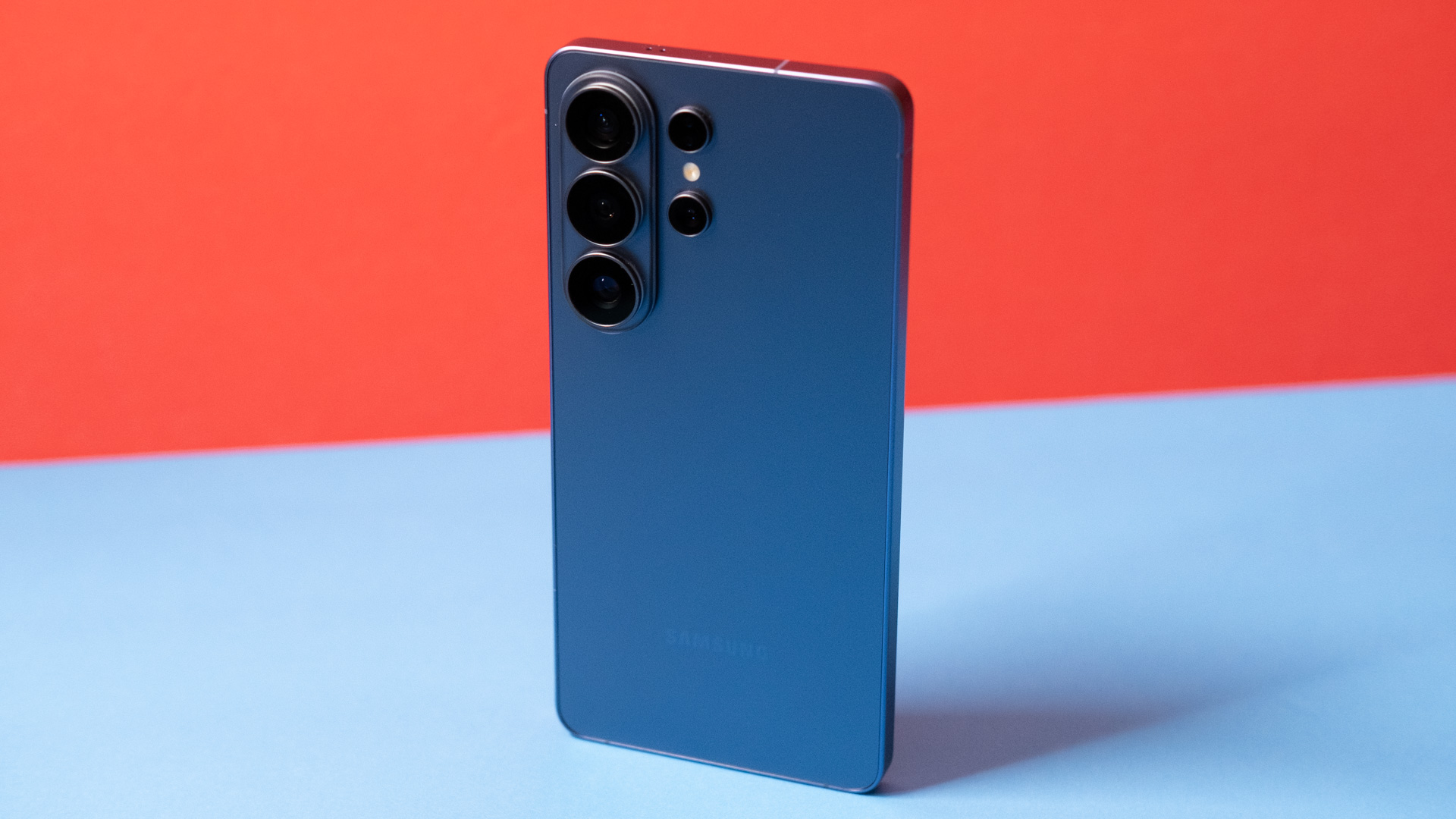
The S26 Ultra is a monolithic phone.
The S26 Ultra is a monolithic phone.
Samsung is nothing if not consistent.
Just as it has for many years, the company is starting the year with a new generation of Galaxy S phones. Rumors about remixing the lineup did not pan out, so there are still three versions of the phone—the Galaxy S26, S26 Plus, and S26 Ultra. It’s the Ultra, with its whopping $1,300 price tag, that makes up the largest chunk of Samsung flagship sales, even though you can get a perfectly serviceable smartphone for a third of the price. The S26 Ultra serves a different market than a budget phone, though.
The Galaxy S26 Ultra is big, powerful, and overflowing with features. It can be a bit too much at times, particularly if you don’t care for mobile AI. It’s expensive, but you get long support and just about everything you could want from a smartphone in 2026. Still, with other smartphone makers scaling back amid skyrocketing component prices, the S26 Ultra may end up looking like a good value in hindsight.
Modest changes, but still in the lead
The Galaxy S26 Ultra may not be an exciting mobile revolution, but Samsung knows how to build a flagship smartphone. The device looks and feels monolithic, with a sturdy metal frame sandwiched between premium glass on the front and back. The screen is covered with Gorilla Armor 2, which incorporates ceramic for added strength and a surface that reduces reflections. The back is Gorilla Glass Victus 2, with Corning’s highest impact and scratch resistance to date.
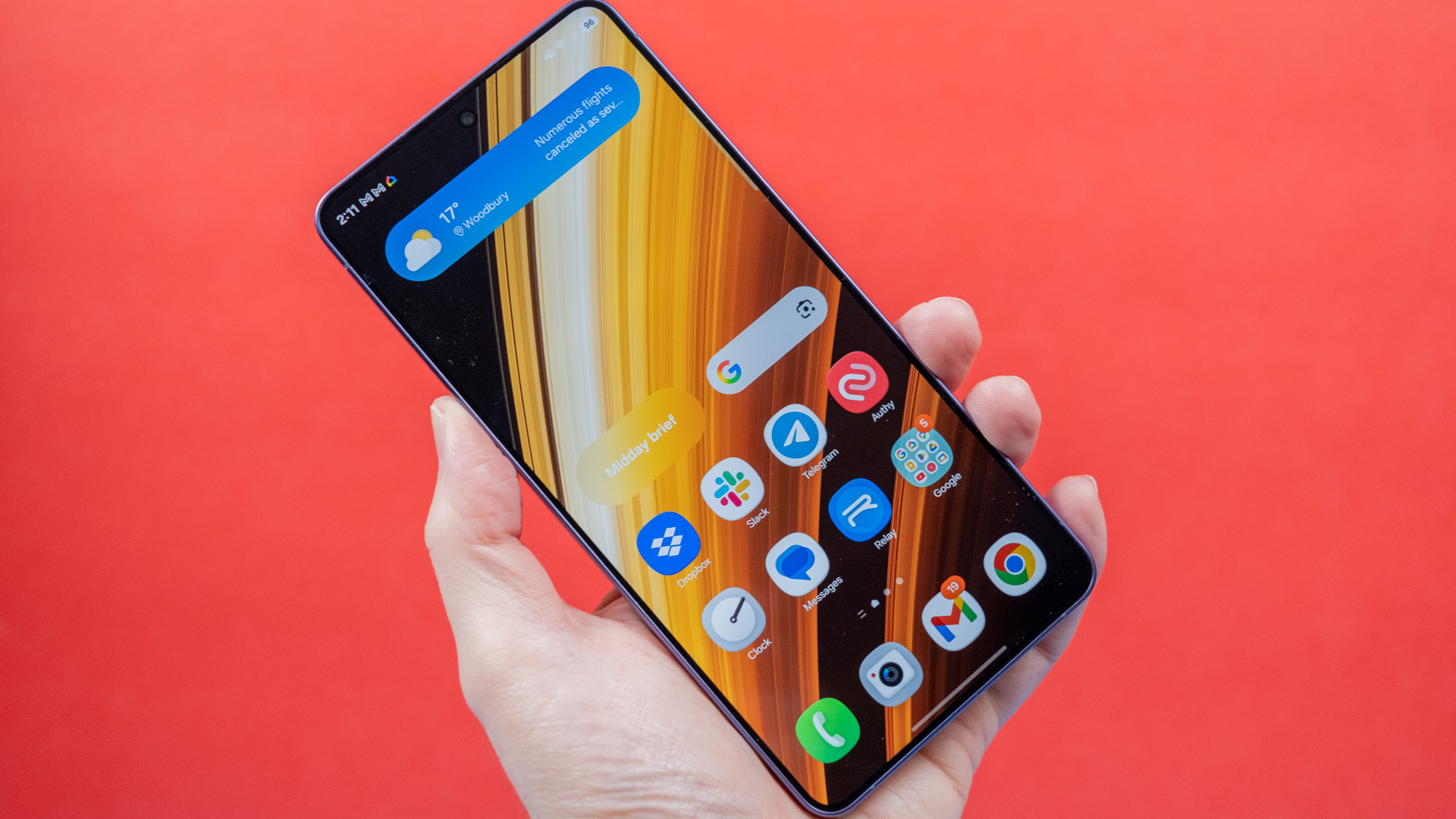
The Galaxy S26 Ultra is a very big phone.
Credit: Ryan Whitwam
The Galaxy S26 Ultra is a very big phone. Credit: Ryan Whitwam
This phone has Samsung’s most capable camera setup, and you won’t forget it. The camera bump on the back rises about half a centimeter from the glass panel, making the phone extremely wobbly when lying on a table. Most people put their phones in cases, so this isn’t a major usability issue. Still, I prefer Google’s Pixel camera bar for stability.
The power and volume buttons are on the right edge, just like last year’s phone. Both buttons are sturdy and tactile, too. Samsung manages to hide its mmWave antennas pretty well these days, so the only other disruption in the metal frame is on the bottom, where you’ll find the USB-C port, S Pen, and SIM tray. Thankfully, Samsung has retained support for physical SIM cards, which Google dumped in 2025, much to my personal chagrin.
| Specs at a glance: Samsung Galaxy S26 series | |||
|---|---|---|---|
| Galaxy S26 ($900) | Galaxy S26+ ($1,100) | Galaxy S26 Ultra ($1,300) | |
| SoC | Snapdragon 8 Elite Gen 5 (3 nm) | Snapdragon 8 Elite Gen 5 (3 nm) | Snapdragon 8 Elite Gen 5 (3 nm) |
| Memory | 12GB | 12GB | 12GB, 16GB |
| Storage | 256GB, 512GB | 256GB, 512GB | 256GB, 512GB, 1TB |
| Display | 6.3-inch OLED, 2340×1080, 1-120 Hz | 6.7-inch OLED, 3120×1440, 1-120 Hz | 6.9-inch OLED, 3120×1440, 1-120 Hz, S Pen support |
| Cameras | 50 MP primary, f/1.8, 1.0 μm; 12 MP ultrawide, f/2.2, 1.4 μm, 10 MP 3x telephoto, f/2.4, 1.0 μm; 12 MP selfie, f/2.2, 1.12 μm | 50 MP primary, f/1.8, 1.0 μm; 12 MP ultrawide, f/2.2, 1.4 μm, 10 MP 3x telephoto, f/2.4, 1.0 μm; 12 MP selfie, f/2.2, 1.12 μm | 200 MP primary, f/1.4, 0.6 μm; 50 MP ultrawide, f/1.9, 0.7 μm; 10 MP 3x telephoto, f/2.4, 1.12 μm; 50 MP 5x telephoto, f/2.9, 0.7 μm; 12 MP selfie, f/2.2, 1.12 μm |
| Software | Android 16 | Android 16 | Android 16 |
| Battery | 4,300 mAh | 4,900 mAh | 5,000 mAh |
| Connectivity | Wi-Fi 7, Bluetooth 5.4, USB-C 3.2, Sub6 5G | Wi-Fi 7, Bluetooth 5.4, USB-C 3.2, Sub6 and mmWave 5G | Wi-Fi 7, Bluetooth 5.4, USB-C 3.2, Sub6 and mmWave 5G |
| Measurements | 71.7×149.6×7.2 mm, 167 g | 75.8×158.4×7.3 mm, 190 g | 78.1×163.6×7.9 mm, 214 g |
The S Pen doesn’t have all the cool tricks of years past, but it’s still a capable input tool for writing and drawing. The silo is right near the corner of the phone, so the pen’s cap is asymmetrical to blend in with the curve. As a result, it only fits in one way instead of being fully reversible. Still, the click-click mechanism makes the stylus quick to remove, and it offers unrivaled precision and responsiveness on the screen. If you want a stylus for your phone, the S Pen is the best around. It would be nice if it still had Bluetooth so you could use it as a camera remote, though.
Let’s also acknowledge the metallic elephant in the room—this phone has an aluminum frame rather than titanium. The S25 Ultra and S24 Ultra were titanium, as were the last few Pro iPhones. Samsung says it went back to aluminum to keep the weight down, but we all know the truth: Apple returned to aluminum with the iPhone 17 Pro, so Samsung knew it could do it, too. Aluminum is cheaper (and lighter) than titanium, so it’s a win for Samsung.
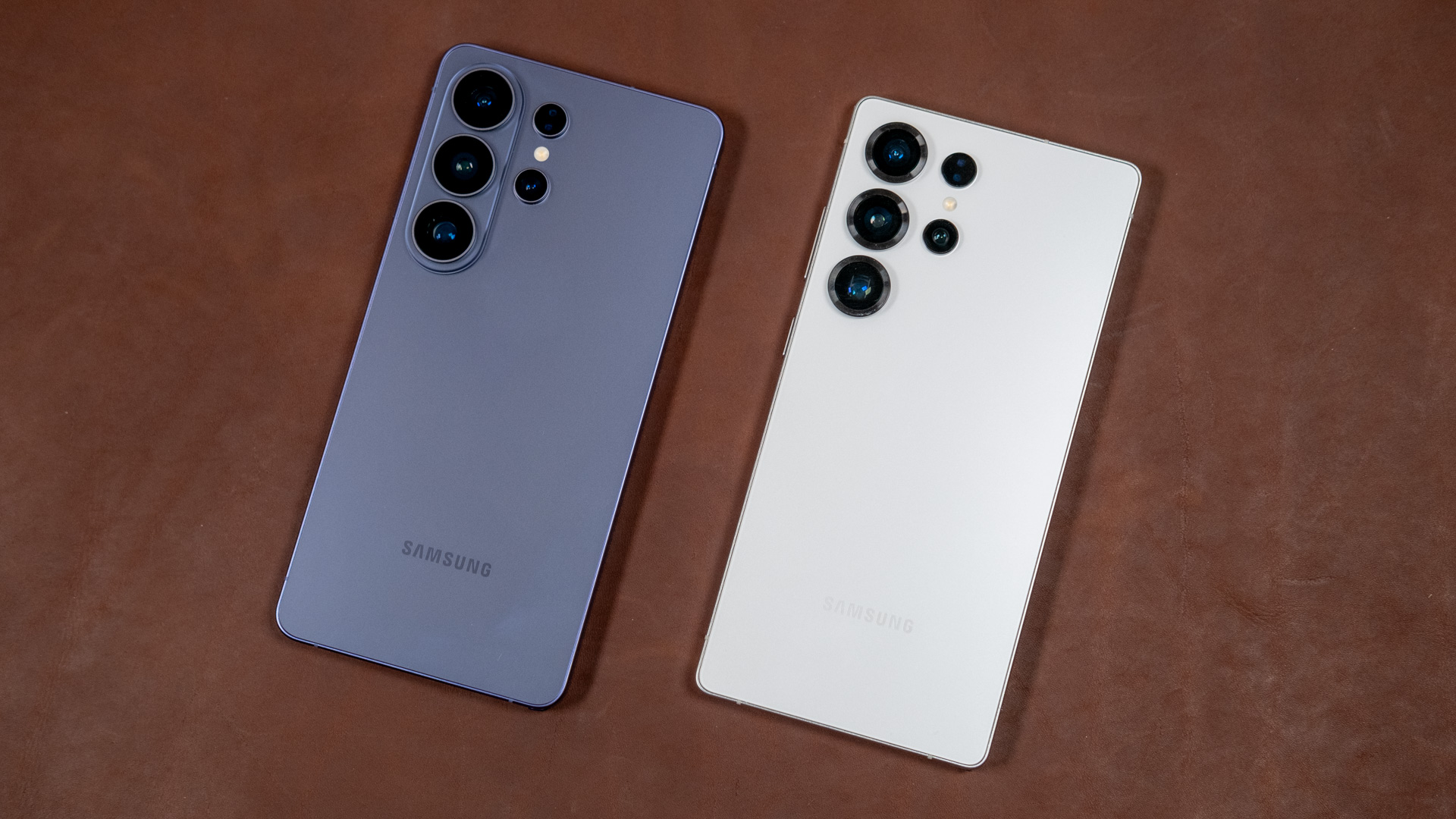
The S26 Ultra (left) frame is slightly more rounded than the S25 Ultra’s (right).
Credit: Ryan Whitwam
The S26 Ultra (left) frame is slightly more rounded than the S25 Ultra’s (right). Credit: Ryan Whitwam
The material shift is not exactly a loss for Galaxy fans, either. The Galaxy S26 Ultra uses Samsung’s latest Armor Aluminum alloy, which the company claims is stronger than ever. The new phone is also a bit slimmer and lighter, without compromising on battery capacity. Titanium is tough to anodize, so both Apple and Samsung used PVD coating on their titanium phones. Going back to aluminum, Samsung is again able to offer more vibrant anodized case colors, like this year’s “hero” color, cobalt violet.
Beneath the OLED panel is an ultrasonic fingerprint sensor for biometric unlock. Adding fingerprints is a snap, and the sensor is lightning-fast at recognizing fingerprints. Unlike optical sensors, it doesn’t need to flash a bright light to scan your finger, either.
The S26 Ultra’s display is the biggest upgrade for a totally different reason. The OLED panel is the same size and resolution as the last Samsung flagship, but it has a new integrated “Privacy Display.” With a tap, you can activate this feature and prevent nearby snoopers from seeing what’s on your screen. The effect is similar to that of privacy shield screen protectors, but you won’t have the same distortion and sensitivity drawbacks.
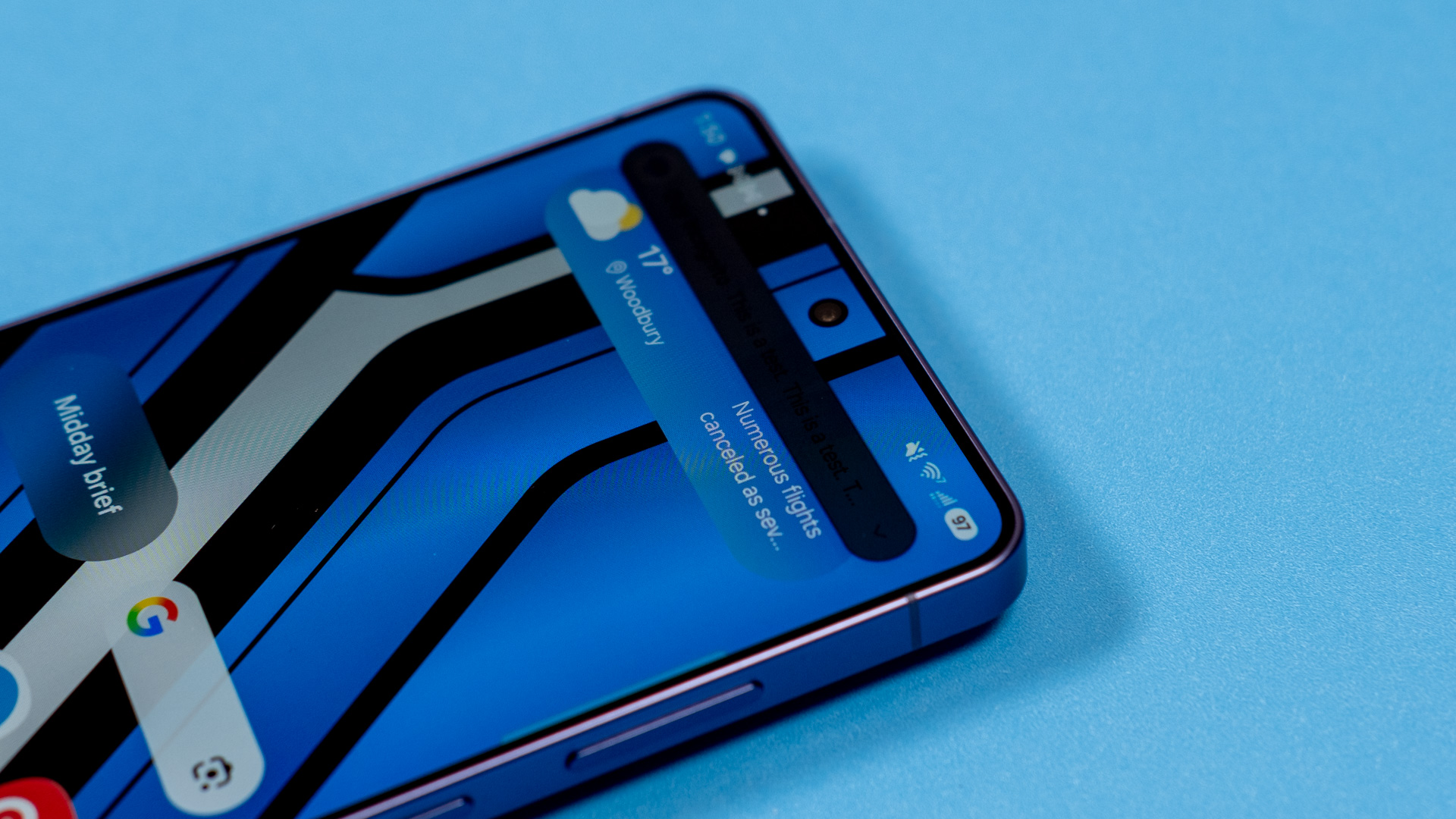
Maximum privacy can make notifications (or your whole screen) impossible for shoulder surfers to read.
Credit: Ryan Whitwam
Maximum privacy can make notifications (or your whole screen) impossible for shoulder surfers to read. Credit: Ryan Whitwam
Samsung’s Privacy Display does its job well. The screen is quite hard to read once you get about 45 degrees off-center, and it’s neat that you can activate the feature automatically in certain apps or for notification pop-ups. Privacy Display doesn’t totally obscure the screen—it just looks very dim to a shoulder surfer. They might be able to tell that you’re using a messaging app, but they won’t be able to read anything.
Samsung also has a “maximum privacy” mode, which makes the display essentially black to anyone not looking directly at it. This will almost totally hide your activities from anyone nearby. It has more drawbacks, though. In the default mode, Privacy Display reduces brightness and contrast very slightly. If you use the maximum privacy mode, be prepared for a more noticeable drop in brightness and an extreme loss of contrast. It actually makes the OLED blacks look more like a mid-range LCD. That’s the price of privacy, though.
The “agentic” phone
Samsung’s new phones run Android 16 with the One UI 8.5 interface. It still looks and works like recent incarnations of Samsung’s Android skin, but with a few notable updates.
For example, Samsung finally expanded customization options for the Quick Settings. There are also many more transparent glass effects, which are less appreciated but still a matter of taste. In general, One UI is a competent take on Android. While it has picked up more features over the years (including a lot of AI in recent versions), it’s nowhere near as cluttered or confusing as Samsung’s old TouchWiz theme. Settings are well-organized, and there are extensive theming options. Samsung’s default keyboard is still surprisingly bad, though.
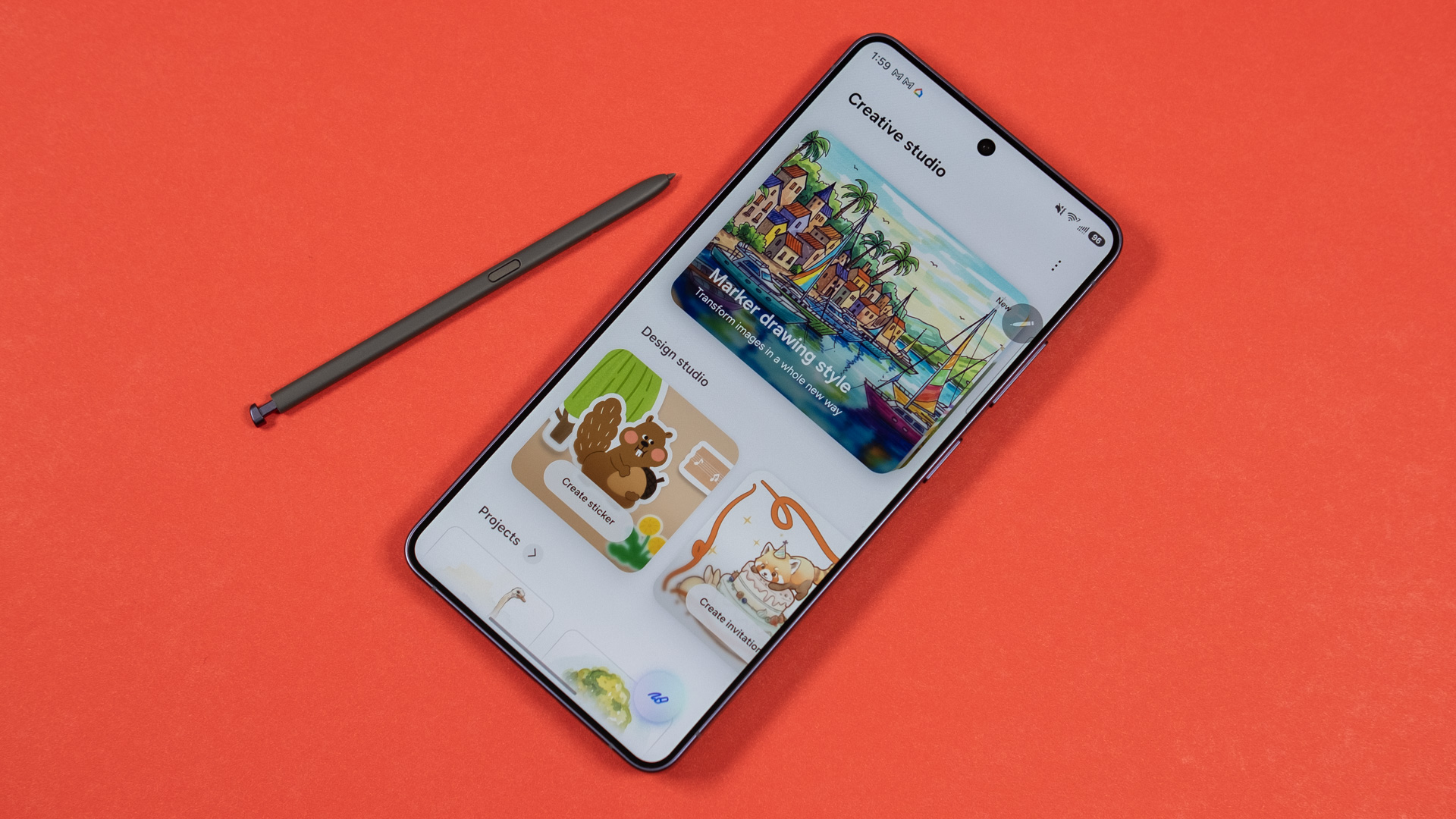
Samsung includes some AI-assisted art features on the S26 Ultra.
Credit: Ryan Whitwam
Samsung includes some AI-assisted art features on the S26 Ultra. Credit: Ryan Whitwam
Too often, though, One UI shows a lack of judgment when compared to Google, Apple, or even Motorola software. For example, Samsung has a perfectly acceptable weather app with a home screen widget. The widget, which is shown by default when you first boot up the phone, often displays weather alerts for your area. Sometimes, however, it displays weather news headlines from the app that can be from hundreds of miles away. Just because there are tornadoes in Missouri does not mean that I should see a tornado warning on my weather widget in Minnesota.
Samsung could also stand to exercise some more restraint in what it preloads on its phones. You get a full suite of Samsung apps and Google apps, many of which are duplicates, plus several apps from Microsoft, Spotify, and Facebook. Thankfully, you can uninstall or disable any apps you don’t want. But the AI? That’s deeply integrated.
Have you heard? We finally have agentic AI phones, which we apparently need. It’s hard to even define what agentic AI is, let alone what it means for a phone. The gist in this case seems to be that Samsung added a few more proactive uses of generative AI to the S26 series. The S26 Ultra comes loaded with a ton of AI tools, but most of them aren’t very compelling.
In practice, Galaxy AI doesn’t do much more than it did before, and what it does can be safely ignored. One of the new AI features is Now Nudge, which is supposed to open apps or grab relevant data for you based on screen context. I haven’t seen a single Nudge appear in my testing. Google has a similar feature for Pixels called Magic Cue, and I’ve only rarely seen that one, even after months of testing. Then there’s Ask AI, which uses Perplexity to answer questions about webpages, something you can do with any number of chatbots. Sensing a pattern here?
Samsung is also partnering with Google for task automation on the S26 series (in beta), something you could reasonably call “agentic,” but this feature is extremely limited. So far, you can only order food or request a ride in select apps. The functionality is similar to Chrome Auto Browse—you give the robot a task, and it executes it with painstaking slowness. You can watch the task if you like watching paint dry, but it can also run in the background.
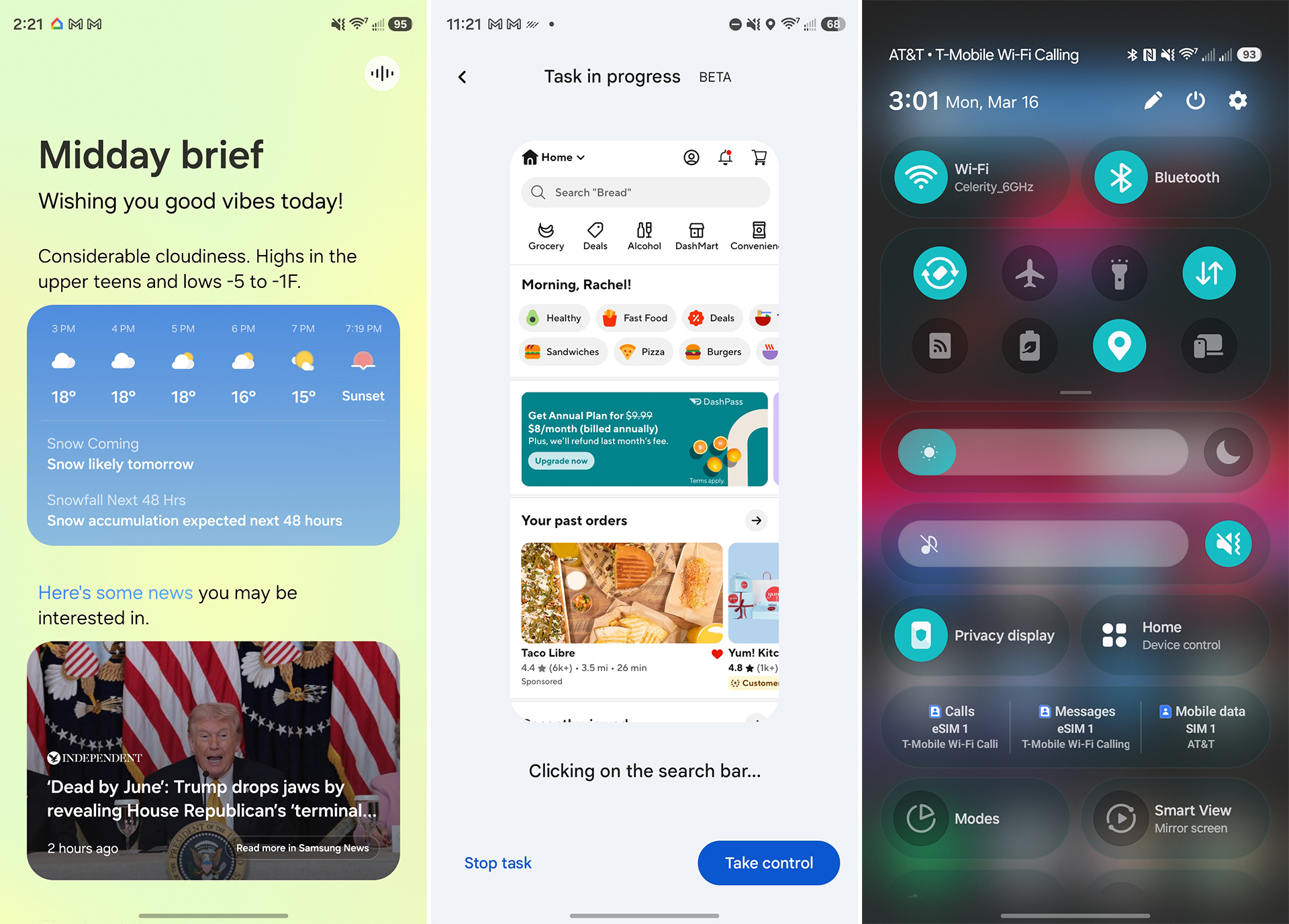
Samsung One UI 8.5 is still focused on AI.
Credit: Ryan Whitwam
Samsung One UI 8.5 is still focused on AI. Credit: Ryan Whitwam
The task automation has been mostly successful, but it’s not perfect, even with the very limited app support. I had the robot place orders in DoorDash and request Ubers, and it usually got there, asking me to tap the final order button after a lengthy wait. Sometimes Gemini would ask clarifying questions or spend a few minutes bouncing around the app before it zeroed in on the solution.
In particular, the automation seems flummoxed by the DoorDash app’s UI, which is fair—it’s not good! But if you’re only going to support a handful of apps, shouldn’t the AI be an expert at using those apps? The occasional unpredictable screw-up and sluggish nature are certainly deserving of the beta label. This experience is also available on the Pixel 10 series, but Google has a long way to go before it’s appropriate to call these phones “agentic.”
Samsung is also adding features to its legacy Galaxy AI tools. Samsung’s Now Brief, a key element of its mobile AI push, is still front and center on the S26 Ultra, and it still does almost nothing of use. Samsung claims Now Brief, which collects data from various apps to offer AI-fueled recommendations and reminders, will be able to use screen context to better anticipate your needs on the S26. We’re not seeing many changes compared to the last-gen version, though.
Now Brief updates throughout the day, appearing on your lock screen and in a home screen widget (that you can remove). We have activated all the possible data sources for Now Brief, but it consistently offers the same handful of barely useful items. It has the weather, parking spot tracking, calendar events, recommended news, and recommended YouTube videos. We had all this functionality more than a decade ago with Google Now in Android 4.1 Jelly Bean.
Now Brief is supposed to do more things, but we’re just not seeing it. If Samsung, with the world’s most powerful on-device AI processors and all the money in the world to develop this feature, still cannot make Now Brief worth using, it’s hard to see how any of this personal data intelligence makes sense. Google debuted a similar feature on the Pixel 10 family last year called Daily Hub. It deactivated the Hub almost immediately because, like Now Brief, it didn’t do much of anything. It has yet to return.
One thing Samsung gets very right with mobile AI is keeping the user in control. Galaxy AI features are scattered throughout the OS, allowing you to summarize notes, edit photos, generate text, get real-time translations, and more. As on other smartphones, these features can be of use in the right situations when people decide to trust them. Unlike other phones, Samsung lets you keep all the data powering Galaxy AI confined to your device. The local AI toggle in the Galaxy AI menu blocks cloud processing, but it also reduces the number of available Galaxy AI features. That might be just fine (or even preferred) for casual AI users.
There’s plenty more AI coming to this phone in the future, too. Samsung matches Google with its seven-year update guarantee. That means the S26 Ultra will still have full system and security update support through 2033.
More power
Samsung’s new flagship phones run on the fastest mobile chipset available, the Snapdragon 8 Elite Gen 5 for Galaxy. The “for Galaxy” addendum means Qualcomm customized the chip for Samsung. In the past, that has meant just overclocking the CPU cores a bit, but Samsung claims the changes are more expansive this time, improving all aspects of the chip.
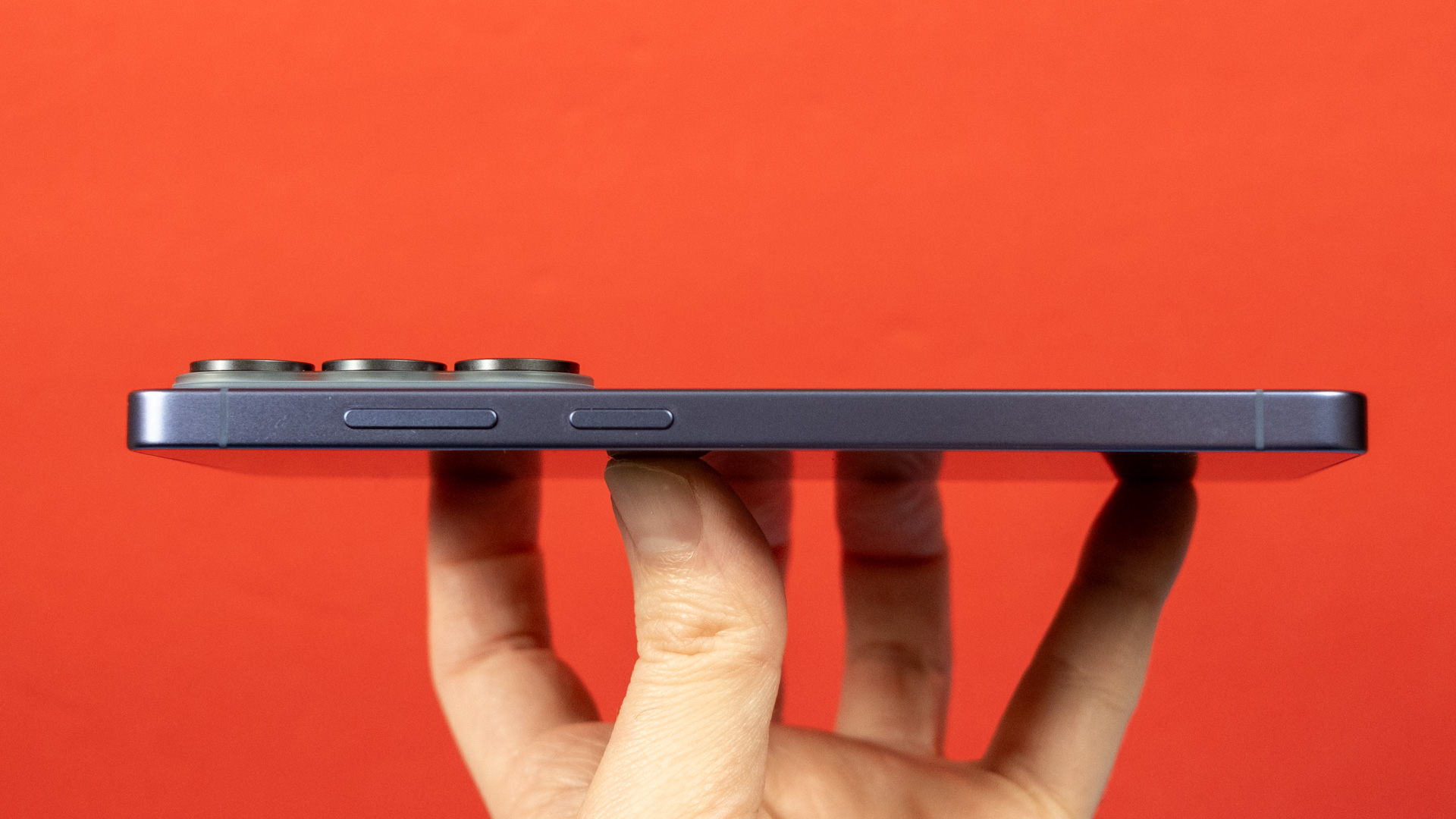
The camera bump sticks up quite far from the back of the phone.
Credit: Ryan Whitwam
The camera bump sticks up quite far from the back of the phone. Credit: Ryan Whitwam
The extent of the customizations on Qualcomm’s end is unclear, but the S26 Ultra tops the charts in benchmarks. On paper, this is the fastest Android phone out there, for both general productivity and gaming. The difference versus last year’s Qualcomm processor is small, but the S26 Ultra does blow phones like the Pixel 10 out of the water.
There are performance caveats with some less expensive phones—maybe the UI is snappy but opening apps is slow or the lock screen lags too often. That’s not the case with the Galaxy S26 Ultra, which is blazing fast all the time, though it damn well better be for $1,300.
Opening apps is lightning-quick, and the phone’s ample memory easily keeps heavy apps and even some games in memory for long periods. So you may not even have to reload things when you open them. The beefy specs, along with the fast and responsive display, ensure you’ll never feel like you’re waiting on the S26 Ultra to catch up to you.
Gaming performance is also great on the S26 Ultra thanks to Qualcomm’s market-leading Adreno GPU. If you want to play detailed 3D games on your phone, the S26 Ultra is a great option, particularly now that Asus says it’s no longer making ROG Phones.
Heat is a problem, though. Samsung says it equipped the S26 Ultra with its largest vapor chamber yet to control temperatures, and it does improve thermal efficiency compared to the last few Ultras. When stressed to the max, the Ultra sheds about 40 percent of its graphical performance. That’s a big chunk, but even in this worst-case scenario, the S26 Ultra remains faster in games than Google’s Pixel phones. That’s just Snapdragon for you.
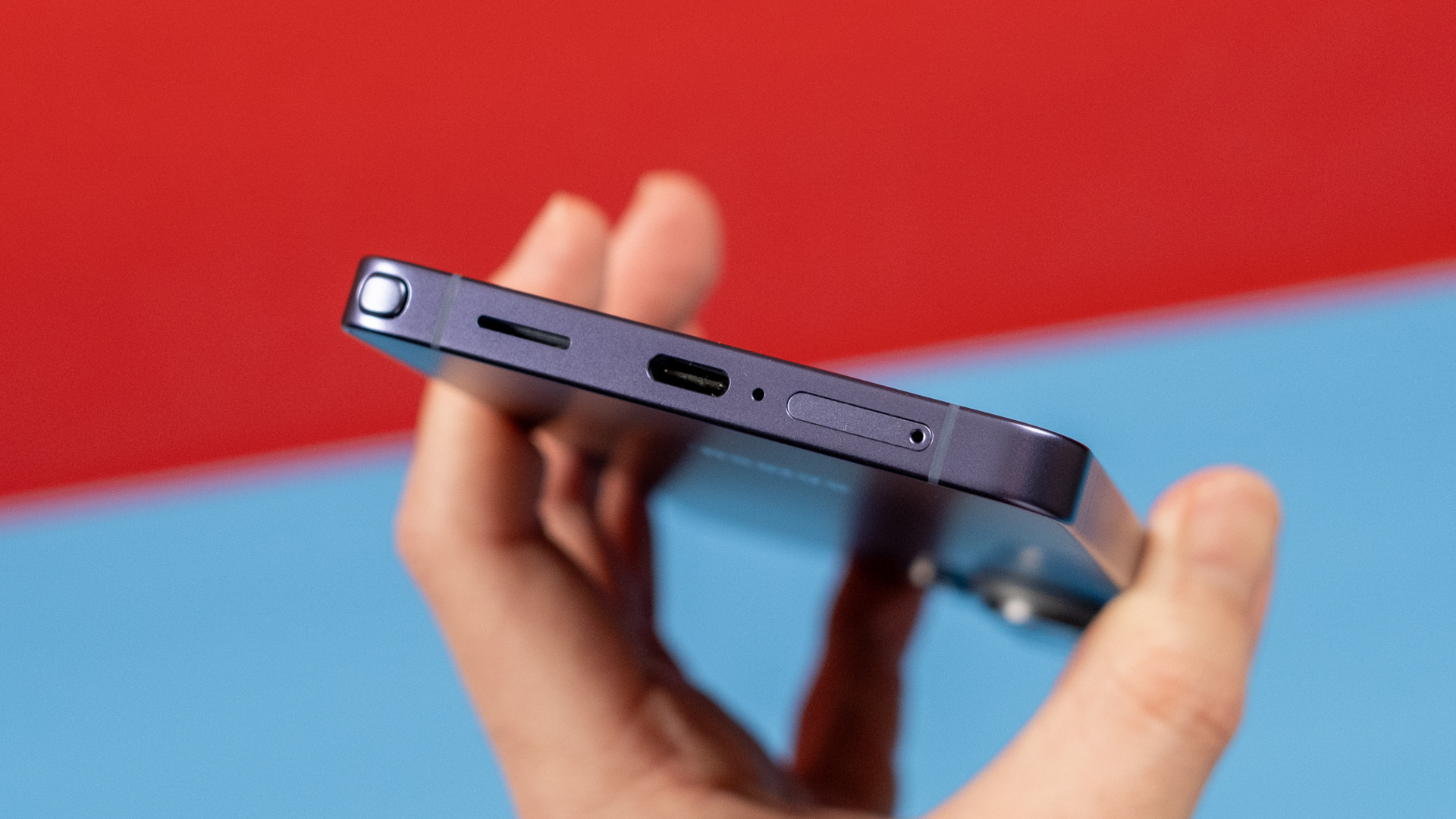
Thankfully, there’s still a SIM card slot on this phone.
Credit: Ryan Whitwam
Thankfully, there’s still a SIM card slot on this phone. Credit: Ryan Whitwam
Samsung did not increase the battery capacity in its new Ultra phone, sticking with a 5,000 mAh cell. That’s not necessarily bad, but Google manages 5,100 mAh in the Pixel 10a, and OnePlus changed up its battery tech to get all the way to 7,500 mAh in the OnePlus 15. Samsung could be doing more here, but the S26 Ultra will last you all day and then some. It’s just a phone you will have to plug in every night if you want it to last beyond lunchtime the next day.
Charging speeds have improved a bit for the S26 Ultra. While the S25 Ultra topped out at 45 W wired charging, the S26 Ultra bumps that up to 60 W. This makes a noticeable difference when you just need to get a little more juice quickly. Wireless charging is also a bit faster at 25 W (up from 15 W), thanks to support for the Qi 2.2 standard. However, Samsung continues to skip the internal magnets like those in Apple and Google devices. In fairness, magnetic accessories interfere with the S Pen, so it’s understandable why Samsung may not want magnets in its phone. Still, it would be nice to have the option of using a magnetic charger or accessory while the S Pen is in its silo.
Samsung’s standard cameras
One of the things that sets the S26 Ultra apart from most other phones is its bulky camera array. In addition to the passable 12 MP selfie shooter, the phone has four cameras, each with a different focal length. As you zoom in to frame a photo, the S26 Ultra will shuffle through these sensors so you can snap with as little digital zoom as possible.
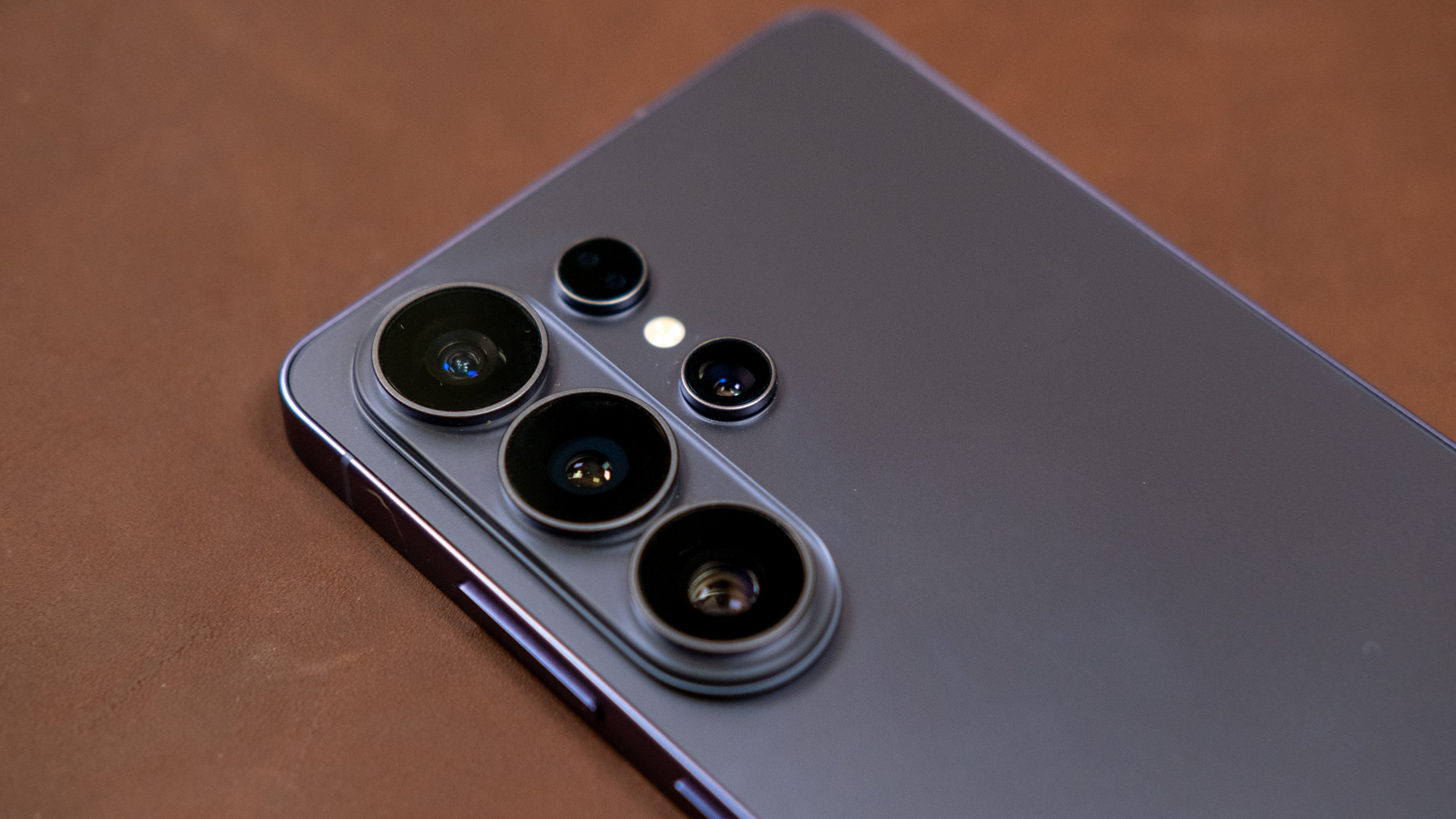
The S26 Ultra has four rear cameras, each with a different focal length.
Credit: Ryan Whitwam
The S26 Ultra has four rear cameras, each with a different focal length. Credit: Ryan Whitwam
All the S26 Ultra’s camera sensors are the same this year, but it has very little competition at this level, and there have been a few small alterations to the lenses. The main wide-angle camera is still a 200 MP 1/1.3-inch sensor that produces binned 12 MP images by default. Samsung widened the aperture this year (f/1.4 from f/1.7), but it’s otherwise identical to the S25 Ultra’s 200MP camera. That’s backed up by a 50 MP 5x zoom camera, which also got a slightly wider aperture (f/2.9 from f/3.4). You also get a 10 MP 3x zoom and a 50 MP ultrawide camera.
While you can shoot with the main camera in 200 MP mode, you should avoid that. The sensor is designed for pixel binning to increase brightness, and Samsung’s image processing is optimized to support it. You’ll actually get clearer and more detailed shots scaled down to 12 MP. These photos look great under most shooting conditions. Samsung’s dynamic range can almost match the Pixel, and the colors look excellent, if a bit unrealistically bright.
Bright light, fast movement. Ryan Whitwam
The wider aperture helps the sensor collect more light, resulting in quicker exposures with less motion blur. The S25 Ultra is about on par with Apple in that respect now, but Google still maintains faster shutter speeds in 2026. The only drawback is that the wider aperture makes the focal plane even narrower, which can cause parts of your subject closer or farther from the camera to be out of focus. This is a common issue with smartphone camera design, but Samsung is pushing the envelope with these apertures.
There’s nothing new or interesting about the ultrawide or 3x zoom lenses. The Ultrawide has an impressive field of view with relatively little edge distortion, and the telephoto gets you much closer to your subject without forcing you to go all the way to 5x zoom. However, at a mere 10 MP, that zoom lens feels a bit weak. You tend to get shots that look a bit overprocessed in the 3x to 4.9x zoom range.
The 5x telephoto uses a new periscope design with the lenses on top of the prism instead of behind it. This makes the module smaller and produces a more pleasant bokeh. On the flip side, it extends the minimum effective focal distance by about half, to 52 cm. It does still get you much closer to distant subjects without a bunch of digital zoom, and the wider aperture collects more light. The narrower focal plane isn’t as much of a concern with photos taken at a distance.
Samsung takes video more seriously than Google or Moto, offering just about every feature you could want. There’s recording up to 8K30, a full suite of pro mode settings, 10-bit HDR, and even APV (Advanced Professional Video) for near-lossless recording at 1080p or 4K. These files will be gigantic, though. Luckily, the S26 Ultra supports recording to external storage.
Samsung’s video looks crisp and smooth, with vivid colors and solid stabilization. Even a 2x zoom on the main sensor still looks nice, and the 5x telephoto is great as well. Again, the 3x zoom lens is weaker than the others. Samsung added horizon lock to stabilization this year, allowing the S26 to keep the video level even if your phone is not. It works well, but you can’t shoot in 4K with this setting enabled.
The everything phone
At $1,300, the Galaxy S26 Ultra is an objectively expensive phone. It does offer a lot for the price, though, and you could get your money’s worth if you stick with it for the long haul. It has the fastest mobile processor in the world, the best OLED screen on a phone, ample RAM, durable materials, and even a stylus. At just $200 less, downgrading to the Plus variant doesn’t make as much sense as it did in years past.
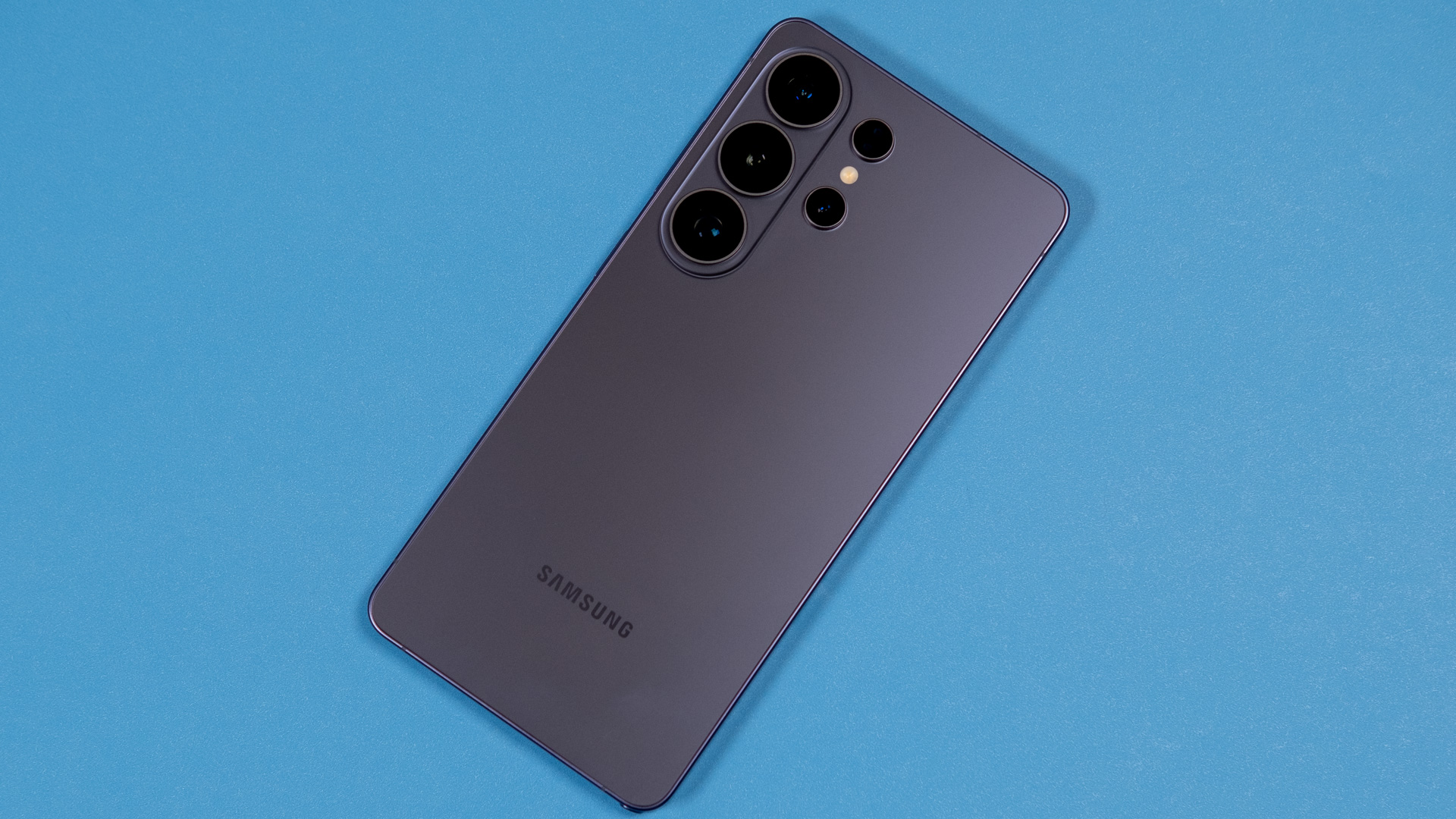
Cobalt violet is Samsung’s “hero” color this year.
Credit: Ryan Whitwam
Cobalt violet is Samsung’s “hero” color this year. Credit: Ryan Whitwam
With companies like Asus and OnePlus appearing to scale back, Samsung is increasingly vital for people who want the most powerful multitasking capabilities or extreme gaming performance in an Android smartphone. The Galaxy S26 Ultra is fast enough out of the box that it could remain usable all the way to the end of its seven-year update lifespan. As we continue to buy smartphones like appliances rather than gadgets, it might make sense to spend more with the expectation of a long service life.
Samsung catches flak for its slow rate of Galaxy S hardware innovation, but the strategy is working. It maintained the price in the face of increasing component costs for 2026, and preorders for the S26 Ultra are up. This will be the most popular flagship Android phone in most of the world for the next year. There’s really no OEM outside of China that can challenge Samsung’s dominance at the high end.
The good
- Big, beautiful screen with cool privacy option
- Solid cameras
- Class-leading performance
- Among the longest-supported phones you can buy
- Toggle for local-only private AI processing
The bad
- Very expensive
- Many AI features are still not very useful or reliable
- Big and heavy

Ryan Whitwam is a senior technology reporter at Ars Technica, covering the ways Google, AI, and mobile technology continue to change the world. Over his 20-year career, he’s written for Android Police, ExtremeTech, Wirecutter, NY Times, and more. He has reviewed more phones than most people will ever own. You can follow him on Bluesky, where you will see photos of his dozens of mechanical keyboards.