

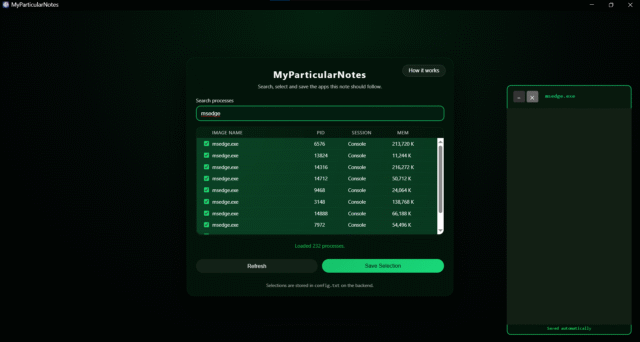
MyParticularNotes is a new open source Windows app that links notes to applications. When you launch a program, like Word, or Chrome for example, it will display the relevant note for it. The tool runs locally, encrypts stored notes, and keeps everything on the system, offering a neat way to attach reminders or information directly to the apps you already use.
Instead of keeping a single list of notes, the program connects each note to a specific application. Using the Windows User32 API, the program reads the foreground process name to identify the app in use. When you switch programs, the note linked to the new app will appear, replacing the previous one. The API check runs several times a second so updates happen almost immediately.
SEE ALSO: Remo Uncover gathers Windows evidence into structured, readable summaries
Notes appear in a small floating widget beside the active app. The minimal, resizable window stays visible without covering the workspace, and you can type directly into it while working in another program. Changes save automatically in the background.
All notes remain stored locally on your computer and each file is encrypted using a simple key derived from the system username. Nothing is sent to external servers, and the program doesn’t rely on cloud storage or online accounts.
MyParticularNotes config
MyParticularNotes configuration is simple too — the list of applications that have notes attached to them is stored in a config.txt file and that list can be updated through the program’s interface or by directly editing the file. When the file is changed, the program detects the update automatically and adjusts its behavior accordingly without needing a restart.
Should you decide you no longer require MyParticularNotes on your computer, you can just close the process and delete the folder, or run the uninstaller to remove the software and all locally stored notes.
You can download the handy program from here.
What do you think about MyParticularNotes? Let us know in the comments.


