Apple has furnished owners of certain iPhone and iPad models with a new privacy feature to limit precise location from cellular networks. Although this is not something that everyone is equally concerned about, the fact that cellular networks are able to triangulate your position is a worry for some people.
If you are someone who does have concerns in this area, the roll out of the new Limit Precise Location setting will come as good news. Similarly welcome is the fact that it is very easy to toggle on and off as and when required.
The bad news is that the number of support devices, the operating system requirements, the range of supported carriers, and the countries in which this is an option mean that a lot of people who would be interested in using this feature will not be able to.
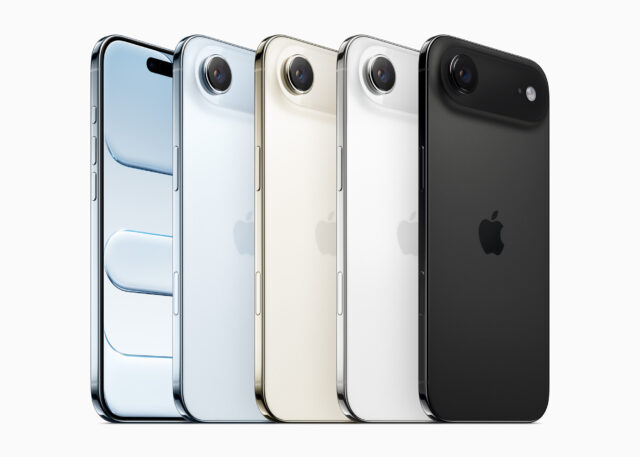
To be able to take advantage of the feature, you need to have an iPhone Air, iPhone 16e, or iPad Pro (M5) Wi-Fi + Cellular running OS 26.3 or later. You also need to be using a supported carrier, which is limited to:
- Germany: Telekom
- United Kingdom: EE, BT
- United States: Boost Mobile
- Thailand: AIS, True
Explaining the feature, Apple says;
Cellular networks can determine your location based on which cell towers your device connects to. The Limiti Precise Location setting enhances your location privacy by reducing the precision of location data available to cellular networks.
With this setting turned on, some information made available to cellular networks is limited. As a result, they might be able to determine only a less precise location — for example, the neighborhood where your device is located, rather than a more precise location (such as a street address). The setting doesn’t impact signal quality or user experience.
The limit precise location setting doesn’t impact the precision of the location data that is shared with emergency responders during an emergency call.
This setting affects only the location data available to cellular networks. It doesn’t impact the location data that you share with apps through Location Services. For example, it has no impact on sharing your location with friends and family with Find My.
To toggle the setting, use the following steps:
- Open Settings, then tap Cellular.
- Tap Cellular Data Options. If you have more than one phone number under SIMs, tap one of your lines.
- Scroll down to Limit Precise Location.
- Turn the setting on or off. You might be prompted to restart your device.